AI Hair Color Changer

Burgundy Hair Filter

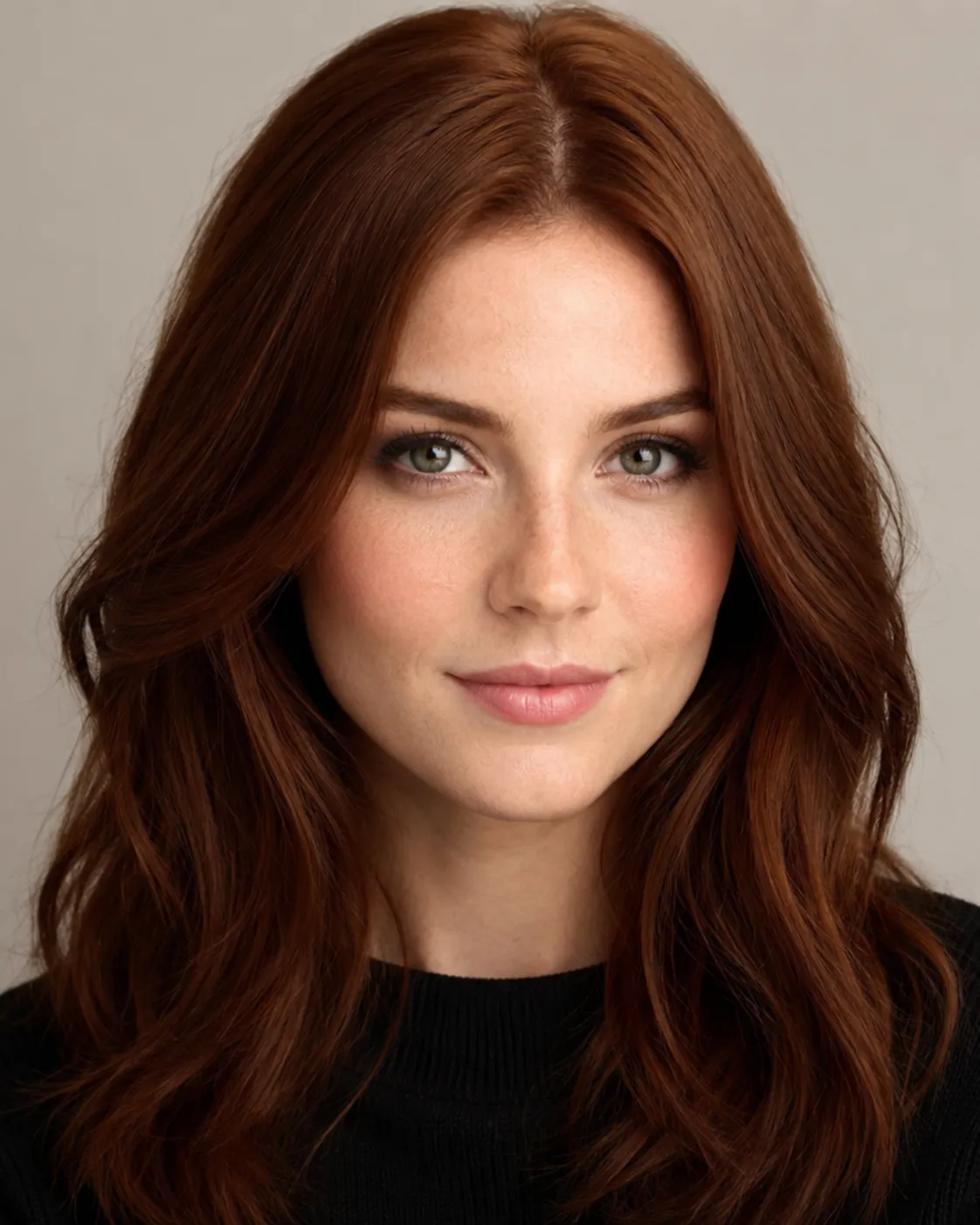
Test Classic Burgundy, Plum Burgundy, and Cherry Burgundy on your own face before you open a box of dye.

Burgundy is a deep red-purple wine shade that looks dramatic in person and rich in photos. AIChangeHair recolors only the hair in your photo. Your face, skin tone, lighting, and background stay exactly the way they were.

Run two versions on the same selfie - a cool plum against a warmer cherry - and set them side by side before you decide anything.✨ A brand-new report every time — a different hairstyle and color on every single generation.Edit hair · Try styles · Generate hair report
Upload a clear portraitTap to upload
1Task
2Input method
60 styles
3Quality
About this shade

Burgundy is the wine shade that doesn't need a salon bleach session

Burgundy sits in the red-purple corner of the color wheel, somewhere between merlot and a dark cherry. Here's the big draw: it actually shows up on dark hair with little or no lifting, which is rare for a color this saturated. Cool burgundy leans plum and violet. Warm burgundy leans red and cherry. That one fork changes how the color plays against your skin. So the real question isn't whether burgundy is pretty - it's which burgundy looks right on you. Judge it on your own face, not a stock model or a paper swatch.

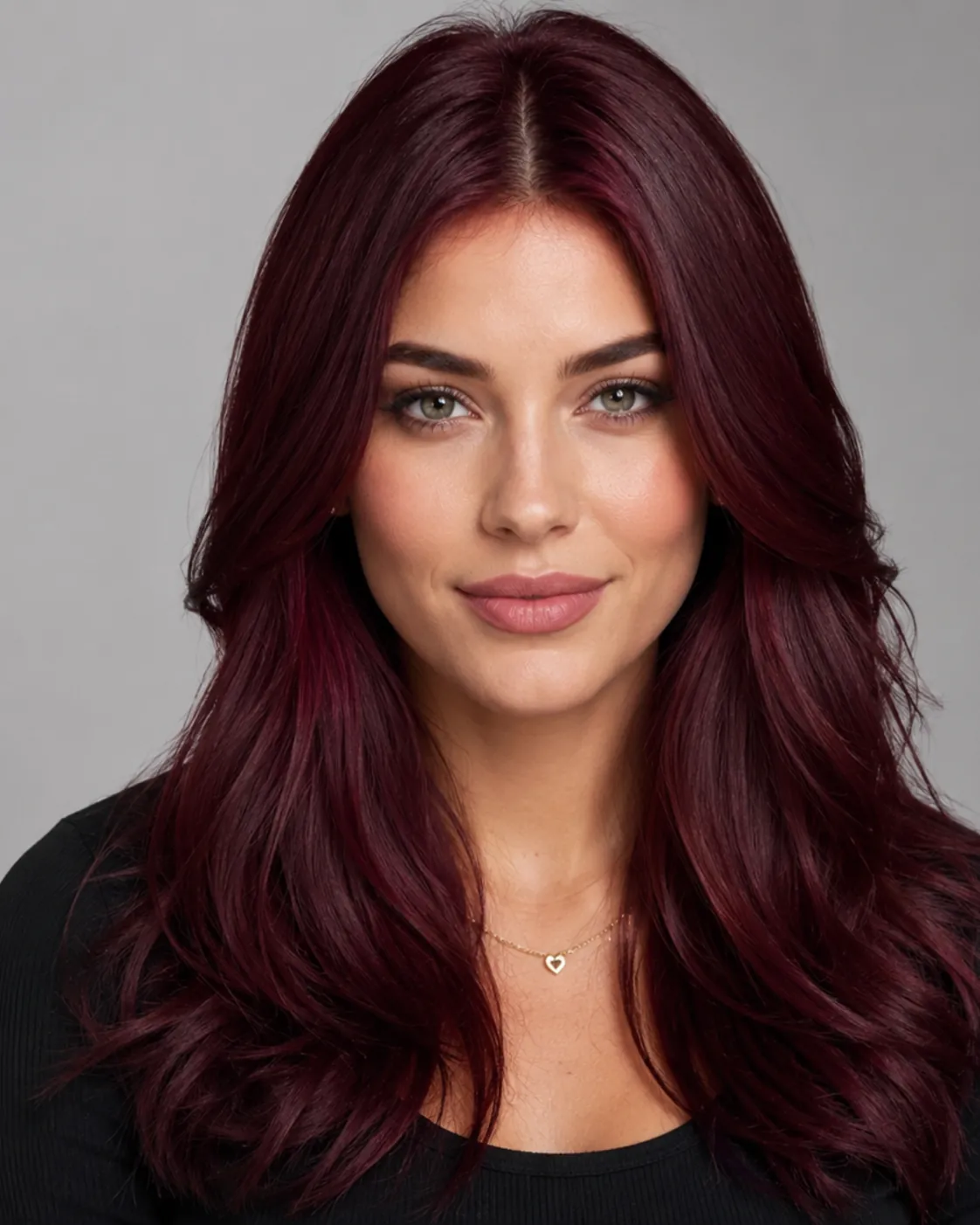
Burgundy hair filter preview with classic burgundy, a balanced deep wine red
Classic Burgundy
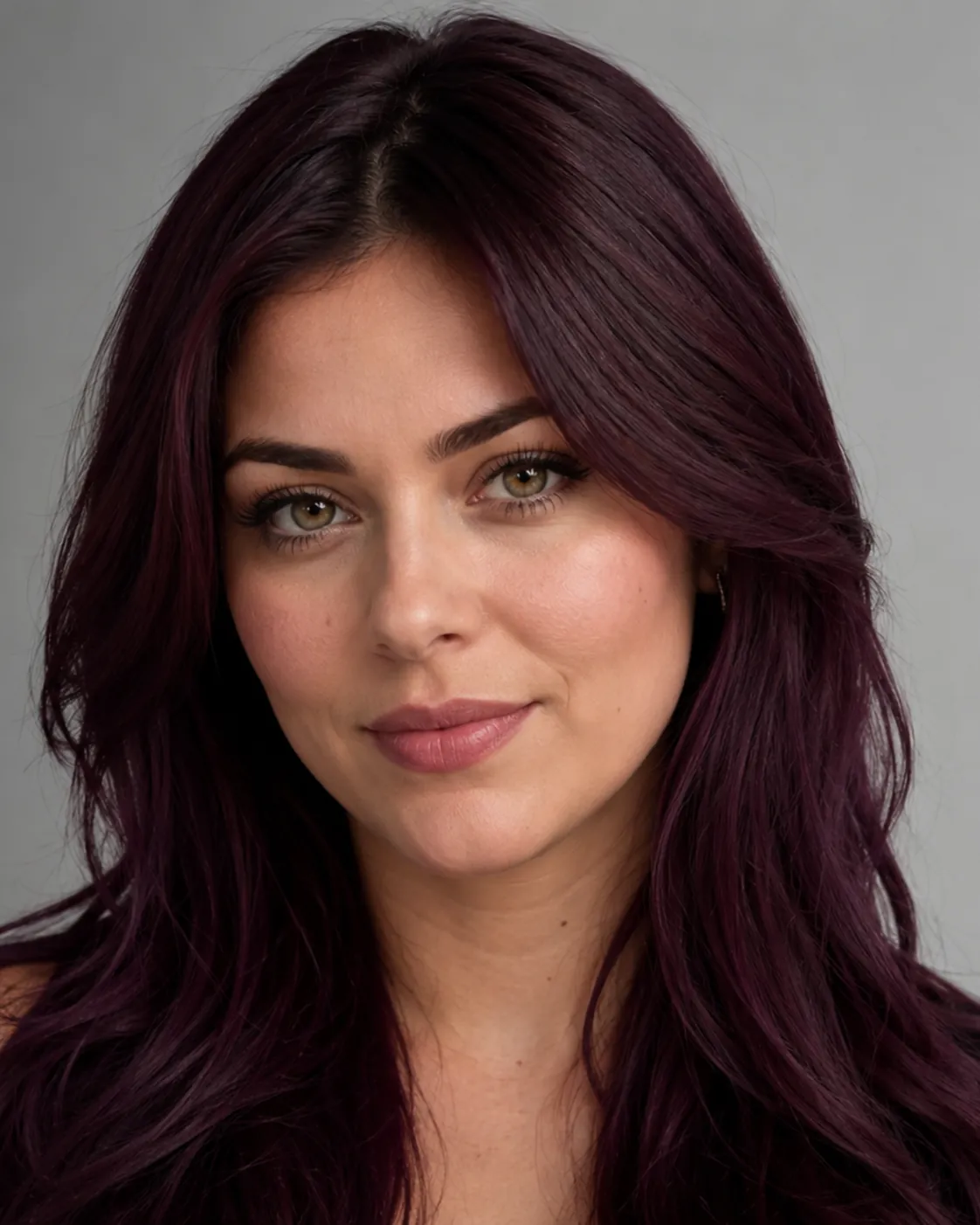
Burgundy hair filter preview with plum burgundy, a cool violet-leaning wine shade
Plum Burgundy
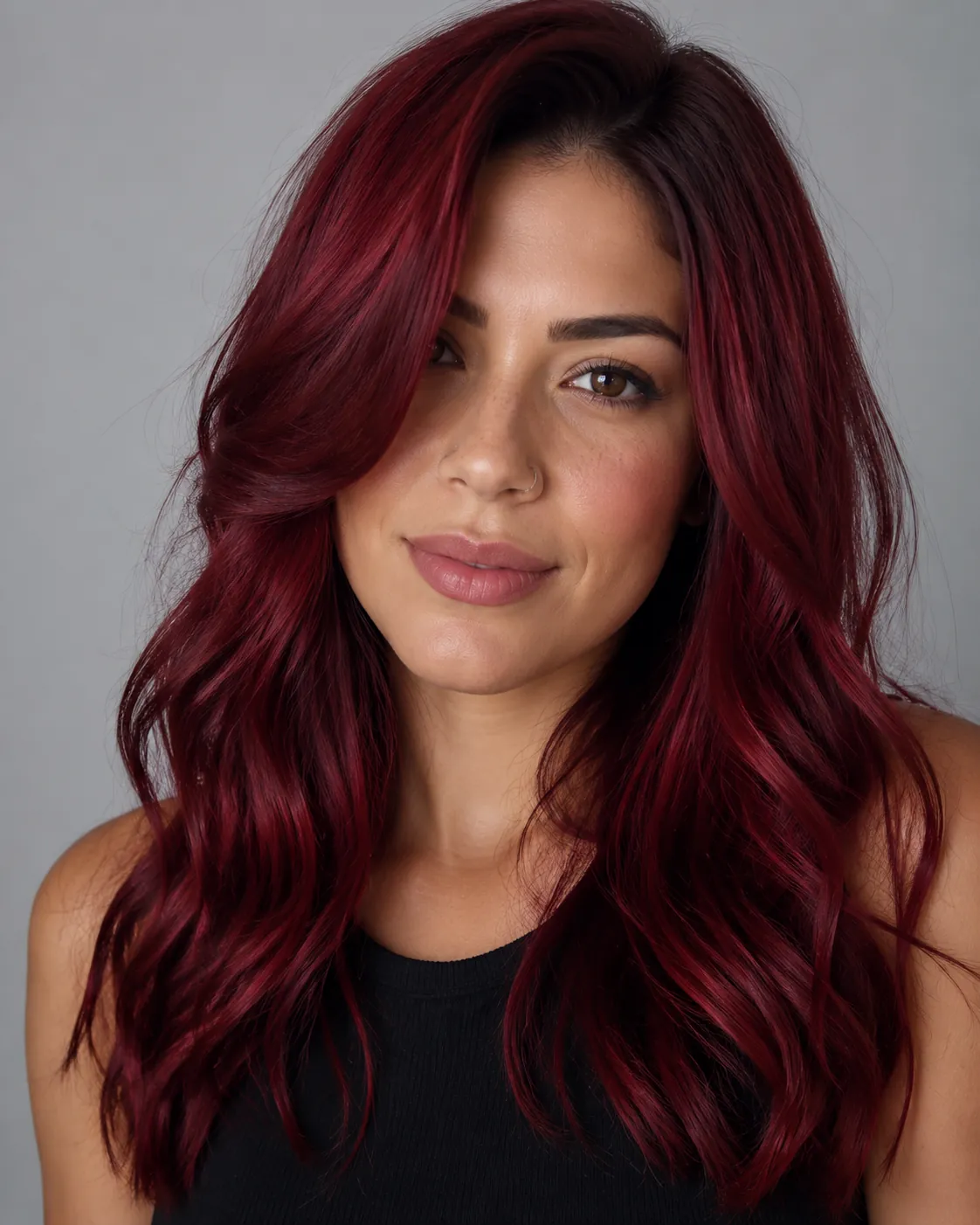
Burgundy hair filter preview with cherry burgundy, a warm red-leaning wine shade
Cherry Burgundy
Three burgundy shades to compare

Classic Burgundy, Plum Burgundy, and Cherry Burgundy each pull the color a different way - balanced wine, cool violet, and warm red - so you can see where your version lands.

Wine tone that holds on dark hair

Burgundy is one of the few rich colors that keeps its depth on naturally dark hair without heavy bleaching. The preview shows it on your actual base, not a blonde model's.

Cool or warm, side by side

Pick a violet-heavy plum or a red-heavy cherry and compare them on the same shot. With burgundy, the cool-versus-warm call is the whole decision, so we make it easy to see.

Your face, untouched

The recolor stays inside the hair. Your skin tone, freckles, makeup, and the room behind you don't shift, which is what makes the preview believable.

Dial in your exact merlot

Want it darker, closer to black-cherry, or a touch brighter? Describe the shade in your own words and the filter mixes that specific burgundy for you.

Custom promptDescribe your hair change
Make my hair a glossy copper bob with soft curtain bangs, natural volume, and a photo-real salon finish.
One input is enoughGenerate from description
Custom shade

Describe the exact burgundy you have in mind

Maybe you want it nearly black at the root fading to merlot, or a brighter cherry-wine that catches the light. Type what you're picturing - "dark plum burgundy, low shine" or "warm cherry burgundy, glossy" - and the filter builds that shade instead of locking you into one preset.


Bob hairstyle preview
Bob
Pixie Cut hairstyle preview
Pixie Cut
Soft Waves hairstyle preview
Soft Waves
Color plus cut

See burgundy on a bob, waves, or a pixie

A deep wine color reads differently depending on the cut. A blunt bob makes burgundy look sharp and editorial. Loose waves spread the tones and show off any violet or cherry shift. A pixie keeps it bold and low-maintenance. Pair the shade with a style to preview the full look at once.

How to Try Burgundy Hair on Your Photo

01

Upload a clear photo

Use a front-facing shot in even light where your hair is visible and not covered by a hat or hood. Good light makes the wine tones read accurately.

02

Pick your burgundy

Choose Classic, Plum, or Cherry Burgundy. Or type a custom shade like "dark merlot" if you have something exact in mind.

03

Generate and compare

Give it about a minute, then view your burgundy result next to your original. Try a second shade and keep whichever one looks right on you.

Try AIChangeHair Now
Pricing

Start free. Upgrade when you need more.

Free daily credits to start. Go Monthly, or save 53% with the Yearly plan - high quality, custom prompt edits, 180 hairstyle presets, AI hair reports, and high-volume use.

Starter

$0/ forever

Try hair color, hairstyle, prompts, and reports with no commitment.

  • 20 free credits on signup + 10 every day you claim
  • = 1 1K edit per daily claim
  • 1K edits cost 10 credits · 2K cost 16 · 4K cost 24
  • Custom text prompts, color palette, 180 hairstyle presets, and AI hair reports

Monthly

$14.99/ month

For regular hair color, hairstyle, and profile-refresh workflows.

  • 800 credits every month
  • = 80 1K edits, 50 2K, 33 4K, or 50 AI hair reports
  • All three resolutions — 1K, 2K, and 4K — available
  • All color palettes, 180 hairstyle presets, custom prompts, and AI hair reports
  • Cancel anytime
Best value · 53% off first year

Yearly

$6.99/ month

$83.88 your first year · renews $179.88/yr

Best value — the lowest price per credit, billed once a year.

  • Everything in Monthly, for 53% less per month
  • 14,400 credits up front — 50% more than a year of monthly
  • = 1,440 1K edits a year (about 120 every month)
  • Just $6.99/mo, billed $83.88 your first year
  • All color palettes, 180 hairstyle presets, custom prompts, and reports

$83.88 for the first year (about $6.99/mo). Renews at $179.88/year — still 50% more credits than monthly. Cancel anytime.

One-time credit packs

Buy credits without a subscription

Top up whenever you need to. Credits are added instantly and never expire, with no recurring charge.

Starter pack

$9.90

300 credits

≈ 12–30 edits

Popular

Value pack

$19.90

650 credits

≈ 27–65 edits

Bulk pack

$39.90

1,400 credits

≈ 58–140 edits

Prices in USD. Cancel monthly and yearly plans anytime. Questions? Talk to us.

Burgundy Hair Filter: Common Questions

1. What is burgundy hair, exactly?

Burgundy is a deep red with a purple undertone - think wine, merlot, or a dark cherry. It's darker and cooler than a plain red, which is why it reads as rich and dramatic rather than bright.

2. Will I need to bleach my hair to go burgundy?

Usually not, and that's burgundy's big advantage. Because it's a dark, saturated color, it shows up on naturally dark or brown hair with little or no lifting. You'd only need bleach if you want a brighter, lighter cherry-wine result.

3. Does burgundy suit my skin tone?

Most people can wear some version of it. Cool, plummy burgundies tend to flatter cooler or olive skin, while warmer cherry burgundies often look great on warm and deeper skin tones. The fastest way to know is to preview both on your own photo.

4. What's the difference between burgundy and maroon?

They overlap, but maroon is a brownish-red that leans warm, while burgundy carries more purple and reads cooler and a bit more saturated. If a color looks like dark red wine, that's burgundy. If it looks like a faded brick-red, that's closer to maroon.

5. Is burgundy warm or cool, and how do the shades differ?

It can be either. Plum Burgundy is the cool option with visible violet. Cherry Burgundy is the warm one that leans red. Classic Burgundy sits in the middle as a balanced wine. That cool-versus-warm choice is the main thing to test on yourself.

6. Is the burgundy hair filter free to try?

Yes, you can preview burgundy on your photo at no cost. A result takes about a minute, and there's no commitment - it's a try-before-you-dye look, not a salon appointment.