AI Hairstyle Preview

Mullet Filter

Upload one photo and preview a modern mullet on your own hair — no haircut, no guessing.

The mullet is back, but it is a big swing. This Mullet Filter lets you try the short-top, long-back look on your real face in seconds, so you can decide if it suits you before a stylist ever touches your hair. Upload a portrait, hit generate, and see the result on you.

Free to try • One photo • Your face, skin tone, and background stay exactly the same✨ A brand-new report every time — a different hairstyle and color on every single generation.Edit hair · Try styles · Generate hair report
Upload a clear portraitTap to upload
1Task
2Input method
3Quality
How the Mullet Filter works

See a mullet on your own face before you commit

This mullet filter is a free way to see yourself with a modern mullet before booking the cut. Upload one portrait and the AI reshapes your hair into a short-on-top, long-at-the-back style while keeping your face, skin tone, and background unchanged — so you judge the mullet on you, not on a stock model wearing it for a photoshoot.

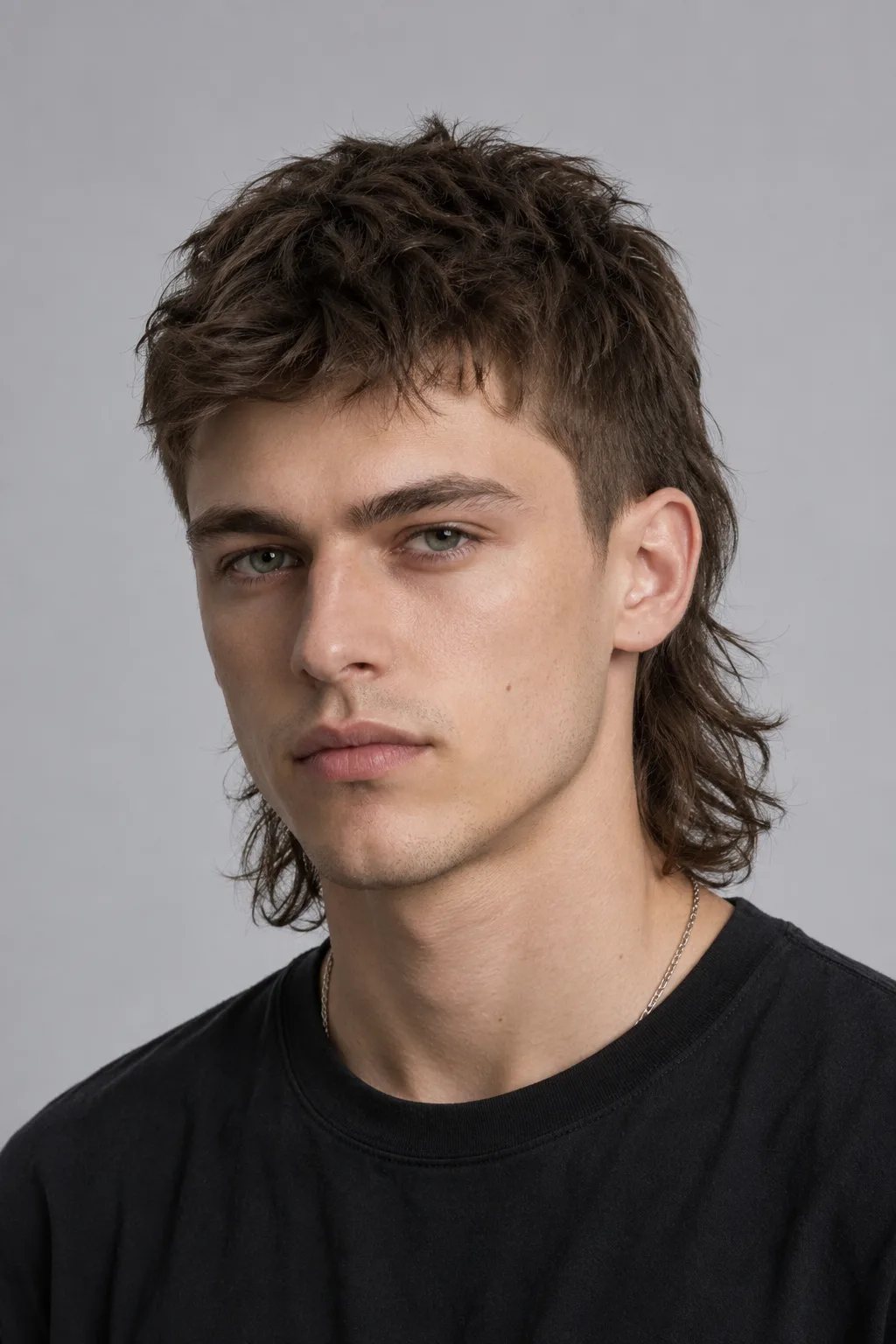
Man previewing a modern textured mullet generated by the Mullet Filter
Textured Mullet
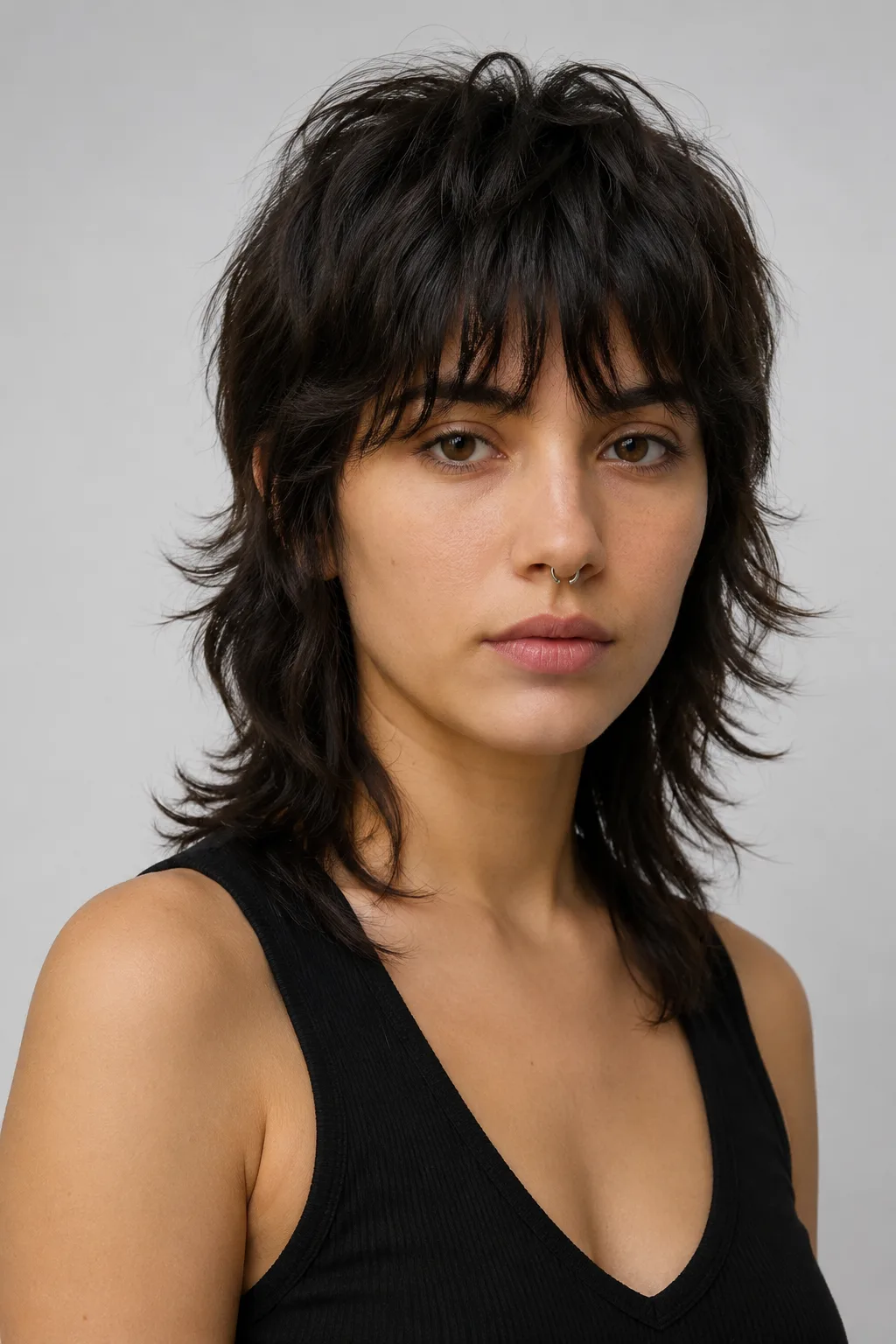
Woman previewing a wolf-cut mullet with the Mullet Filter
Wolf-Cut Mullet
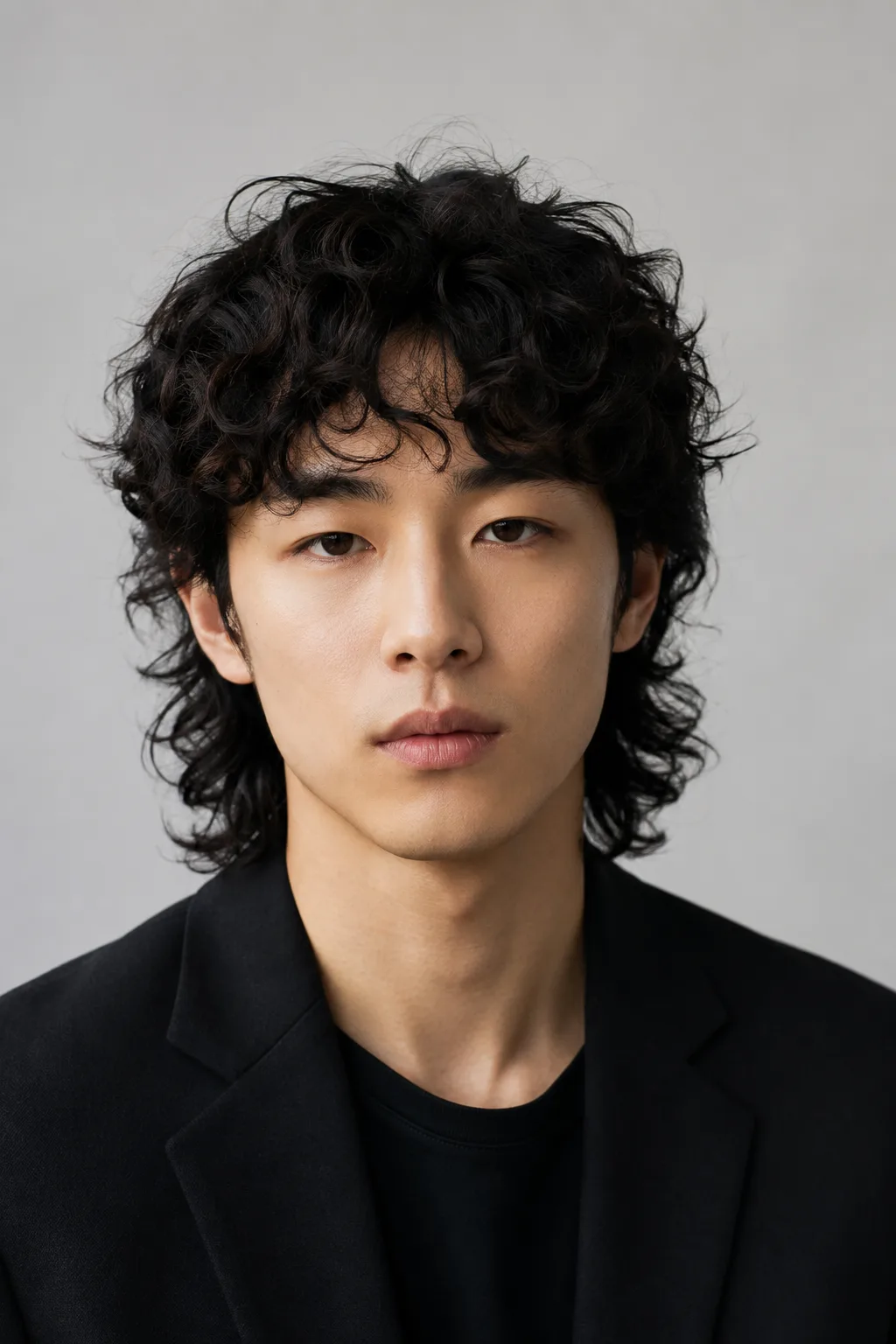
Man previewing a curly mullet created with the Mullet Filter
Curly Mullet
One photo, three takes on the modern mullet

From a sharp textured fade to a soft wolf cut to loose curls, the Mullet Filter adapts the same long-back shape to different hair types and faces. Here is the look on three real portraits so you can see how naturally it blends with whatever you upload.

Your face stays your face

The filter only rebuilds the hair. Your features, expression, skin tone, and the lighting in your photo come through untouched, so the result reads as a genuine new haircut rather than a swapped head.

A real modern-mullet shape

Short and tidy through the top and sides, deliberately longer at the back — the contemporary mullet, not the dated 80s version. The disconnect lands where a barber would actually place it.

Keeps your natural color

By default the AI works with the hair color you already have, so you see the mullet on your own shade. No surprise dye job — just the new cut on the hair you walked in with.

Works for any hair type

Straight, wavy, or curly, the long-back layers follow your texture. That makes it easy to see whether the cut flatters your hair before you sit in the chair.

Custom promptDescribe your hair change
Make my hair a glossy copper bob with soft curtain bangs, natural volume, and a photo-real salon finish.
One input is enoughGenerate from description
Describe the edit

The exact mullet is already typed for you

When you land on this page, the describe box is pre-filled with one clear instruction: give the person a modern mullet, short on top and sides, longer at the back, while keeping their face and hair color. You do not have to phrase anything yourself — that wording tells the AI precisely where to cut and what to leave alone. If you want to nudge the result, you can edit those words in plain English: ask for a tighter fade on the sides, a longer tail at the back, or a softer top. The describe-and-generate flow means the filter follows your instruction literally instead of guessing, so every preview reflects the cut you actually asked for.
Custom promptDescribe your hair change
Make my hair a glossy copper bob with soft curtain bangs, natural volume, and a photo-real salon finish.
One input is enoughGenerate from description
Explore the variations

One filter, many mullets to try

The modern mullet is not a single look, and this filter covers the range. Men can preview a sharp textured crop up top with a bold back length, while women can try the softer, layered wolf-cut version that blends shag and mullet. Curly and coily hair gets long-back layers that move with the texture instead of fighting it, and straight hair gets the clean disconnect that makes the shape pop. Because the wording lives in the describe box, switching between these takes is as simple as adjusting a few words and generating again — longer, shorter, more textured, more subtle. Run several versions side by side and keep the one that genuinely flatters your face before you ever commit to scissors.

Try the mullet on yourself in three steps

01

Upload one portrait

Pick a clear, front-facing photo where your current hair and face are easy to see. A normal phone selfie works fine — no studio setup needed.

02

Hit generate

The describe box already holds the mullet instruction, so you do not have to type anything. Just press generate and let the AI cut in the short-top, long-back shape.

03

Judge the look

Compare the mullet against your original in seconds. Like it? Save it to show your stylist. Not sure? Run it again or tweak the wording for a different take.

Try AIChangeHair Now
Pricing

Start free. Upgrade when you need more.

Free daily credits to start. Go Monthly, or save 53% with the Yearly plan - high quality, custom prompt edits, 180 hairstyle presets, AI hair reports, and high-volume use.

Starter

$0/ forever

Try hair color, hairstyle, prompts, and reports with no commitment.

  • 20 free credits on signup + 10 every day you claim
  • = 1 1K edit per daily claim
  • 1K edits cost 10 credits · 2K cost 16 · 4K cost 24
  • Custom text prompts, color palette, 180 hairstyle presets, and AI hair reports

Monthly

$14.99/ month

For regular hair color, hairstyle, and profile-refresh workflows.

  • 800 credits every month
  • = 80 1K edits, 50 2K, 33 4K, or 50 AI hair reports
  • All three resolutions — 1K, 2K, and 4K — available
  • All color palettes, 180 hairstyle presets, custom prompts, and AI hair reports
  • Cancel anytime
Best value · 53% off first year

Yearly

$6.99/ month

$83.88 your first year · renews $179.88/yr

Best value — the lowest price per credit, billed once a year.

  • Everything in Monthly, for 53% less per month
  • 14,400 credits up front — 50% more than a year of monthly
  • = 1,440 1K edits a year (about 120 every month)
  • Just $6.99/mo, billed $83.88 your first year
  • All color palettes, 180 hairstyle presets, custom prompts, and reports

$83.88 for the first year (about $6.99/mo). Renews at $179.88/year — still 50% more credits than monthly. Cancel anytime.

One-time credit packs

Buy credits without a subscription

Top up whenever you need to. Credits are added instantly and never expire, with no recurring charge.

Starter pack

$9.90

300 credits

≈ 12–30 edits

Popular

Value pack

$19.90

650 credits

≈ 27–65 edits

Bulk pack

$39.90

1,400 credits

≈ 58–140 edits

Prices in USD. Cancel monthly and yearly plans anytime. Questions? Talk to us.

Mullet Filter questions, answered

1. Is the Mullet Filter free to use?

Yes, you can preview a mullet on your own photo for free. Upload a portrait, hit generate, and see the result without booking anything or paying for a real cut first.

2. Will it keep my face and hair color?

Yes. The filter changes only the haircut. Your face, expression, skin tone, lighting, and background stay exactly as they were, and by default it keeps your existing hair color so you see the mullet on your real shade.

3. How realistic does the mullet look?

The AI matches the new hair to your photo's angle, lighting, and texture, so the short-top, long-back shape blends in like a genuine haircut rather than a sticker pasted over your head.

4. Does it work on a phone selfie?

It does. A clear, front-facing selfie is all you need. The sharper your photo and the more of your hairline it shows, the cleaner the mullet preview will be.

5. Can both men and women use it?

Absolutely. The same long-back shape works as a masculine textured mullet or a softer wolf-cut version for women, and the AI adapts it to your hair type and face automatically.