See the gray before you commit to the bleach

Gray Hair Filter

Upload one photo and preview gray hair on your own face — from cool silver and ash gray to soft salt-and-pepper — before any bleach or dye.

Gray is one of the trickiest colors to commit to in real life: most natural shades have to be lifted and toned first, and the same gray reads icy on one skin tone and muddy on another. This gray hair filter lets you test the whole gray range on your actual photo — silver gray, ash gray, steel gray, smoky gray, salt-and-pepper — while your face, skin tone, lighting, and background stay exactly as they are. No bleach, no salon chair, no guessing which gray suits you.

Preview five real gray shades on one upload, free to try, no app install.✨ A brand-new report every time — a different hairstyle and color on every single generation.Edit hair · Try styles · Generate hair report
Upload a clear portraitTap to upload
1Task
2Input method
60 styles
3Quality
Why preview gray first

Gray has a wider range than people expect — see your shade before you lift

"Gray" isn't one color: it runs from bright cool silver to a deep steel, from blue-leaning smoky gray to the natural-looking grow-out of salt-and-pepper. The gray hair filter renders each of these on your own photo so you can judge the undertone against your skin and eyes instead of guessing from a swatch on someone else's hair. It is a preview tool — nothing is bleached, dyed, or permanent.

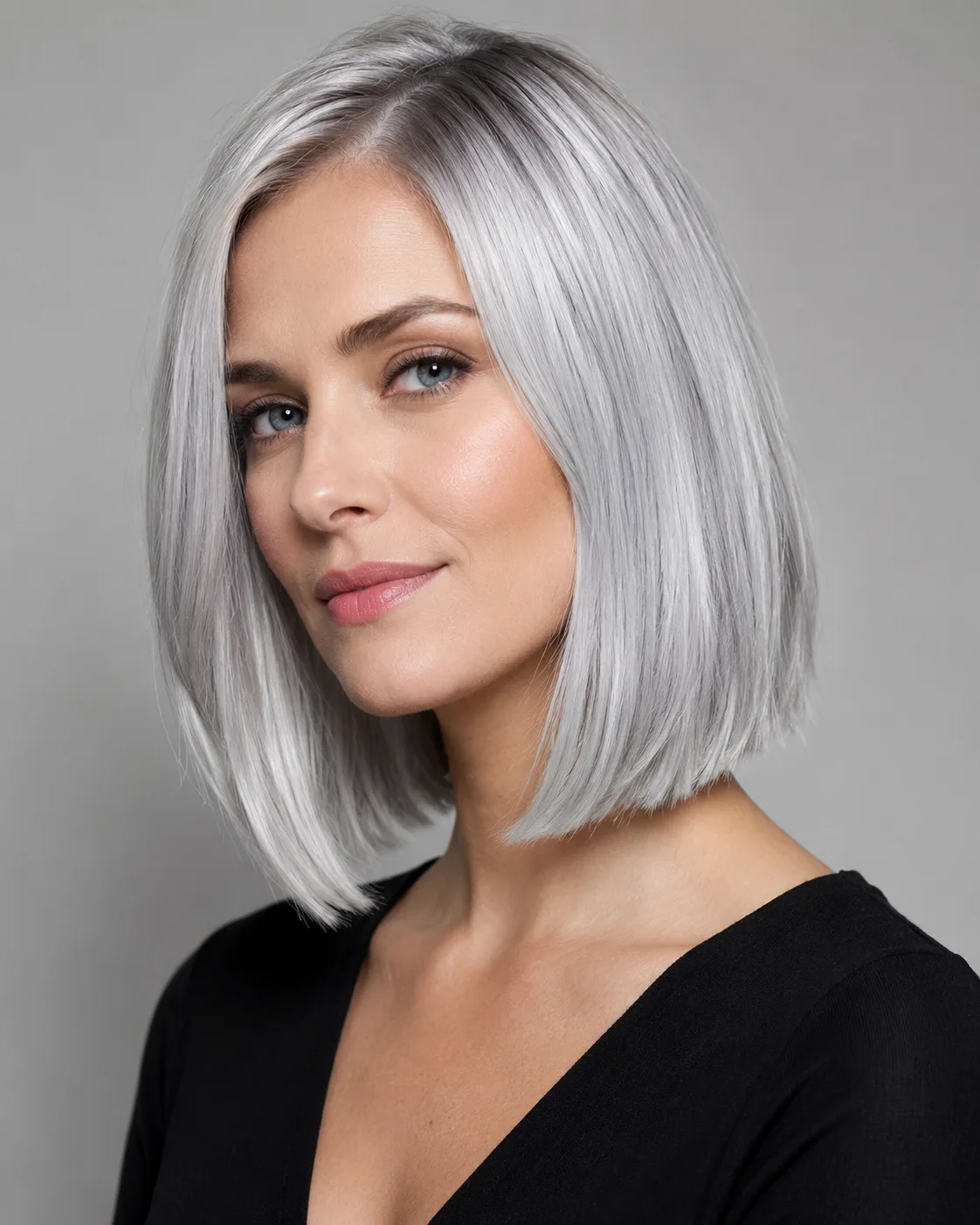
Editorial salon catalog portrait of a woman with cool silver gray hair on a neutral background
Cool silver gray
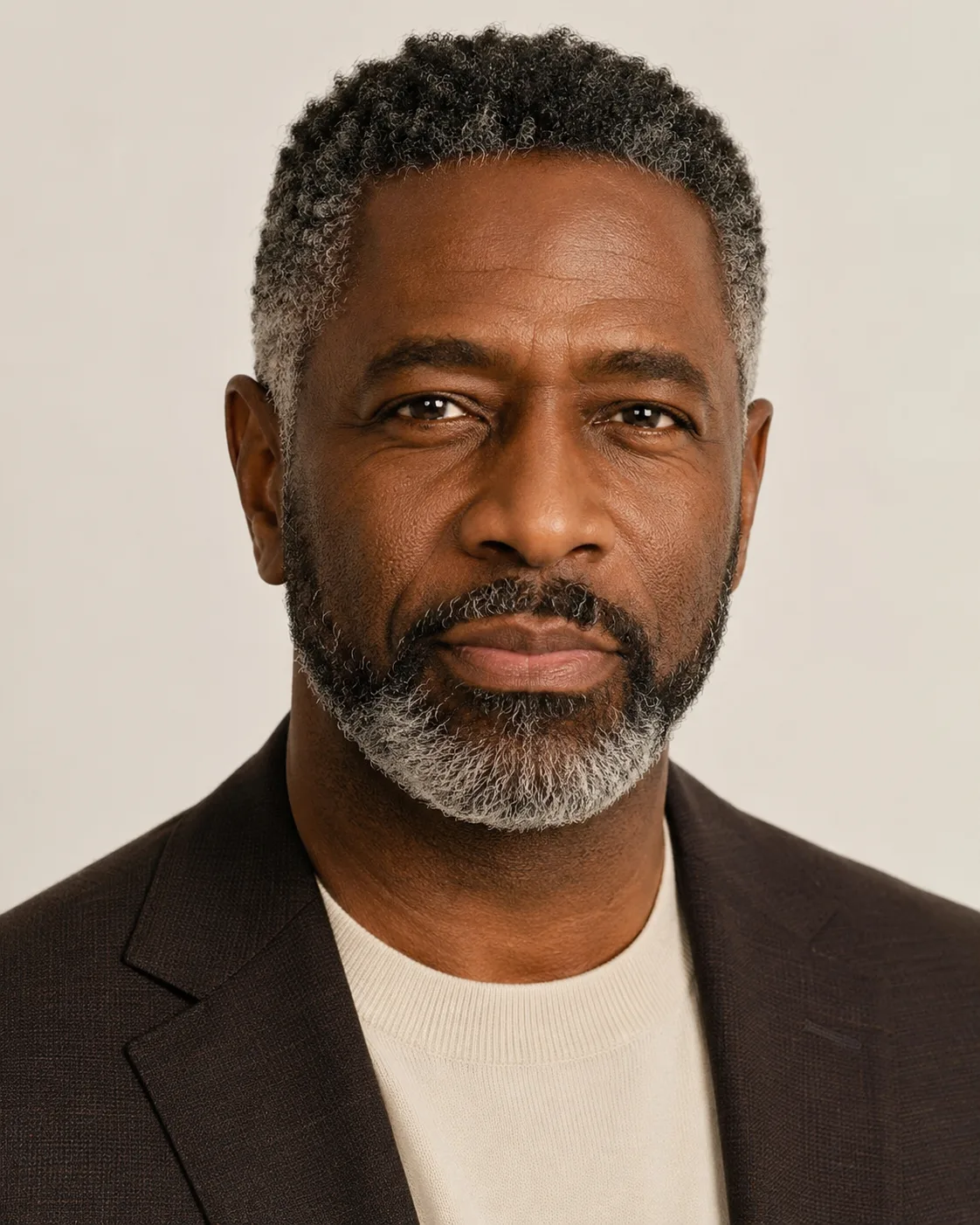
Editorial salon catalog portrait of a Black man with salt-and-pepper gray hair on a neutral background
Salt-and-pepper
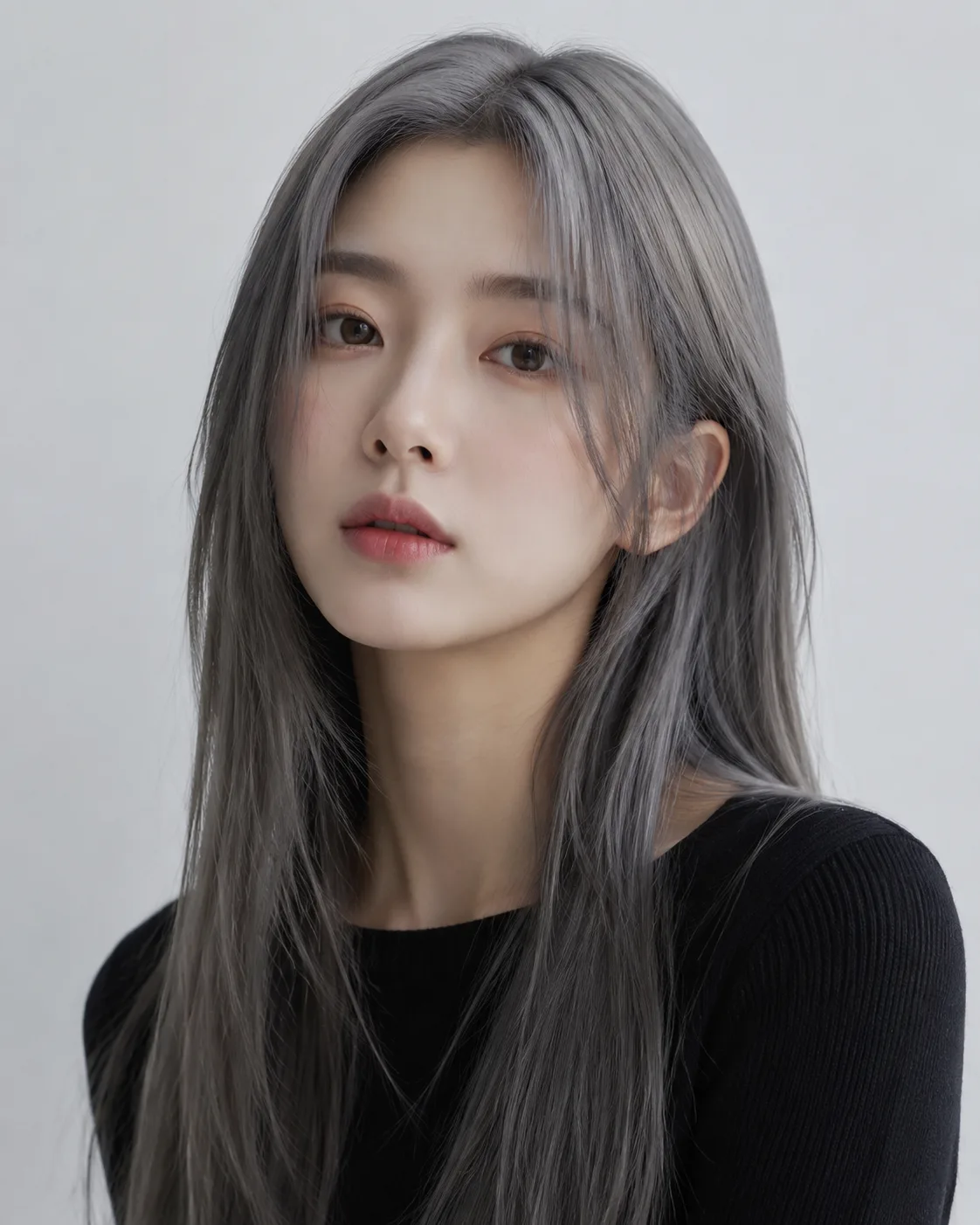
Editorial salon catalog portrait of an East Asian woman with ash gray hair on a neutral background
Ash gray
Cool, smoky, or salt-and-pepper — judged on your tones

Cool grays (silver, ash, smoky) flatter cool and neutral skin tones and pale or blue/green eyes, while steel and salt-and-pepper carry warmth better and read more natural on darker hair as a partial grow-out. Because the preview keeps your real lighting and complexion, you can see whether a gray brightens your face or washes it out before you ever commit to the maintenance — toning every few weeks to fight brassiness — that real gray demands.

The full gray spectrum

Silver gray, ash gray, steel gray, smoky gray, and salt-and-pepper rendered on one upload, so you can compare cool, neutral, and warm-leaning grays side by side.

Your face stays yours

The edit only repaints the hair. Your features, skin tone, lighting, and background are preserved, so the gray looks like it is genuinely on you.

Works on dark or light hair

Preview gray even if you start from black or brown hair — the filter simulates the lifted, toned result without you bleaching anything first.

No bleach, no commitment

Test how silver or salt-and-pepper sits against your complexion before booking the appointment or buying a single box of toner.

Custom promptDescribe your hair change
Make my hair a glossy copper bob with soft curtain bangs, natural volume, and a photo-real salon finish.
One input is enoughGenerate from description
Dial in your exact gray

Describe a custom gray shade

Want something between ash and silver, a cooler smoky gray, or a denser salt-and-pepper ratio? Type the shade you have in mind — or paste a HEX — and the gray hair filter renders that specific tone on your photo, so you can fine-tune the undertone and depth before you take a reference picture to a colorist.


Bob hairstyle preview
Bob
Pixie Cut hairstyle preview
Pixie Cut
Soft Waves hairstyle preview
Soft Waves
Pair gray with a new shape

Combine gray with a hairstyle

Gray reads completely differently on a sharp pixie versus long layers or a slicked-back cut. Add a hairstyle on top of your chosen gray to preview the full look — silver on a bob, steel gray on a buzz, salt-and-pepper on waves — all on your own face in one pass.

How to Try Gray Hair on Your Photo

01

Upload your photo

Use a clear, front-facing photo in even light where your current hair is fully visible. One photo is enough to start.

02

Pick a gray shade

Choose silver, ash, steel, smoky gray, or salt-and-pepper — or describe your own custom gray and let the filter match the undertone.

03

Generate and compare

Preview the gray on your face in seconds, then compare shades side by side and download the version you like before you dye.

Try AIChangeHair Now
Pricing

Start free. Upgrade when you need more.

Free daily credits to start. Go Monthly, or save 53% with the Yearly plan - high quality, custom prompt edits, 180 hairstyle presets, AI hair reports, and high-volume use.

Starter

$0/ forever

Try hair color, hairstyle, prompts, and reports with no commitment.

  • 20 free credits on signup + 10 every day you claim
  • = 1 1K edit per daily claim
  • 1K edits cost 10 credits · 2K cost 16 · 4K cost 24
  • Custom text prompts, color palette, 180 hairstyle presets, and AI hair reports

Monthly

$14.99/ month

For regular hair color, hairstyle, and profile-refresh workflows.

  • 800 credits every month
  • = 80 1K edits, 50 2K, 33 4K, or 50 AI hair reports
  • All three resolutions — 1K, 2K, and 4K — available
  • All color palettes, 180 hairstyle presets, custom prompts, and AI hair reports
  • Cancel anytime
Best value · 53% off first year

Yearly

$6.99/ month

$83.88 your first year · renews $179.88/yr

Best value — the lowest price per credit, billed once a year.

  • Everything in Monthly, for 53% less per month
  • 14,400 credits up front — 50% more than a year of monthly
  • = 1,440 1K edits a year (about 120 every month)
  • Just $6.99/mo, billed $83.88 your first year
  • All color palettes, 180 hairstyle presets, custom prompts, and reports

$83.88 for the first year (about $6.99/mo). Renews at $179.88/year — still 50% more credits than monthly. Cancel anytime.

One-time credit packs

Buy credits without a subscription

Top up whenever you need to. Credits are added instantly and never expire, with no recurring charge.

Starter pack

$9.90one-time

300 credits

≈ 12–30 edits

Popular

Value pack

$19.90one-time

650 credits

≈ 27–65 edits

Bulk pack

$39.90one-time

1,400 credits

≈ 58–140 edits

Prices in USD. Cancel monthly and yearly plans anytime. Questions? Talk to us.

Gray Hair Filter: Common Questions

1. What shades of gray can I preview?

The gray hair filter covers the full range: bright cool silver gray, soft ash gray, deep steel gray, blue-leaning smoky gray, and natural salt-and-pepper. You can also describe a custom gray or paste a HEX code to dial in an exact undertone and depth between those presets.

2. Will gray hair look natural in the preview?

Yes. The filter only repaints your hair and keeps your face, skin tone, lighting, and background untouched, so the gray sits realistically on your head. Salt-and-pepper and steel gray tend to look the most natural; bright silver looks intentionally fashion-forward, which is exactly how it would look in real life.

3. Does the gray hair filter work on dark or black hair?

It does. You don't need to bleach first — the preview simulates the lifted, toned result on top of dark or brown hair, so you can see whether a cool silver or a softer ash gray is realistic for your starting color before committing to the lift.

4. Does it keep my face, skin tone, and background?

Yes. Only the hair color changes. Your features, complexion, the lighting in your photo, and the background all stay exactly as uploaded, so you're judging the gray against your real tones — not a generic model.

5. Is the gray hair filter free to try?

You can preview gray shades for free to see how silver, ash, or salt-and-pepper looks on you. Generating and downloading more variations uses credits, with free credits to start so you can test a few grays before deciding.

6. What kind of photo works best for previewing gray?

A sharp, well-lit, front-facing photo where your whole hairline is visible gives the cleanest gray result. Avoid heavy shadows, hats, or strong color casts — even, neutral lighting helps the silver and ash tones render accurately against your skin.