
Can ChatGPT Show Me a New Hairstyle on My Own Photo?
Can ChatGPT change a hairstyle in a photo? Learn when a general image editor helps, when a dedicated hairstyle try-on is clearer, and how to compare haircuts responsibly.
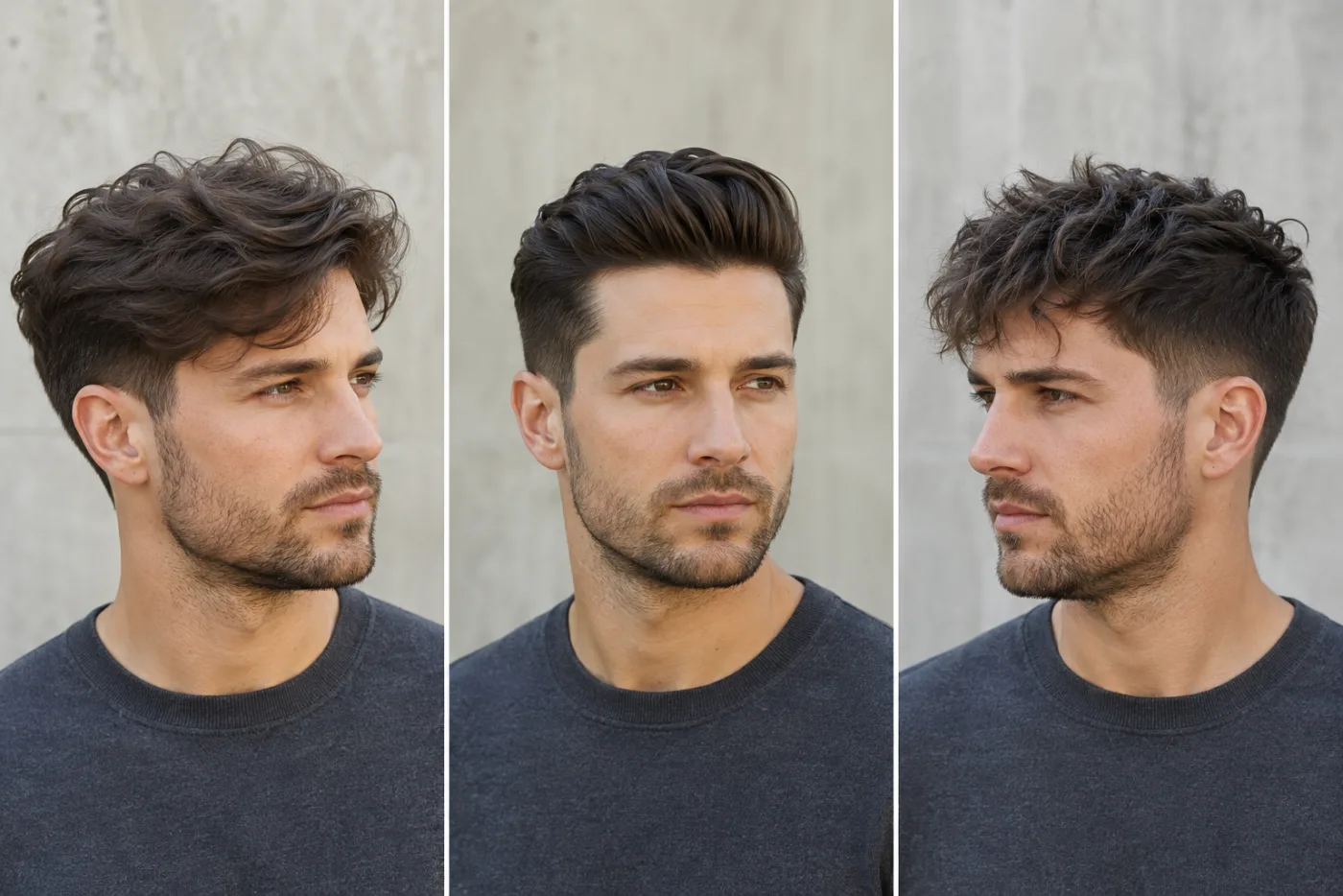
ChatGPT can help you explore a new hairstyle on a photo when its image-editing mode is available, but a dedicated hairstyle try-on is usually easier when you want to compare several cuts while keeping your face, lighting, and photo consistent. The useful question is not whether one tool is universally better. It is which tool gives you a clear enough comparison for the decision you need to make. Start a controlled hairstyle try-on when your goal is to see a few haircut directions on your own face.
Last updated: July 16, 2026 - about 10 min read
People ask this because looking at a haircut on someone else is not the same as seeing the direction around their own features. A general chatbot image editor can be good for creative experimentation. A hairstyle-focused tool is built for a narrower job: change the hair while trying to keep the person recognizable.
Neither result is a promise of a salon outcome. Hair density, curl pattern, natural part, cowlicks, styling time, and chemical history all affect what can be done in real life. A preview is still valuable when it helps you arrive at a clearer question for a stylist or rule out a cut you do not like.
What a good hairstyle preview should do
For a haircut comparison to be useful, the hair should change while the rest of the photo stays stable. You want to recognize the same face, expression, lighting, angle, and clothing. Otherwise, you may be reacting to a better-looking image rather than a better haircut.
Ask for one style direction at a time. Instead of "make me look completely different," test "soft collarbone-length layers," "chin-length blunt bob," or "light curtain bangs with my existing length." Then compare those results with the original photo and with one another.
The most useful preview gives you language such as: "I like the shorter shape near my jaw, but not the heavy fringe," or "I prefer the softer layers, though I want less volume at the crown." That is a much better starting point than handing a stylist a random celebrity image and hoping the same cut translates.
General image editor versus dedicated hairstyle try-on
The right choice depends on the job. This table is not a test of every feature in every product; it is a way to choose the workflow that matches your decision.
| Your goal | General image editor can help when | Dedicated hairstyle try-on is clearer when | What to remember |
|---|---|---|---|
| Explore a wild creative idea | You want a one-off concept or unusual style direction | You want to compare normal cuts on the same portrait | A playful image is not automatically a practical haircut |
| Compare bob, bangs, and layers | You can write careful constraints and iterate | You need several controlled hairstyle options quickly | Keep the original face and photo fixed |
| Test hair color and cut together | You are only brainstorming a broad makeover | You want to isolate haircut from color for a real decision | Change one major variable at a time |
| Prepare for a salon appointment | You have one clear reference to discuss | You want a small set of consistent before-and-after options | A stylist decides feasibility, not the preview |
| Protect a personal photo | You have reviewed the service's current policy | You have reviewed the service's current policy | Check retention, deletion, and permissions either way |
The important row is the second one. When the purpose is comparison, consistency matters more than novelty. A dedicated tool can reduce the work of repeatedly explaining what must remain unchanged.
How to ask for a believable change
Your source image does half the work. Use a front-facing or slight-angle portrait in even light. Keep hair visible around the face. Avoid hats, extreme shadows, beauty filters, and a crop that hides the hairline. If the tool cannot see the starting hair shape, it has to invent more.
Then use a restrained instruction. A useful structure is: "Keep my face, skin tone, expression, clothing, lighting, and background unchanged. Change only my hair to [style], with [length/texture/fringe detail]. Keep it natural and realistic." You can add one question about the shape you care about, such as soft face-framing layers or a visible side part.
Do not pack three haircut ideas, a new color, a new location, makeup, and a different camera angle into a first request. The resulting image may be attractive, but it will not tell you whether the haircut is what you prefer.
The strongest comparison keeps the person and photo stable, then changes one haircut direction at a time.
What to compare after the result arrives
Look past the overall "wow" effect. Focus on the parts of a haircut that change your day-to-day experience.
- Face framing: Does the new shape open your face or crowd the cheeks and jaw?
- Length: Would you prefer the line at the chin, collarbone, or below the shoulder?
- Part and fringe: Does the preview show a part you could realistically maintain?
- Volume: Does the style add width where you want it, or would it require daily styling?
- Texture: Is the result showing a smooth blowout, a wave, or a curl pattern that differs from your natural hair?
- Maintenance: Does the image depend on a polished finish you are unlikely to recreate on a rushed morning?
The preview cannot answer the last two perfectly, but it can reveal which direction is worth discussing. When a cut looks good only because it is heavily styled, ask a stylist for a lower-maintenance version instead of assuming the image will happen by itself.
Use general tools for exploration, then narrow the decision
A chatbot is useful when you are still collecting language for what you like. You may discover that you are drawn to a textured crop, longer curtain fringe, or a cool-toned color direction. Once you know the broad direction, switch to a controlled comparison and choose two or three versions of the same family.
For example, someone curious about bangs could start with a general experiment, then compare a bangs filter, longer curtain bangs, and no fringe on the same photo. Someone deciding about a major length change might compare a lob, chin-length bob, and a slightly longer layered bob. The point is to find the feature you like, not to collect twenty unrelated images.
What no photo editor can promise
No image editor can diagnose hair health or guarantee that a haircut will behave the way it does in a preview. It does not know whether your hair shrinks when dry, how a cowlick will push a fringe, how much heat styling you use, or whether previous bleach changes what is safe.
That is why a preview should be framed as a conversation aid. When you book a salon appointment, show the original picture and two or three selected previews. Explain the parts you like, then ask what version fits your texture, density, routine, and maintenance tolerance. You may end up with a slightly different cut and a much better real-life result.
A practical three-image method
- Keep one original portrait. Do not switch cameras, lighting, or angles between comparisons.
- Generate a safe version. Pick a cut close to your current length or styling routine.
- Generate the style you really want. Be specific about length, fringe, or layers.
- Generate a middle option. Keep one feature from the bold version while making it easier to maintain.
- Write one sentence under each. Note what you like and what worries you.
- Bring the set to a stylist. Ask for a real-world adaptation rather than an exact copy.
This method works whether you use a general editor, a hairstyle try-on, or both. It turns an image experiment into a decision you can actually act on.
FAQ
Can ChatGPT change my hairstyle in a photo?
When an image-editing feature is available, a general chatbot can help explore a hairstyle change. Its availability and behavior can vary, so check the current product experience. For repeated, controlled haircut comparisons, a dedicated hairstyle try-on may be simpler.
Is a generated hairstyle preview realistic?
It can be realistic enough to compare broad visual direction, length, fringe, and face framing. It cannot guarantee your hair texture, styling routine, or salon result will match the image exactly.
Should I use a general editor or a hair filter?
Use a general editor for open-ended experimentation. Use a dedicated tool when you want to compare several haircut options on one consistent photo. The right choice is the one that helps you isolate the decision.
Can I show an AI hairstyle preview to a stylist?
Yes. Bring the original photo and a small set of previews. Explain what you like about the shape, length, or fringe, and let the stylist adapt it to your actual hair.
Use the preview to ask a better question
The value of a ChatGPT hairstyle experiment or a dedicated try-on is not that it produces a perfect promise. It is that it makes your preference visible. Keep the comparison controlled, choose a small set of directions, and use the result to guide a real conversation. When you want to test haircuts on the same portrait, start with the AI hairstyle try-on.