
AI Hairstyle Prompt Examples: Change One Detail at a Time
Use AI hairstyle prompt examples that change one hair detail at a time, so a haircut preview is easier to compare before a salon visit.
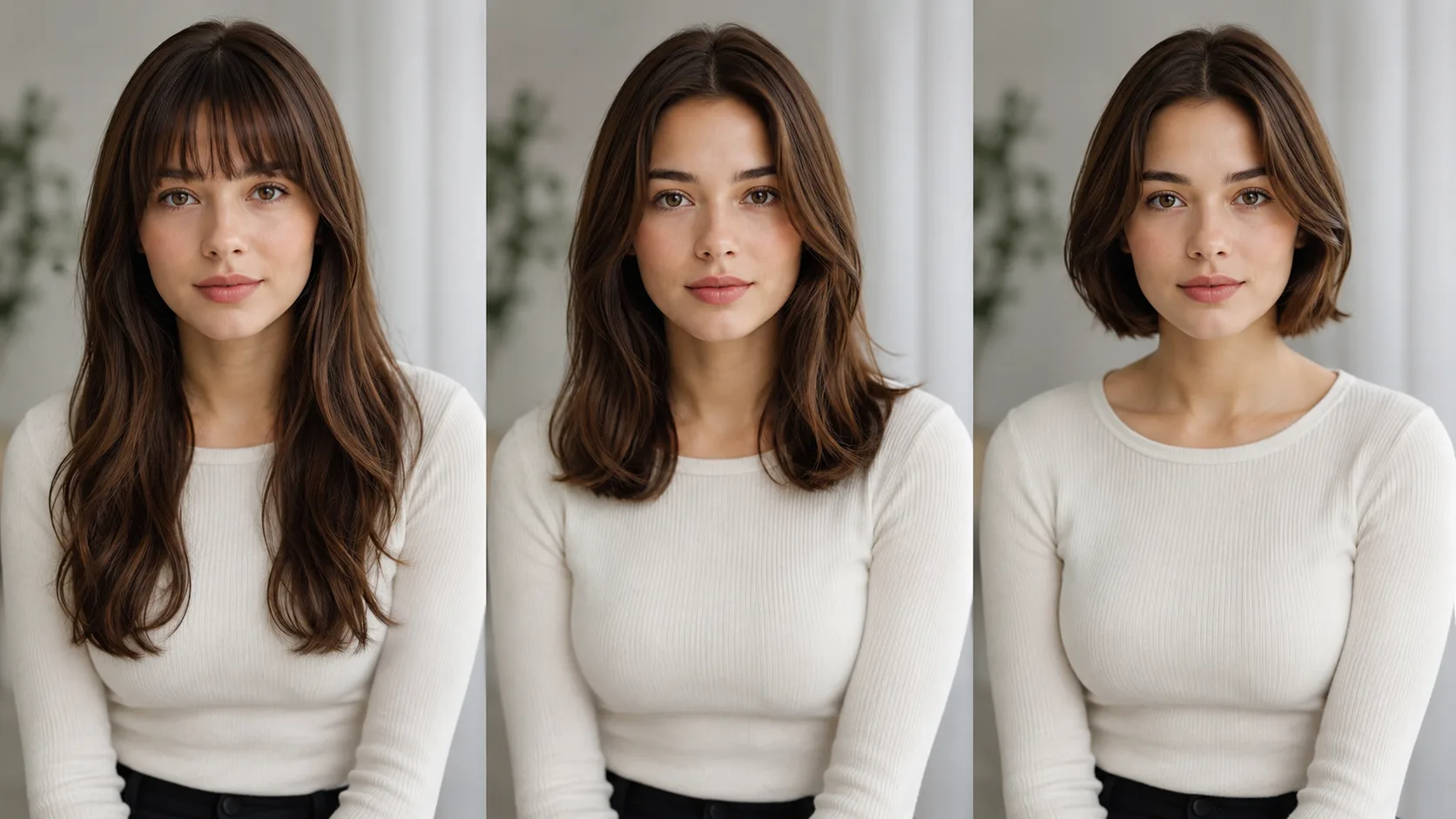
The most useful AI hairstyle prompt changes one hair detail at a time. Keep the same selfie, face, light, and background, then ask for a specific length, part, fringe, texture, or color direction. That makes a haircut simulator comparison easier to trust than a prompt that changes your entire appearance.
Last updated: July 27, 2026 · about 6 min read
The goal is not a perfect salon prediction. It is a reference that helps you say, “I like this softer fringe,” or “this part makes my face look too narrow,” before you book an appointment.
Start with a stable source photo
Use one clear, front-facing selfie in even light. Keep your hairline visible and avoid filters that reshape the face. A hairstyle try-on has less useful information to work with when hair is hidden by a hand, heavy shadow, hat, or extreme angle.
A haircut simulator is only as helpful as the comparison photo: a stable, ordinary selfie makes it easier to judge the requested hair detail rather than a changed portrait.
Use a simple prompt structure
Write the hairstyle first, then the one detail you want to preserve. The examples below are starting points, not promises about the final haircut.
| What to test | Prompt example |
|---|---|
| Fringe | soft curtain bangs, keep my face, hairline, lighting, and background unchanged |
| Length | collarbone-length haircut with blunt ends, keep facial features and pose unchanged |
| Part | clean middle part with natural volume at the crown, keep length and color unchanged |
| Texture | loose natural waves, realistic texture, keep face and background unchanged |
| Color direction | cool medium brown hair, keep haircut, face, and lighting unchanged |
The preservation phrase matters. It tells the system what you are not trying to compare. If the face or lighting changes, you may mistake a different portrait for a better haircut.
That is also why a haircut simulator prompt should name both the new hair detail and the details that must remain unchanged.
Test one variable, then save the winner
Create two or three options from the same base photo. For example, compare a center part and soft side part before you also test bangs. Once you like the part, lock it and then test the fringe. This small sequence is more useful than generating every trend at once.
An AI hairstyle try-on can make this fast, but it cannot know your growth pattern, density, curl behavior, or chemical color history. Those details still decide what is practical in real life.
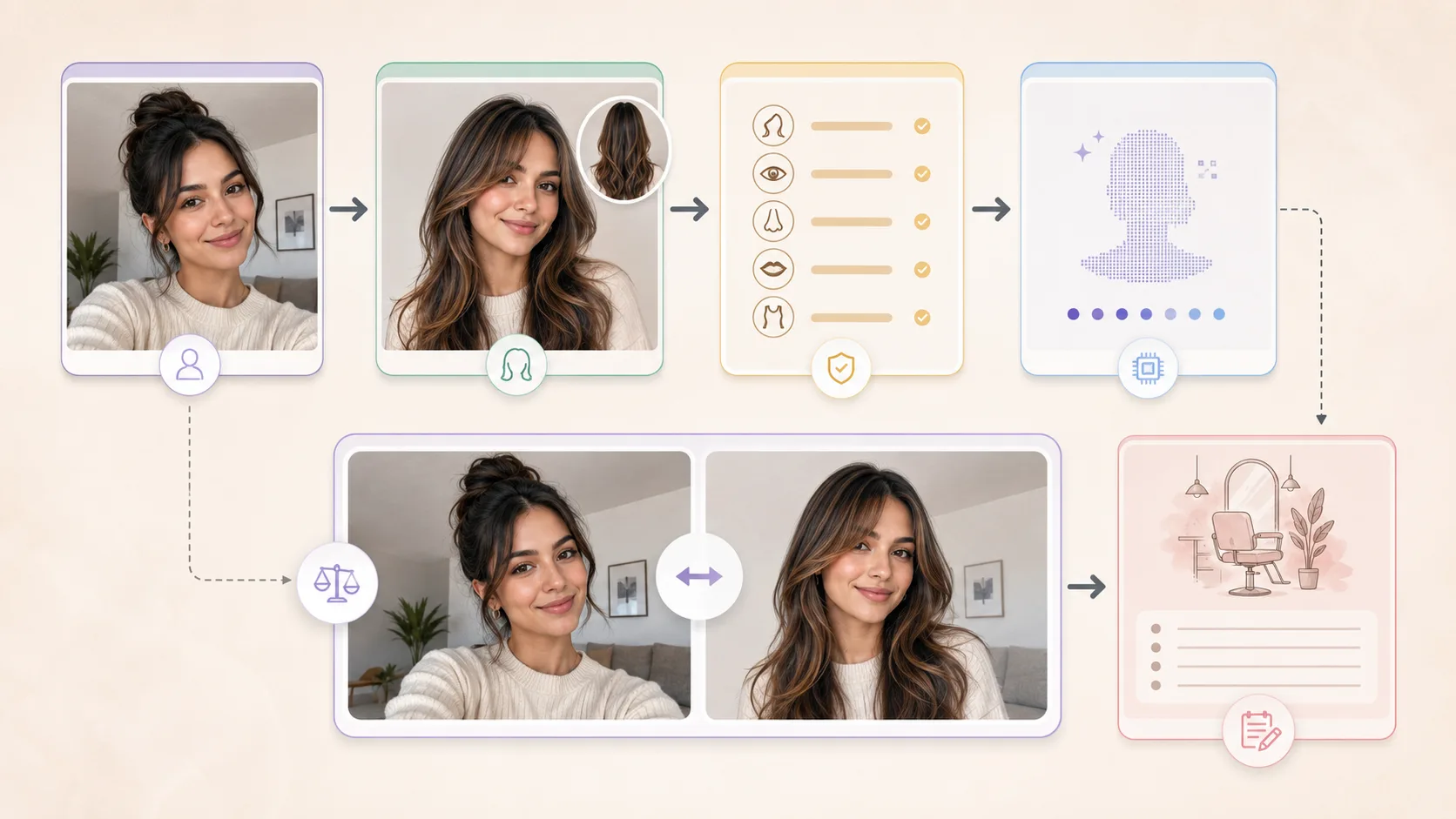
Separate the requested change from the details you need to keep stable.
Turn the preview into a salon note
Save one or two versions and add a plain-language note: “I like the length around the collarbone, but not the heavy fringe,” or “I want the color direction, not an exact copy.” Take that note to a stylist with your current hair history and normal styling routine.
For a more grounded conversation, use the stylist preview checklist. If you are unsure how much to trust a result, read what an AI hair preview cannot tell you. The strongest prompt is the one that makes your next real-world decision clearer.
Use the haircut simulator result as a reference for that conversation, not as a promise that a cut or color will behave the same way in person.