
Balayage Filter: Preview Highlights Before a Salon Appointment
Use a balayage filter to preview caramel, ash blonde, brunette, and face-framing highlights on your own photo before booking salon color.
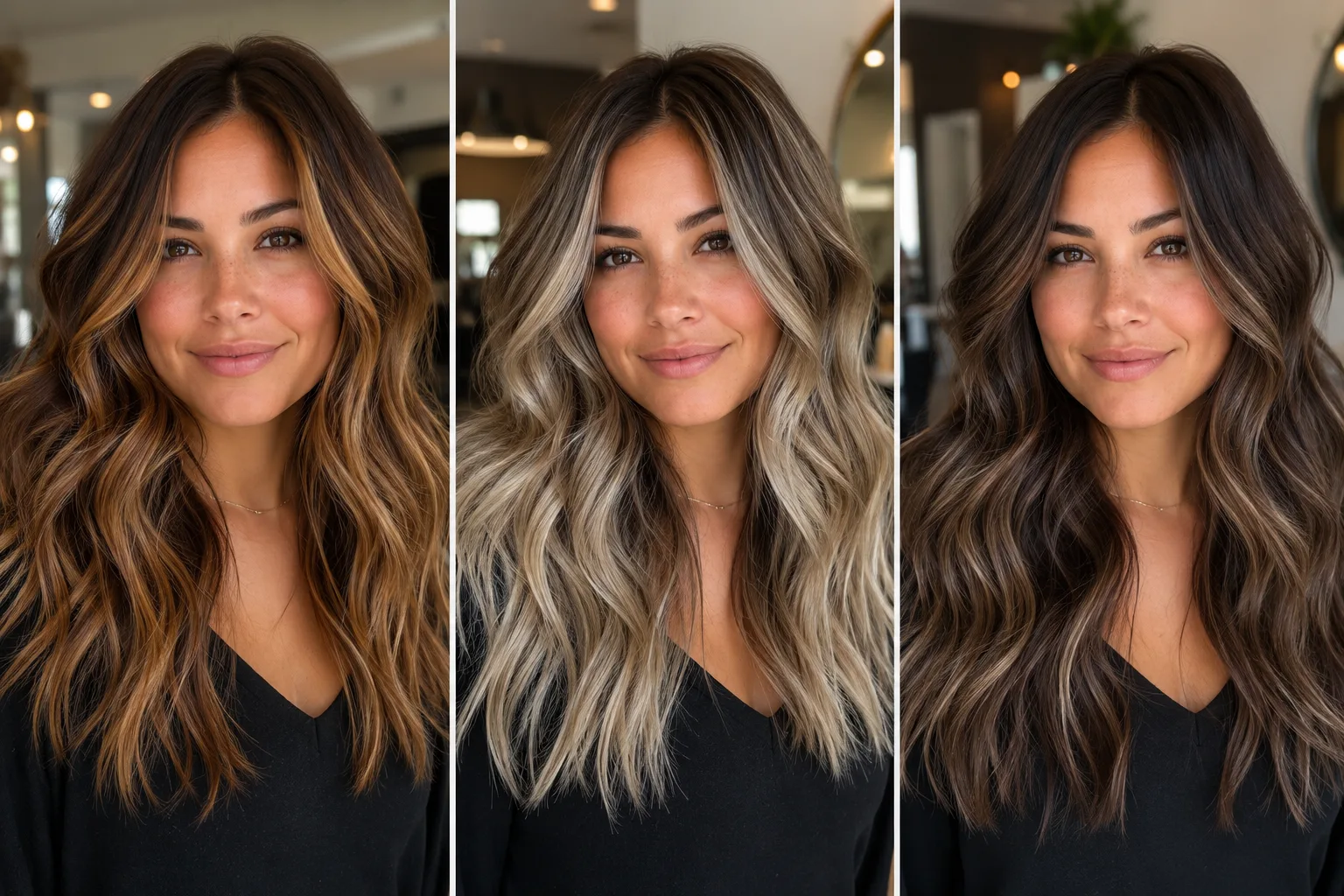
A balayage filter helps you answer the question a salon inspiration photo cannot: where should the lightness sit on your face? Balayage is not just a shade. It is placement, contrast, root depth, face framing, and how softly the color blends into your current hair. Before booking, use an AI hair color changer to preview the direction on your own photo.
Last updated: July 9, 2026 - about 7 min read
Balayage can look effortless when it is right and expensive when it is wrong. The risk is not only color. A highlight that starts too high can look stripy. A warm caramel that flatters one person can turn orange on another. A cool ash blonde can look polished in a reference photo and flat next to your skin.
The preview does not replace a colorist. It makes the salon conversation sharper.
Use the preview as a focused layer inside an AI hair color changer workflow. The AI hair color changer can test broad shades first; the balayage pass should then answer the narrower question of placement, contrast, and how the lighter pieces frame your face.
Quick answer
Use a balayage filter to test four things:
- Warm vs cool tone.
- Face-framing brightness.
- Root shadow depth.
- How much contrast you want between base and ends.
Save two or three versions before your appointment. Bring them as direction, not as an exact formula. Your stylist still needs to judge hair history, lift, damage risk, toner, and maintenance.
Balayage is placement first
Many people search for a balayage filter because they want a color. In real life, placement matters just as much.
| Balayage direction | What it changes | Best for |
|---|---|---|
| Face-framing balayage | Brightens around the front hairline | People who want visible change without full lightening |
| Soft brunette balayage | Adds dimension with low contrast | Darker hair, low-maintenance goals |
| Caramel balayage | Warmer glow and movement | Warm skin tones, brunette bases |
| Ash blonde balayage | Cooler, brighter contrast | Cool undertones, lighter starting hair |
| High-contrast balayage | Stronger before/after | Dramatic change, more maintenance |
A filter lets you separate those choices. If caramel looks good but the placement feels too chunky, you can keep the warmth and reduce the contrast.
That is why an AI hair color changer is useful before a salon visit. Instead of saying "make me lighter," you can show whether the better direction is soft brunette balayage, brighter face framing, or a cooler beige blend.
Use the right photo
For a balayage preview, the hair shape must be visible.
Good source photos have:
- Hair down, not tied back.
- Front and side layers visible.
- Natural light or soft indoor light.
- Minimal filter or smoothing.
- Face and hairline visible.
- Enough length to show ends.
Avoid wet hair, heavy shadows, hats, and photos where the front pieces cover most of the face. Balayage is about how light moves through hair, so the input photo should show the hair clearly.
Test warmth before brightness
Do not start by asking for "blonde balayage." Start with tone.
Warm options include caramel, honey, golden brunette, and copper-beige. Cool options include ash blonde, mushroom brunette, beige blonde, and smoky brown. Neutral options sit between the two.
If your skin looks brighter with warm color, try caramel or honey. If warm color makes your face look red or tired, try beige or ash. If both extremes feel wrong, use a softer brunette balayage first.
The hair color for skin tone guide can help, but the filter is faster because you see the shade on your face instead of on a chart.
If the first AI hair color changer result feels too dramatic, reduce brightness before changing the tone. If the tone feels right but the color sits too high near the roots, keep the shade and adjust the balayage placement.
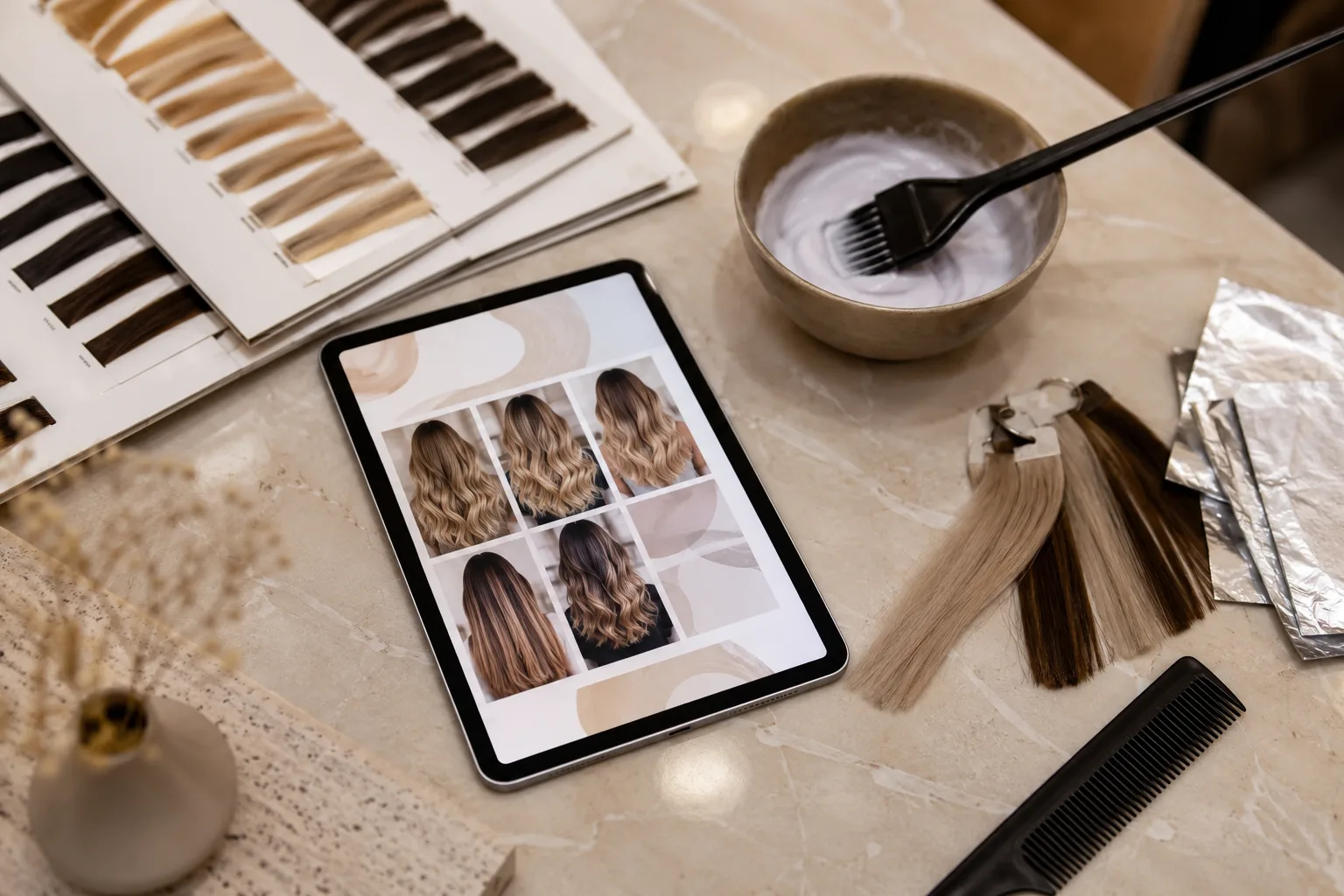
Use the second preview to talk about tone, placement, and upkeep with your stylist.
Compare face framing
Face-framing pieces can make balayage feel modern, but they are also the easiest part to overdo. In the preview, check:
- Do the front pieces brighten the face?
- Do they make the cheeks or jaw look wider?
- Does the light start too close to the root?
- Does the hairline look natural?
- Would you still like it when tied back?
If the front pieces dominate, ask for softer money pieces or lower placement. If the color is invisible, increase brightness around the mid-lengths and ends.
Think about maintenance
The preview shows the destination. Maintenance depends on your starting hair.
Dark hair may need more lift to reach bright beige or ash blonde. Very warm hair may need toner. Previously colored hair may lift unevenly. Fine hair can be more sensitive to bleaching. Those are salon questions, not filter questions.
Use the preview to decide whether the look is worth that maintenance:
- Is the contrast high enough to justify the upkeep?
- Would a softer brunette version be enough?
- Do you want visible face framing or subtle dimension?
- Can you live with the fade?
If you want the effect but not the maintenance, test a lower-contrast version.
This is also where an AI hair color changer can save money. You can reject a high-maintenance direction before paying for a consultation, then bring your stylist a calmer version that still has the mood you wanted.
Balayage vs highlights vs ombre
If you are not sure which technique you want, compare the terms before your appointment. The balayage vs ombre vs highlights guide explains the differences, but here is the practical version:
- Balayage usually looks painted and blended.
- Highlights usually look more evenly placed from root to end.
- Ombre usually has stronger color change toward the ends.
If you want soft dimension, start with balayage. If you want evenly bright hair, highlights may fit better. If you want dramatic light ends, ombre may be closer.
Prompt ideas
For warm brunette balayage:
warm caramel balayage, soft face-framing highlights, brunette base, natural root shadow, realistic salon color, keep face and haircut unchanged
For cooler balayage:
beige ash blonde balayage, subtle cool highlights through mid-lengths and ends, natural blend, keep skin tone, face, and hairstyle stable
For low-maintenance dimension:
soft brunette balayage, low contrast, slightly lighter ends, natural shine, no harsh stripes, keep same haircut and face
Keep the prompt focused on hair. Do not change makeup, background, outfit, or haircut in the same test.
Final checklist
Before booking balayage, save the version that answers:
- Warm or cool?
- Subtle or bright?
- Face-framing or mostly ends?
- Rooted or high-lift?
- Low maintenance or high contrast?
Then ask your stylist whether your current hair can reach that look safely. The filter helps you choose direction. The stylist helps you protect the hair.
For best results, keep the AI hair color changer request narrow: same haircut, same face, same lighting, only the balayage tone and placement changed.
FAQ
Can a balayage filter show the exact salon result?
No. It can show visual direction, but real balayage depends on starting color, previous dye, hair health, lift, toner, and stylist technique.
Should I preview balayage on wet or dry hair?
Use dry hair. Balayage placement, texture, and face framing are easier to judge when hair is dry and visible.
Is balayage better than highlights?
It depends on the goal. Balayage is usually softer and more blended. Highlights can give more even brightness. Preview both if you are unsure.