
Can ChatGPT Change Hair Color in a Photo? What Works in 2026
Can ChatGPT change hair color in a photo? Yes, with the GPT-4o image model, but it can drift your face. Here's what works in 2026 and a faster alternative.
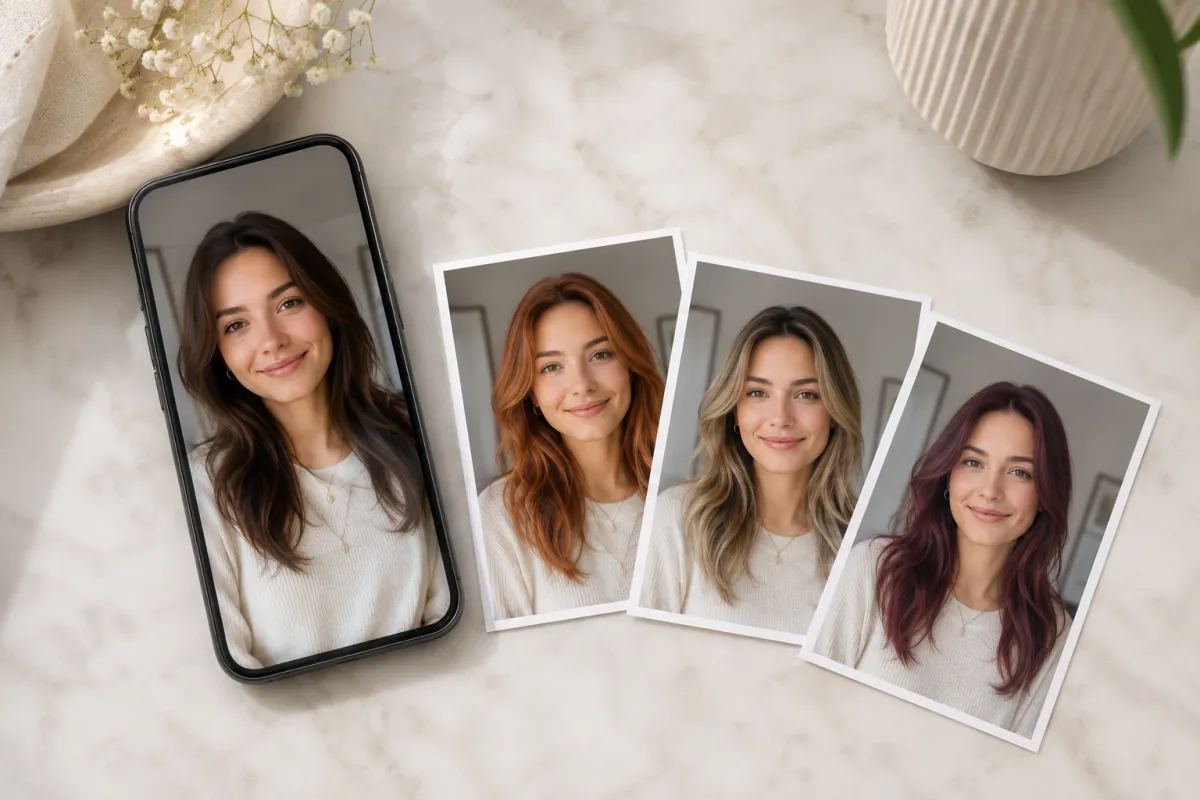
Yes — ChatGPT can change your hair color in a photo. Upload a selfie, ask its GPT-4o image model to recolor your hair, and it returns an edited image. It works, but it can quietly redraw your face and free accounts hit a low daily limit, so for a clean recolor a dedicated AI hairstyle changer is faster and more reliable. We tested the workflow ourselves and wrote down exactly where it shines and where it slips.
This is an honest, hands-on look from our editorial team: what ChatGPT's image generation actually does to your hair color, the prompts that hold your face steady, and how it stacks up against a purpose-built tool.
Last updated: June 18, 2026 · ~6 min read
How to change hair color in ChatGPT (and where it breaks)
ChatGPT's image generation runs on OpenAI's GPT-4o multimodal model (the current image engine is GPT Image 2), which can both create images and edit ones you upload. Changing hair color is one of its easier edits — but the result quality swings on how you prompt it.
- Upload one clear, front-facing photo. In the chat, attach a selfie with even lighting and hair off the face. The model edits the pixels you give it, so a sharp input means a cleaner recolor.
- Ask for the exact change — and lock your face. Try: "Recolor only the hair to ash blonde. Keep the face, skin tone, lighting, and background exactly the same. Do NOT change facial features." Caps and "only the hair" matter.
- Compare, then re-prompt. If the face drifted or the shade is off, reply with a correction like "too brassy, make it cooler" — but each retry burns one of your daily image credits.
The catch: generative models love to "improve" what they see. Even with guardrails in your prompt, ChatGPT sometimes reinterprets your jawline, eye shape, or skin tone while recoloring — so the new color lands on a face that isn't quite yours. GPT Image 2 is noticeably better at this than older versions, but it's still not guaranteed.
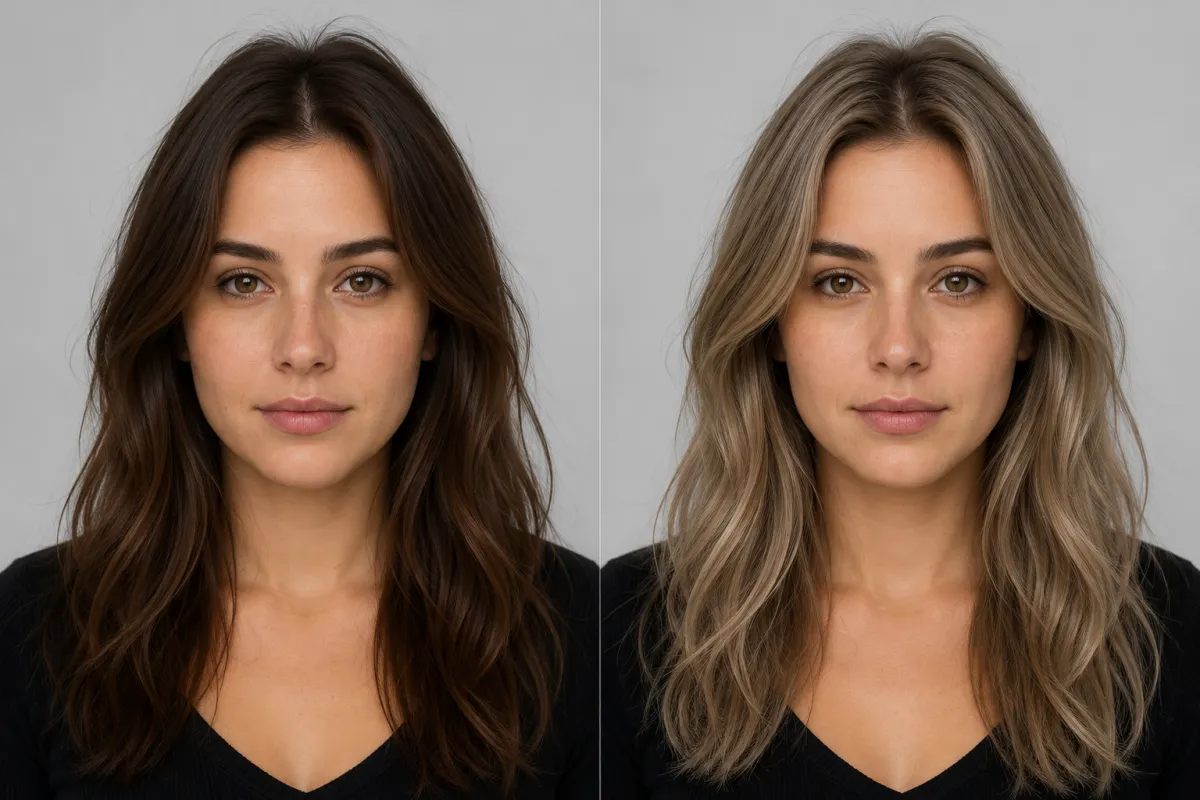
Same selfie, two colors: natural brown on the left, an AI recolor to ash blonde on the right — the goal is for everything but the hair to stay identical.
Can ChatGPT do this for free? The real limits in 2026
You can change hair color in ChatGPT on a free account, but the ceiling is low. Here's what we found across plans, based on OpenAI's rollout and consistent community testing in 2026:
| Plan | Image generation access | Practical daily images | Editing uploads |
|---|---|---|---|
| Free | GPT-4o image model | ~2–3 per rolling 24 hours | Yes, within the same quota |
| Plus / Go | Same model, higher caps | ~50 per 3-hour window | Yes |
| Pro | Highest limits | Effectively unrestricted for most | Yes |
Two things to know about the free tier: the cap is shared with other "advanced" features, and OpenAI doesn't publish an exact number — most people land around two or three generations a day before they're throttled. That's fine to test one shade, but it's tight if you want to line up platinum, copper, and balayage side by side before a salon visit.
Reality check: trying hair color is an iterative job — you want five shades, not one. On a free ChatGPT account, you'll likely run out of images before you find your favorite.
ChatGPT vs. a dedicated AI hair color changer
ChatGPT is a brilliant generalist, but recoloring hair is a narrow, repetitive task. Here's the honest trade-off we landed on:
| ChatGPT (GPT-4o) | AI hair color changer | Photoshop (manual) | |
|---|---|---|---|
| Setup | Prompt every time | Upload, tap a shade | Layers, masking |
| Keeps your real face | ⚠️ Can drift | ✅ Built to preserve it | ✅ If skilled |
| Try many shades fast | ⚠️ Limited by daily quota | ✅ Tap through presets | ❌ Re-mask each time |
| Skill needed | Prompt-writing | None | High |
| Cost to start | Free, ~2–3 images/day | Free | Subscription + time |
| Best at | Creative one-offs | Repeatable color try-ons | Pixel-perfect control |
ChatGPT wins when you want a creative, conversational edit — "give my hair color the vibe of an autumn forest." A purpose-built AI Hair Color Changer wins when you just want your real face with a different, believable shade, repeated across many colors without writing a prompt or hitting a wall. It's the difference between a Swiss-army knife and a tool shaped for one job.
Frequently asked questions
Can ChatGPT change the hair color in a photo I upload?
Yes. ChatGPT's GPT-4o image model can edit a photo you upload and recolor your hair to a shade you describe. Attach a clear front-facing selfie, ask it to "recolor only the hair" to your target color, and it returns an edited image in the chat. The result is usually good, but the model can subtly redraw your face while it works, so check that your features stayed the same.
Is ChatGPT image editing free for changing hair color?
You can do it on a free ChatGPT account, but the limit is low — community testing in 2026 puts free users at roughly two to three image generations per rolling 24 hours, shared with other advanced features. That's enough to test one shade, not a full set of colors. Plus and Pro plans raise the caps considerably if you want to iterate more.
Why does ChatGPT change my face when I just want a new hair color?
Generative models tend to "reinterpret" an image rather than mask one region, so ChatGPT can alter your jawline, eyes, or skin tone while recoloring. The current GPT Image 2 model is better at preserving people than older versions. To reduce drift, tell it to "change only the hair" and "do NOT alter facial features," often in caps — but it isn't guaranteed every time.
What's the best prompt to change hair color in ChatGPT?
Be specific and protective of your face. Something like: "Recolor only the hair to [shade]. Keep the face, skin tone, lighting, and background exactly the same. Do not change any facial features." Name the exact shade (ash blonde, copper, burgundy) rather than a vague word, and add a follow-up correction if the tone is off.
Is ChatGPT or a dedicated AI hair color changer better for trying shades?
For a quick creative one-off, ChatGPT is great. For trying many realistic shades on your own face without writing prompts or hitting a daily cap, a dedicated AI hair color changer is faster and more consistent — it's built to keep your real face while only the hair changes, and you tap through presets instead of re-prompting.
Can ChatGPT recommend which hair color suits me?
Yes — because it's a chat model, you can ask it to analyze your photo and suggest shades for your skin tone and features, which a one-purpose tool won't do in words. Pair that advice with a visual try-on so you can actually see the suggestion on your face before you commit to any dye.
Related guides
Keep exploring before you book a color appointment:
- Try the free AI hairstyle changer → — upload a selfie and recolor your hair in any shade on the home page.
- AI Hair Color Changer: try any shade on your photo
- How to change your hair color in a photo
- What hairstyle suits my face?
- Bangs Filter: see yourself with bangs
Ready to test a color without the prompt wrangling?
ChatGPT can do it, but you'll fight its quota and watch your face. Upload a photo and try any hair color free → — your real face, any shade, as many times as you like.