
Clean Shaven Filter: Preview Yourself Without a Beard Before You Shave
Use a clean shaven filter to preview yourself without a beard, compare a full shave with light stubble, and take a calmer decision before you shave.
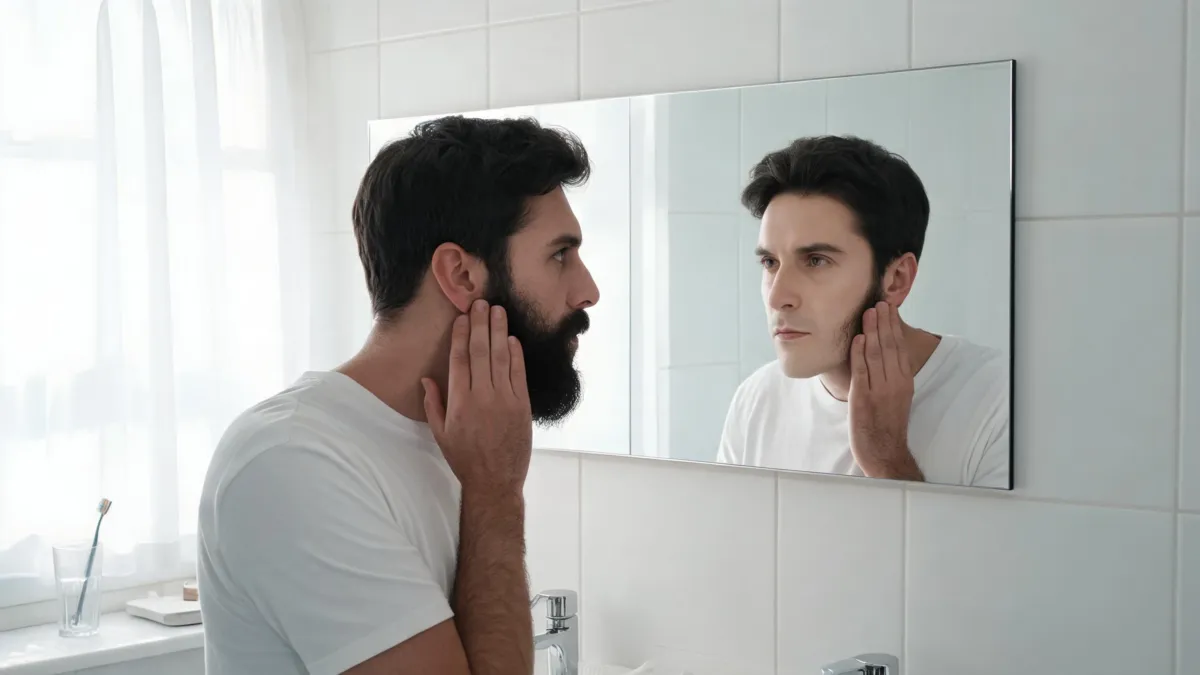
A clean shaven filter lets you compare your current beard with a plausible beard-free version of the same portrait before you shave. Use a clear photo, keep the face and lighting fixed, and judge the change as a direction—not a guarantee about skin that is currently hidden. The AIChangeHair No Beard Filter starts with a facial-hair removal instruction so you can make that comparison without picking up a razor first.
Last updated: September 12, 2026 · about 7 min read
A beard changes the visible outline of the jaw, chin, upper lip, and cheeks. That is why looking at another person’s clean shave rarely answers the real question: how will your face read without it? A photo preview is most useful when it keeps every other cue steady.
It also has a hard limit. The original photo has no record of the skin beneath dense hair. An editor must create a believable version of that area. Use the result to decide whether a clean shave, a shorter beard, or light stubble is worth trying—not as proof of exactly what tomorrow morning will reveal.
Start with a photo the filter can read
Choose a recent portrait in even light, with your beard, moustache, jaw, and hairline visible. A straight-on image is easiest to compare, though a slight turn can work if both sides of the beard are clear. Avoid heavy beauty filters, sunglasses, hands over the face, and dramatic shadows.
The live No Beard Filter is designed for a one-photo edit: it removes facial hair while asking to keep identity, skin tone, lighting, and background stable. That is the relevant feature here. It does not tell you whether shaving will suit your routine, whether your skin will be irritated, or what a barber should do with the neckline.
| Starting photo | Why it helps | When to take another photo |
|---|---|---|
| Recent front-facing portrait | Makes the jaw and moustache area easy to compare | Your beard disappears into shadow |
| Even window light | Keeps skin tone and texture easier to judge | One side of the face is blown out or very dark |
| Natural expression | Lets you recognize the same face in both versions | A beauty filter has changed your features |
| Full beard visible | Gives the editor a clear removal task | A hand, scarf, or crop hides the chin |
The right test is narrow: did the facial hair change while the person, pose, and light stayed recognizable? If the face itself changes, do not use that output to decide whether to shave.
Make a three-version comparison before you commit
Rather than generating a string of unrelated looks, make a small sequence from one original image.
- Save the original. Keep it on screen while you review every result.
- Make a clean-shaven version. Ask to remove beard, moustache, and visible stubble while preserving the rest of the photo.
- Make one middle option. If you are uncertain, request a short, even shadow or trimmed beard from the same original.
- Compare at two sizes. Look at the portraits full-screen, then at ordinary phone size. A believable image should still look like you in both views.
- Write one sentence. For example: “I like seeing more of my jaw, but I would miss the moustache.” That sentence is more useful than a simple thumbs-up.
Use the original and only one or two controlled variations; the goal is a decision, not an endless gallery.
What to inspect in a clean-shaven preview
Look beyond whether the result is flattering. You are checking whether the comparison remains honest.
| Review point | Accept it when | Reject it when |
|---|---|---|
| Facial identity | Eyes, nose, expression, and head shape still look like yours | The jaw is slimmer, eyes change, or the face looks like a different person |
| Hair removal | Beard and moustache are removed cleanly | Random dark patches, fuzzy skin, or leftover hair obscure the choice |
| Lighting | Light direction and skin tone match the original | The editor has added a studio glow or changed the time of day |
| Framing | Background and camera angle stay stable | A new crop or pose makes the two images incomparable |
| Real-world usefulness | You can describe what you prefer | The image is polished but no longer resembles your photo |
If your beard is very dense, the area around the chin and upper lip deserves the closest look. It is normal for a generated result to be less certain there. A preview that is merely plausible can still help you choose a direction; it should not be presented as a dermatology assessment or an exact prediction of uncovered skin.
Decide what to do after the preview
If the clean-shaven result feels right, you may simply shave and reassess in daylight. If it feels too abrupt, ask a barber about a shorter transition or try a light-stubble preview first. A barber can assess growth direction, neckline, and the practical shape of a trim in ways a generated image cannot.
Pay attention to comfort as well as appearance. If you regularly get razor bumps, ingrown hairs, or painful irritation, a photo filter is not medical guidance. The American Academy of Dermatology’s shaving guidance offers general skin-care advice; see a qualified clinician or dermatologist for persistent symptoms.
For the image itself, do not upload someone else’s face or use the result as an official portrait. Use your own current photo and keep the original alongside the preview so the change remains clear.
Frequently asked questions
How can I see what I look like clean-shaven?
Use one clear, recent portrait with your beard and moustache fully visible, then compare the clean-shaven preview beside the original. Treat the result as a visual decision aid, because skin that is hidden under a beard has to be generated rather than recovered from the photo.
Will a clean shaven filter keep my face the same?
A useful result should keep the same eyes, nose, expression, lighting, and background while removing facial hair. Reject an output if it changes your jawline, skin tone, face shape, or camera angle, because it no longer answers the shaving question.
Can I compare stubble before shaving my whole beard?
Yes. Make a full clean-shaven version and one light-stubble version from the same original photo. Keeping the photo fixed makes it easier to decide whether you want to trim first or shave fully.
Is a clean-shaven preview a guarantee of the real result?
No. The filter can show a plausible visual direction, but it cannot reveal exactly how previously covered skin will look after a real shave. Use it to make a low-stakes choice, then judge the actual result in normal light.
Related guides
- Try the free AI hairstyle changer →
- No Beard Filter
- Beard filter
- Buzz cut filter
- Should I shave my head?
Make the decision before the shave
Use the No Beard Filter with one honest portrait, keep the original visible, and compare only the versions that would change your real decision.