
Pixie Cut Filter: Preview a Pixie Before You Cut
Use a pixie cut filter to compare soft, tapered, and longer pixie shapes on your own photo before a major short haircut.
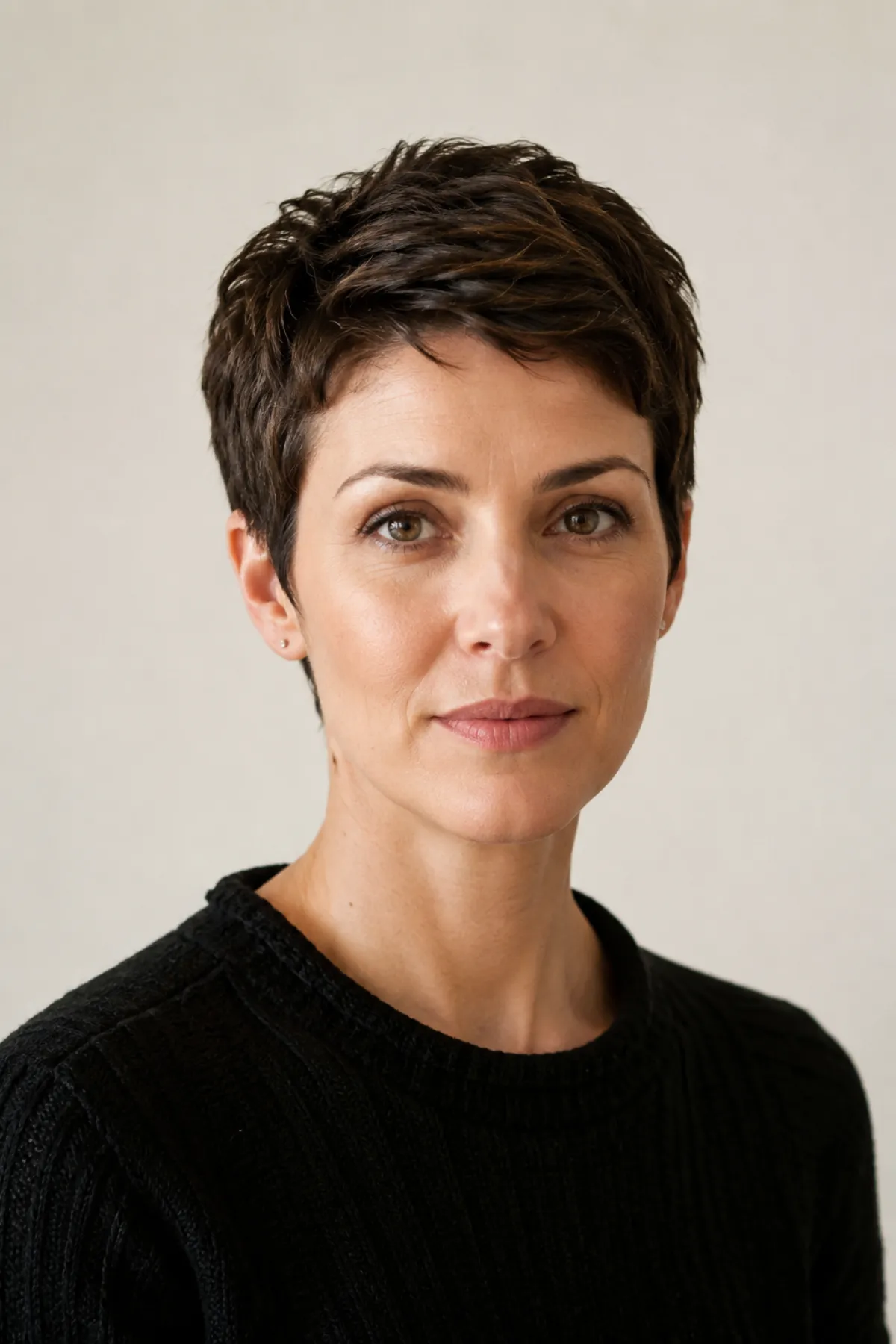
A pixie cut filter gives you a low-stakes way to answer the big question before the appointment: do I like my face, neckline, and everyday style with very short hair? Use a hairstyle try-on to test a few pixie shapes on the same photo, then take the strongest direction to a stylist instead of treating the image as an exact cut diagram.
Last updated: July 12, 2026 - about 6 min read
Quick answer
Test three pixie directions: a soft longer pixie, a tapered pixie with visible sides, and a fringe-forward pixie. Keep your color, facial features, and lighting stable. The point is to compare the outline around your forehead, ears, cheekbones, and neck before you remove length in real life.
A pixie cut filter can show proportion and mood. It cannot decide how your hairline, cowlicks, density, or styling habits will behave after the cut.
Start with the right pixie question
Pixie is an umbrella term. A soft, longer pixie can read like a short bob, while a tighter crop puts much more attention on the face and head shape.
| Pixie direction | What to look at in a preview | Good first question |
|---|---|---|
| Longer, soft pixie | Movement at the crown and ears | Do I want a gradual step down from my current length? |
| Tapered pixie | Side profile, neckline, crown balance | Do I like my face with the sides kept close? |
| Fringe-forward pixie | Brow line and forehead framing | Do I want the front to be the focal point? |
Choose one feature to compare per pass. If you change the color, makeup, background, and cut together, it becomes impossible to tell whether the pixie is what you actually like.
How to use a pixie cut filter well
Pick a front-facing photo with your hairline and ears reasonably visible. A photo with hair covering half the face can make a short-cut result look more dramatic or more flattering than it would be in real life.
- Upload one clean portrait to the pixie cut filter.
- Preview a longer, softer version first.
- Try a more tapered or fringe-forward version only after you know what length feels comfortable.
Use simple instructions such as: "soft tapered pixie cut, natural texture, keep face, color, lighting, and background unchanged." Do not ask for an unrelated new face or fashion look. The edit should help you inspect the haircut, not create a new person.
Check the outline, not just the front view
The front preview matters, but a short haircut also changes what you notice at the temples, ears, neck, and crown. Imagine how the shape would look when you turn your head, wear glasses, or tuck hair behind an ear.
Useful checks include:
- Whether the top has enough height for your preferred part.
- Whether the sides look too exposed or comfortably balanced.
- Whether a fringe makes the forehead feel more open or more crowded.
- Whether the neck and jawline framing feels intentional.
- Whether the result still feels like you without the length you usually rely on.
A front view starts the decision. A good consultation checks the shape from more than one angle.
Take a preview to the salon, not a demand
Save one or two filtered images and explain what you like about them: the softness at the temple, the longer fringe, the taper at the neck, or the crown height. That is more useful than asking a stylist to copy an AI image exactly.
Your stylist can check the details a preview cannot:
- Cowlicks at the front and crown.
- Hair density near the temples.
- Natural wave or curl that may shorten the visual length.
- How often you are willing to trim and style the cut.
- Whether a longer first pixie is a safer transition.
The short hair preview guide is helpful when you are deciding whether to go shorter at all. A pixie filter becomes useful after that: it helps you narrow the specific short shape.
What not to expect
A preview cannot guarantee a low-maintenance haircut. Very short styles can be easy to wash and harder to keep in the same shape, depending on your hair. They may need regular trims, product, or a few minutes of styling to look intentional.
It also cannot tell you whether you will miss your length. That is why starting with a longer pixie or a cropped bob can be a sensible first move when the change feels big.
FAQ
Can a pixie cut filter tell me if a pixie will suit my face?
It can help you see the visual proportions on your own photo. It cannot account for hair density, cowlicks, growth pattern, or how you feel when you style the cut day to day.
Should I try a short pixie or a longer pixie first?
Start with the longer, softer option if you are unsure. It lets you assess the face framing before you commit to a close taper or very short fringe.
Do pixie cuts need a lot of maintenance?
The routine varies by cut and texture. Many pixies need regular trims to keep their shape, so ask your stylist about the maintenance before deciding.
Related guides
- Preview a pixie cut on your photo
- How would I look with short hair?
- Best haircuts for face shape
- Wolf cut vs shag
The best pixie is not the shortest one. It is the version whose outline you still like once the novelty wears off.