
Buzz Cut Fade Filter: Preview the Fade Before You Cut
Use a buzz cut fade filter to compare fade height, top length, and overall shape on your photo before you visit a barber.
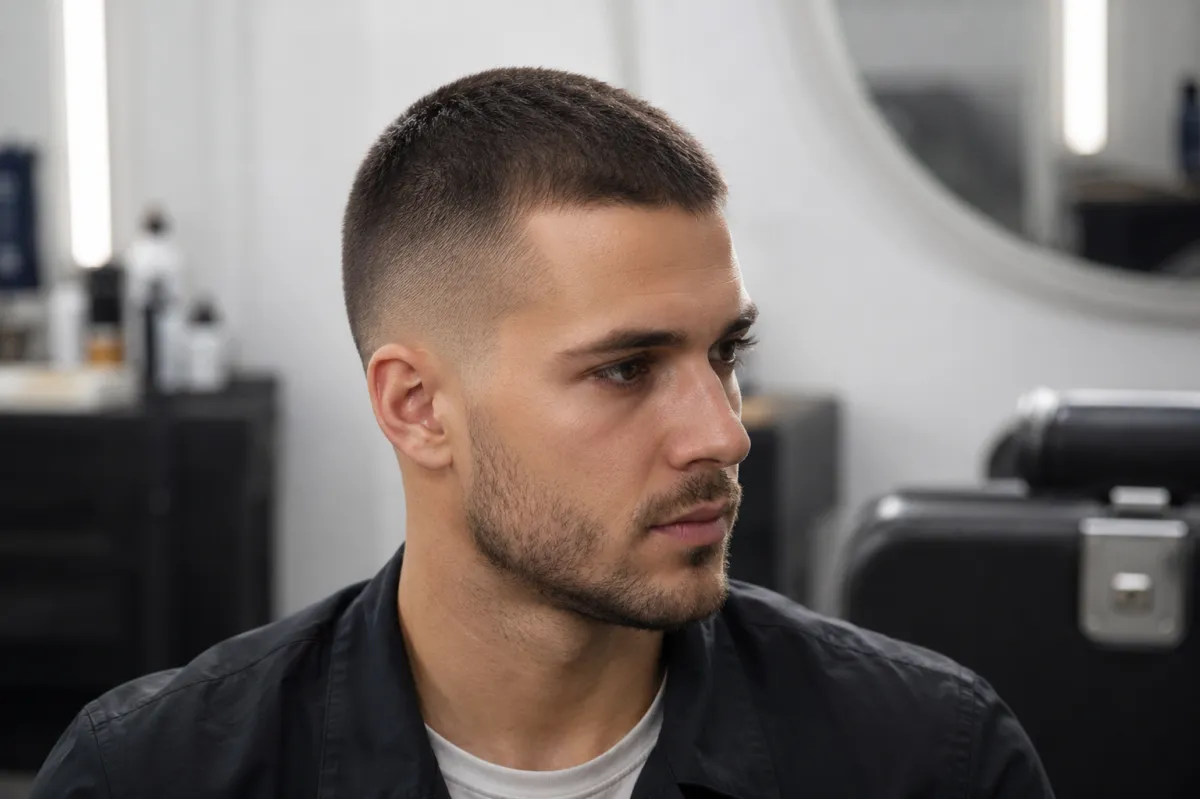
A buzz cut fade filter is most helpful when you use it to answer a specific question: where should the fade begin, and how much length should stay on top? Those two choices make short cuts look very different. Try the direction on a clear photo with the buzz cut filter, then use the strongest preview to have a more precise conversation with your barber. It is a visual guide, not a promise of an identical real haircut.
Last updated: July 15, 2026 - about 7 min read
Separate the fade from the buzz length
People often ask for a "buzz cut fade" as though it is one haircut. It is really two decisions:
- Top length: almost shaved, a short even buzz, or enough length for visible texture.
- Fade height: low around the ears, medium through the temple, or high toward the crown.
A low fade keeps more weight around the sides and can feel less dramatic as it grows out. A high fade exposes more of the head shape and gives a sharper contrast. Neither is automatically more flattering. What matters is whether the change matches the amount of maintenance you want and the silhouette you prefer.
Make the preview controlled
Use a front-facing photo in even light. Include the temples, ears, and top of the head if possible. Do not hide the hairline under a hat or take the photo from far away. Then compare only two or three versions instead of asking for every fade level in a single image.
For a low fade, try:
Keep my face, head shape, lighting, clothing, and background unchanged. Give me a fully realistic short buzz cut with a low fade that begins around the ears, a soft transition, and a slightly longer top. Preserve a natural hairline. No text or logo.
Make a second version with a medium fade and the same top length. That isolates the change your eye needs to judge.
| Detail | Low fade | Mid fade | High fade |
|---|---|---|---|
| Where it starts | Close to the ear | Around the temple | Higher toward the crown |
| Overall read | Subtle and grounded | Balanced contrast | Sharper and bolder |
| Grow-out | Often less abrupt | Moderate | More visible contrast as it grows |
| Ask your barber | Keep the transition low | Where should the blend meet the temple? | How tight should the sides be? |
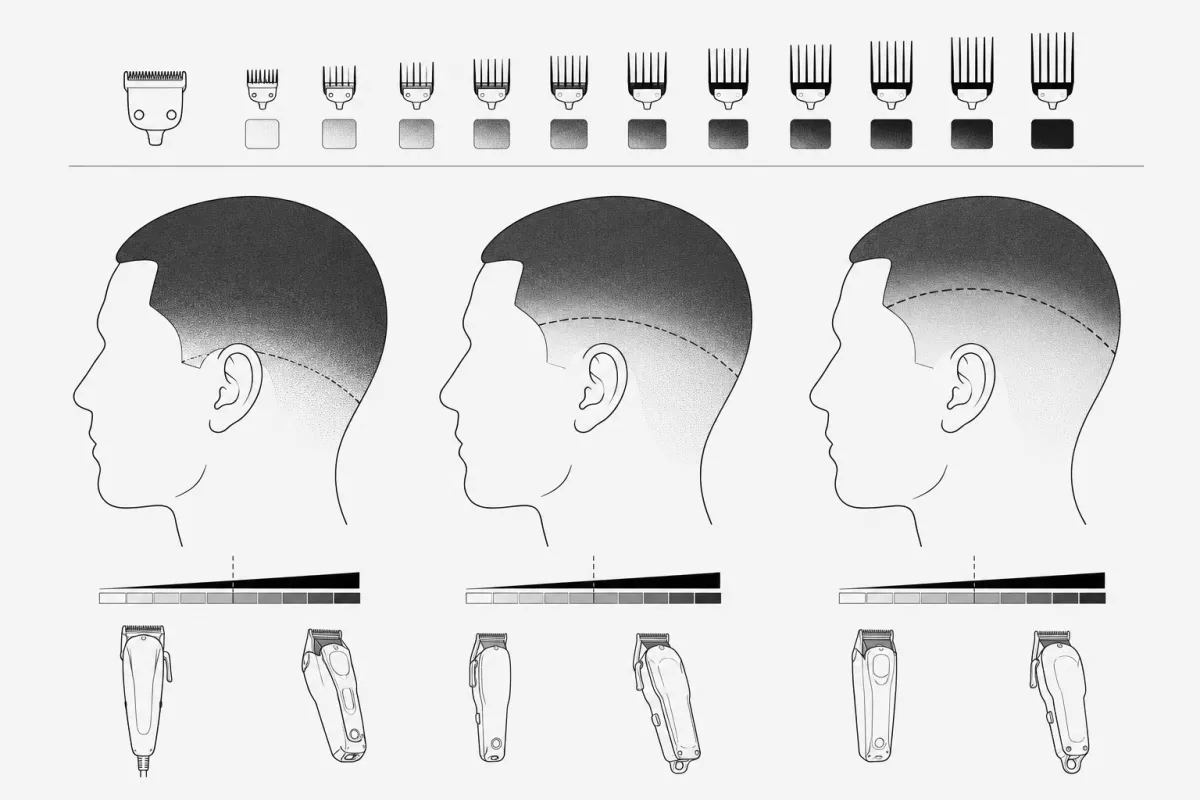
This diagram helps you name fade height and top-length choices for the appointment.
What to check at full size
Look at the preview as a barber would: hairline, temple transition, crown, and the side profile. A buzz cut fade that looks good at thumbnail size can still have a transition that feels too high or a top that is shorter than you expected. The image can help you say "I prefer the lower transition" or "I want more shadow on top," which is much more useful than pointing to a random reference photo.
If you are choosing between short styles more broadly, use the AI hairstyle changer to compare the whole silhouette. You can also read how you would look with short hair before committing to the biggest change.
What a filter cannot predict
The filter cannot measure density, scalp visibility, cowlicks, curl pattern, or the precise way your hair will grow out. It cannot replace a barber's judgment about guard numbers or hairline work. Bring the original photo and your preferred preview, then explain what you like about it: the fade height, the amount of shadow, or the shorter top.
For more context around the tool boundary, see is an AI hairstyle changer safe. Keep the upload to a photo you have the right to use.
Frequently asked questions
Can I try a buzz cut fade on a photo?
Yes. A buzz cut fade filter can show the broad visual direction of different fade heights and short top lengths. Use a clear photo and compare one change at a time.
Which fade is best for a buzz cut?
There is no single best fade. A low fade is subtler, a medium fade is balanced, and a high fade creates more contrast. Preview two levels, then choose the one you would be comfortable maintaining.
Will the filter show my exact barber result?
No. It is a planning preview, not an exact haircut prediction. Hair density, texture, growth pattern, and a barber's technique all affect the final result.
Get a clearer reference before the chair
Open the buzz cut filter, compare two fade heights with the same top length, and bring the preferred direction to your barber.