
Garnier Hair Color Filter: Compare a Brand Shade Before You Buy
Use a Garnier hair color filter to compare a brand shade before buying, choose a useful selfie, and understand what a virtual preview cannot predict.

A Garnier hair color filter is useful for narrowing a brand shade before you buy—not for predicting your exact dye result. Start with Garnier’s current official try-on for your market, then compare a few nearby directions on the same clear photo with an AI hair color changer. Save the one or two shades that still look right in normal light, and use the product instructions or a colorist to decide whether they are realistic for your starting hair.
Last updated: September 9, 2026 · about 7 min read
Does Garnier have a hair color filter?
Yes, Garnier currently has virtual try-on experiences in multiple markets. Its U.S. Virtual Shade Finder describes trying on hair shades through a camera or uploaded selfie, and the available shades are tied to the local catalog. That matters: a result page, a tutorial, or a try-on from another country may not match the products on the shelf where you live.
Treat a brand filter as a product-range comparison. It can answer, “Do I prefer this Garnier warm brunette over this cooler brunette?” It cannot answer, “Will this box produce that exact color on my previously colored hair?”
Before comparing, confirm three things on the official page for your market:
- The exact product range you are considering is included.
- The shade name or number is available to buy where you live.
- You are viewing a current product page, not only a social post or an old video.
A virtual preview is a visual planning tool. The package instructions, your hair history, and a professional consultation are the evidence for a real chemical service.
How to use a Garnier hair color filter before buying
The fastest useful workflow is deliberately narrow. Do not test every color in the catalog; compare colors that answer one decision.
- Take one daylight photo with no beauty filter. Keep your roots, hairline, and current length visible.
- In Garnier’s official try-on, save three close candidates from the same family—for example, neutral brown, warm brown, and ash brown.
- Recreate the broad directions in the AIChangeHair color preview on that same photo, then compare the results beside the original before deciding which product page to read.
Why use two views? A brand try-on is best for checking the brand’s own shade range. A second, neutral comparison can make it easier to see whether you truly prefer warmth, depth, or brightness rather than simply reacting to a polished preview. Neither is a formula recommendation.
| Question before purchase | Compare this | Do not conclude this |
|---|---|---|
| “Do I suit warmer or cooler brown?” | Nearby shades with the same depth | That either shade will lift or cover the same way |
| “Would I like a lighter look?” | One subtle step lighter beside your current color | That at-home color will safely reach that level |
| “Which box should I research?” | Exact Garnier shade names or numbers | That the preview replaces a strand or patch test |
| “Will grey disappear?” | Overall shade direction only | A specific coverage outcome |
Compare the shade, not just the filter result
Good previews can still lead to poor choices if the comparison changes too many variables. Keep the photo, part, lighting, makeup, and hair length the same. Only change the color direction.
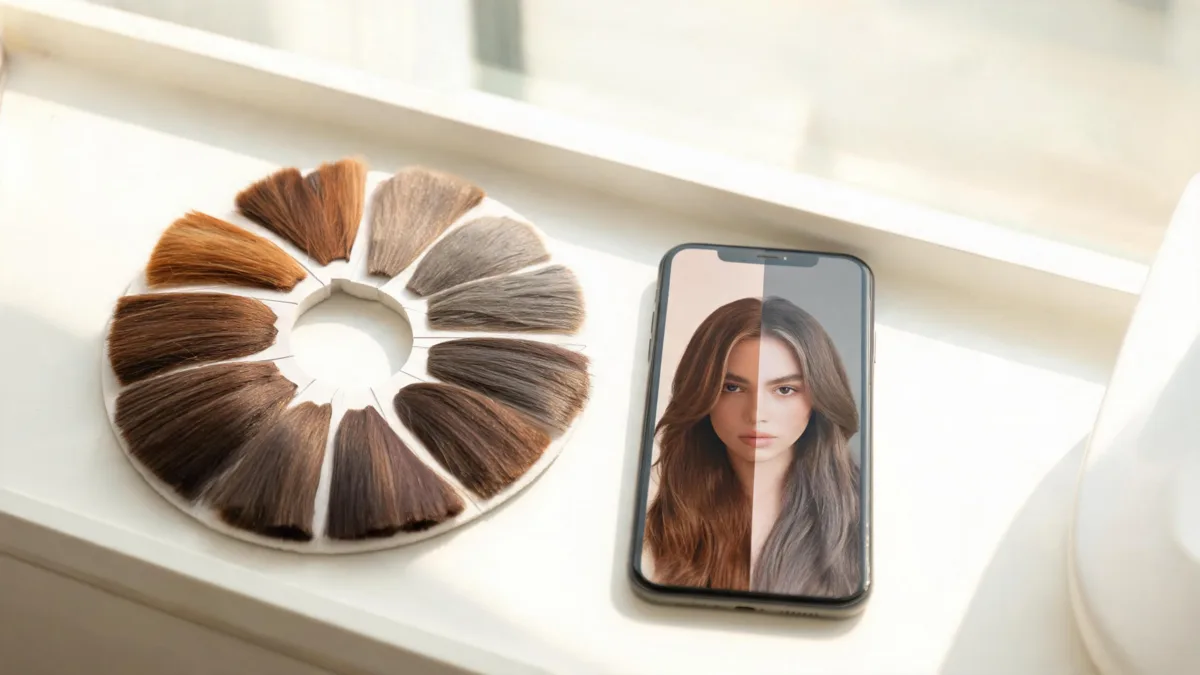
A side-by-side comparison can reveal whether you prefer the direction of a shade; it cannot predict chemical lift, coverage, or fade.
Use this short check before saving a favorite:
- Look at the root area separately from the mids and ends. Those areas often start from different colors in real life.
- View the result at full size and at phone size. A shade that only works in a tiny, bright preview is not a strong candidate.
- Keep a shade only if it looks believable next to your natural brows and skin tone in the original photo.
- Save the exact shade name or number, not just a screenshot. Product names can be similar.
If you are deciding between a blonde, copper, or other bigger shift, compare the shape of the change before you buy. The blonde hair color changer and copper hair color guide are useful next reads, but a preview is still not a bleaching plan.
What a virtual shade finder cannot tell you
Filters are strongest at color placement and overall direction. They do not know whether your hair has been bleached, toned, dyed darker, treated with henna, or damaged. They cannot assess curl porosity, grey percentage, or how a shade will fade after washing.
This limit is especially important when your desired result is much lighter than your starting hair or when your lengths and roots are different colors. In those situations, take the saved preview and your hair history to a qualified colorist. For an at-home product, read the full instructions and choose a conservative plan rather than assuming the image is a promise.
The FDA’s hair-dye safety guidance advises users to follow package directions, do a patch test before dyeing, wear gloves, and never mix different dye products. That safety step is separate from choosing a flattering shade online.
A practical before-buy checklist
- I checked the current Garnier try-on or product page for my own market.
- I used one recent, well-lit, unfiltered photo.
- I compared only nearby shades on the same photo.
- I saved the exact product range and shade name, not only a screenshot.
- I understand that a preview cannot predict lift, coverage, condition, or fade.
- I will follow the package instructions and complete the stated safety steps before using dye.
Frequently asked questions
Does Garnier have a hair color filter?
Garnier currently offers virtual hair-color try-on pages in several markets, including a U.S. virtual shade finder. The exact catalog and availability can vary by country and product range, so check the current official page where you shop.
Can a Garnier hair color filter show my exact dye result?
No. It can help you compare a color direction on your face, but it cannot measure your prior color, porosity, grey coverage, processing time, or how the finished color will look in every light.
What photo is best for trying a Garnier shade?
Use a recent, unfiltered photo in even daylight. Keep your hairline, roots, and most of your current length visible, and avoid hats, tinted lighting, or beauty filters.
Should I do a patch test after using a virtual hair-color filter?
Yes. A digital preview does not test skin sensitivity. Follow the exact product instructions; the FDA also advises a patch test before dyeing and says not to mix different hair dye products.
Related guides
- Try the free AI hairstyle changer →
- AI hair color changer
- Blonde hair color changer
- Hair color changer vs. hairstyle changer
- L'Oréal hair color filter guide
Use the filter to arrive at a better question for the product page or colorist: which realistic shade direction do I want to pursue?