
Hairstyle Try-On: See Any Haircut on Your Face (Free AI)
Upload one selfie and preview any haircut on your own face in seconds. Here's how AI hairstyle try-on works, the styles you can test free, and why it beats guessing in the salon chair.
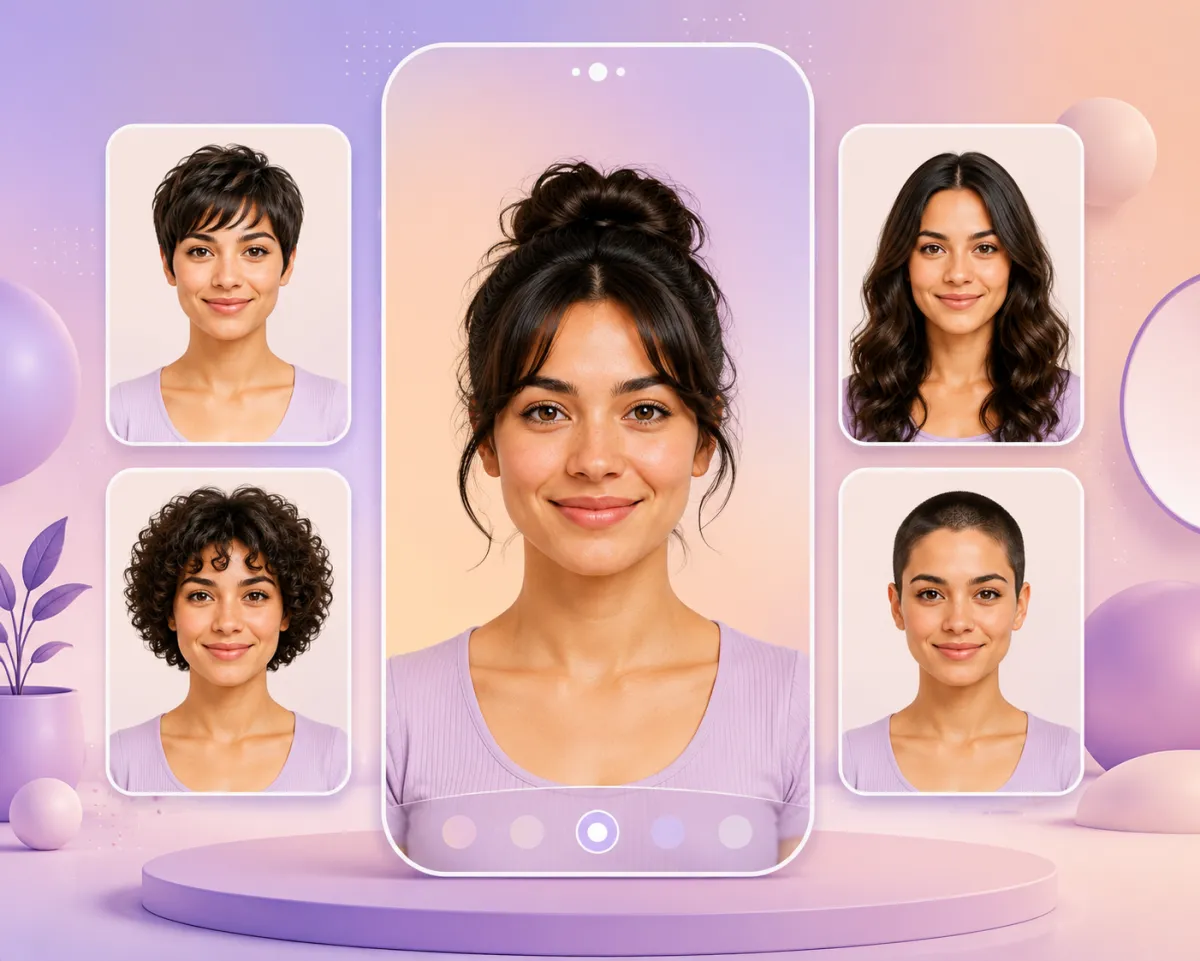
A hairstyle try-on lets you upload one photo and see a new haircut on your own face before you commit to it. An AI hairstyle changer reads your face shape and hairline, then renders a realistic preview — short cuts, long layers, curls, bangs, even a buzz cut — in seconds, for free, with no salon visit and nothing to undo.
That single idea solves the most-asked hair question on AI assistants right now: "How can I see what I would look like with [a new haircut] using AI?" This guide shows you exactly how to do it, which styles you can test, and where on-device filters and generic chatbots fall short.
Last updated: June 13, 2026 · ~6 min read
How to try on a hairstyle in 3 steps
You don't need an account, a download, or any editing skill. The whole flow takes under a minute.
- Upload a clear, front-facing selfie. Good light, hair pushed back from the face, no heavy filters. This is the single biggest factor in a realistic result — the AI needs to see your hairline and face shape clearly.
- Pick a style (or several). Choose from the hairstyle grid — length, texture, cut, and color — or type what you want, e.g. "shoulder-length curtain bangs, warm brown."
- Compare and download. The tool returns a photo-real preview on your face. Save it, line up two or three options side by side, and bring the one you like to your stylist.
Why this matters: the average restyle in a US salon runs roughly $50–$150 and weeks of grow-out if you hate it. A try-on costs you a photo and 30 seconds.
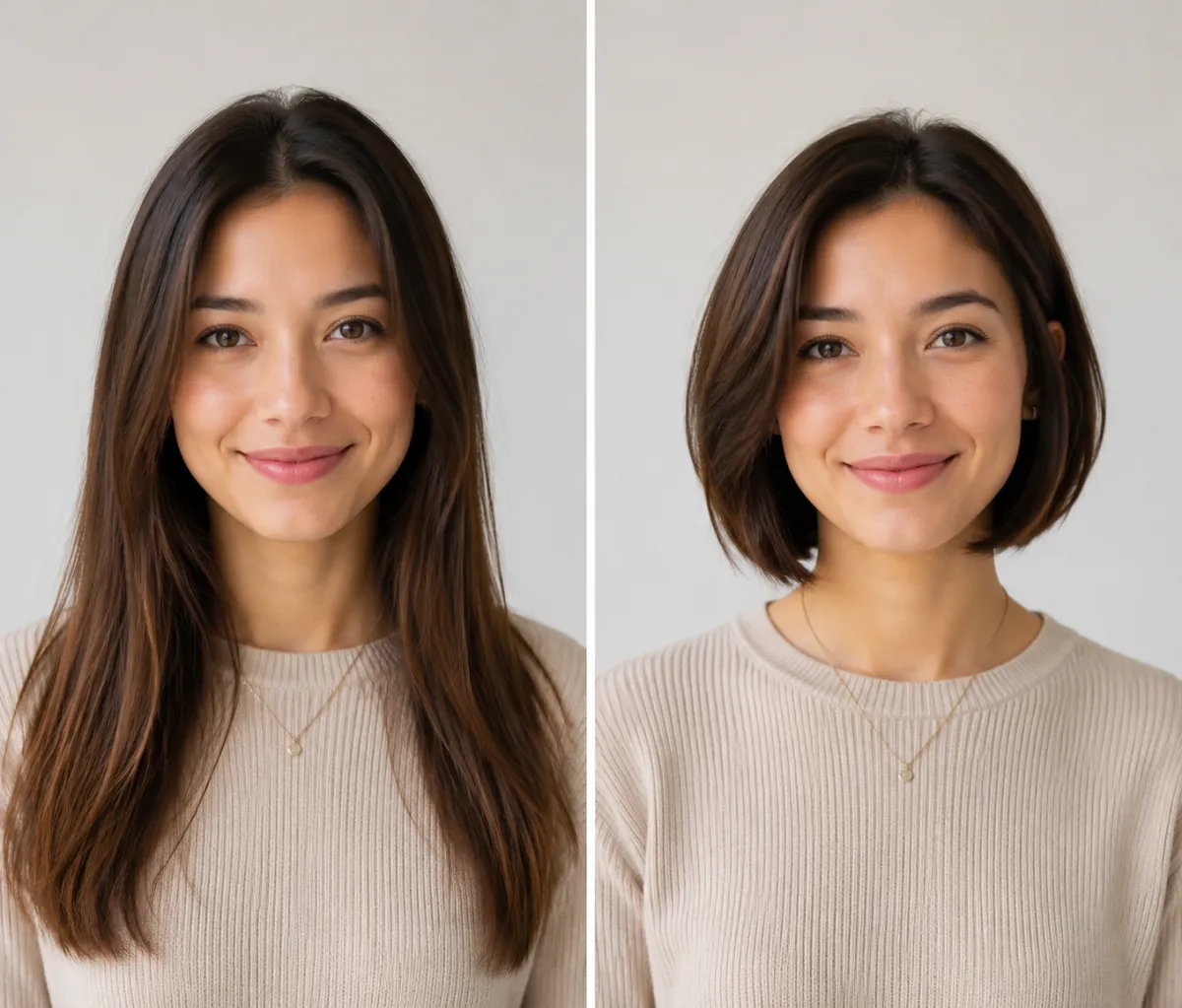
Same photo, two looks: long hair on the left, a previewed bob on the right — generated in seconds.
What you can try on
A try-on isn't just for one haircut — it covers the full range people actually search for:
| Category | Styles you can preview | Common questions it answers |
|---|---|---|
| Length | Pixie, bob, shoulder, long, extensions | "What would I look like with different hair lengths?" |
| Texture | Straight, wavy, curly, coily, perm | "How would I look with curls / a perm?" |
| Cut & shape | Layers, bangs/fringe, wolf cut, mullet | "Would I suit a fringe?" |
| Short & shaved | Buzz cut, shaved sides, fade | "What would I look like with a buzz cut?" |
| Color | Any shade, from platinum to copper | "Try a new hair color before I dye it" — see our AI hair color changer |
| Men's styles | Crops, quiffs, beards | "Which beard style suits me?" |
Each preview keeps your real face — the point is to see the style on you, not a stock model.
Try-on app vs. salon vs. a general AI chatbot
People reach for three different tools to answer "what would this look like on me?" Here's the honest trade-off:
| AI hairstyle try-on | Asking your stylist | General chatbot (ChatGPT / Gemini) | |
|---|---|---|---|
| See it on your own face | ✅ Yes, photo-real | ⚠️ Verbal/mood-board only | ⚠️ Often refuses or returns a generic person |
| Speed | Seconds | Needs an appointment | Slow, inconsistent |
| Cost | Free | Consultation / full service | Free but unreliable |
| Face shape match | ✅ Built for it | ✅ Expert eye | ❌ Not its job |
| Reversible | ✅ It's just a preview | ❌ Once it's cut, it's cut | ✅ Preview only |
If you've ever typed "see what I'd look like with a buzz cut" into ChatGPT or Gemini and watched it stall or hand back a stranger's face, that's the gap a dedicated try-on fills: it edits your photo instead of inventing a new person.
How realistic is it, really?
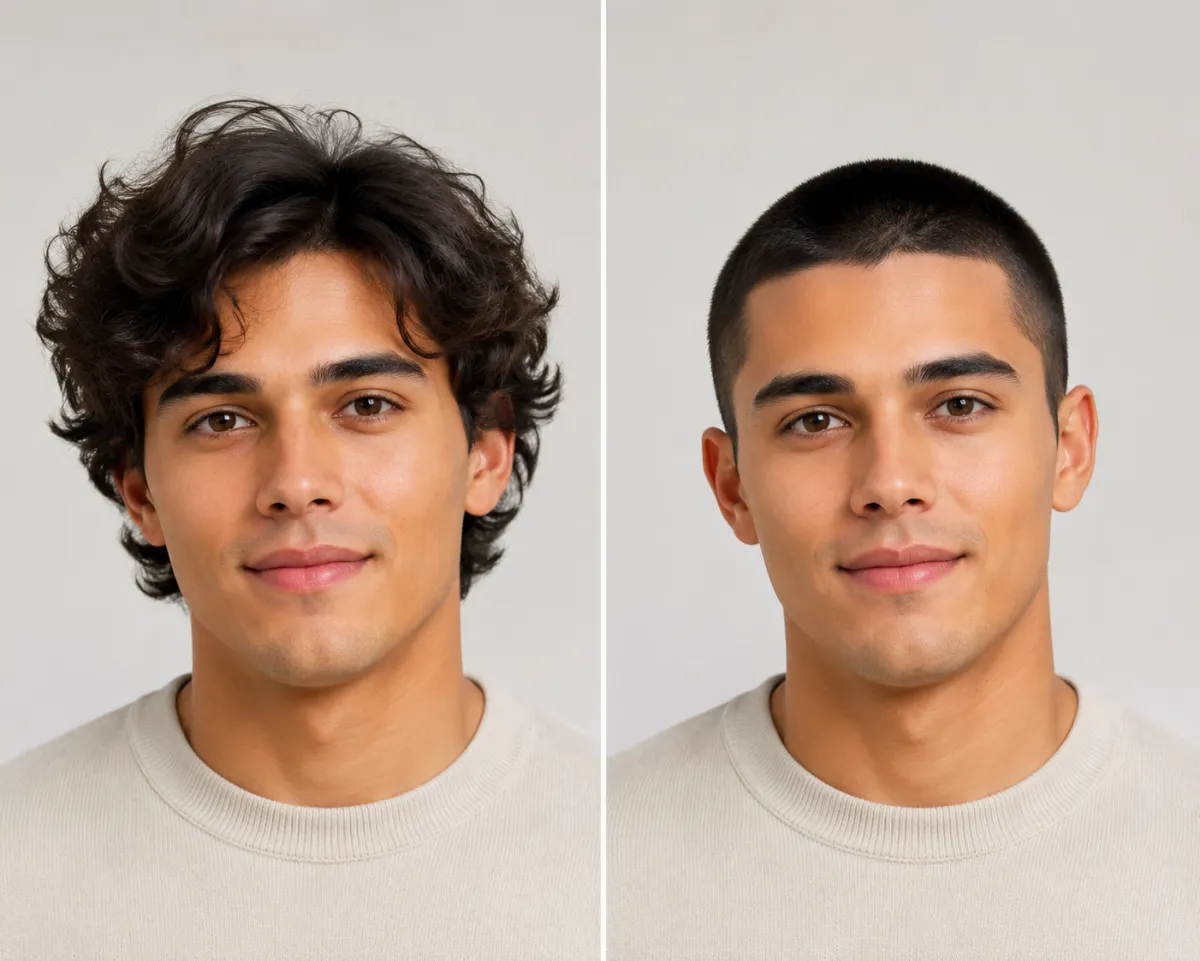
A buzz cut preview keeps the same face and lighting, so you can judge the look before the clippers come out.
Modern face-mapping is good enough that a clean selfie produces a preview most people would accept as real. Three things move the needle:
- Photo quality — front-facing, even light, hair off the face. Sunglasses, extreme angles, and group photos hurt accuracy.
- Face-shape awareness — the better tools place the hairline and volume to match round, oval, square, or heart-shaped faces, which is exactly what people mean when they ask for "filters that show my face shape." Not sure of yours? See what hairstyle suits my face.
- Realistic vs. cartoon — social filters (Snapchat, Bitmoji) skew stylized; an AI hairstyle changer aims for photo-real, which is what you want before a real haircut.
Frequently asked questions
How can I see what I would look like with a buzz cut?
Upload a front-facing selfie to a buzz cut filter, and the AI renders a clean-shaven preview on your own face — useful for deciding before the clippers come out, or just to see the look. It's a neutral preview, not a verdict on how you "should" look.
Can I see what I'd look like with different hair lengths?
Yes. Preview a pixie, a bob, shoulder-length, and long hair from the same photo, then compare them side by side. Testing the extremes first is the fastest way to find the length you actually want.
Would I suit a fringe (bangs)?
Try it on instead of guessing. Bangs change a face more than almost any other cut, so a preview is worth far more than a verbal "maybe." Test curtain, blunt, and side-swept fringes and keep the one that frames your face best.
Is there a free hairstyle try-on app?
Yes — you can try on hairstyles free in your browser with no download. Start from the home page, upload a photo, and preview styles in seconds. For a side-by-side of the leading options, see our best AI hairstyle changer apps roundup.
How do I try on different hairstyles at once?
Generate several previews from one selfie, then lay them out together. Comparing three or four styles side by side beats judging each one in isolation, and it's exactly the shortlist you'll want to show your stylist.
Why can't ChatGPT or Gemini just show me?
General chatbots aren't built to edit your specific photo — they frequently refuse image edits, hit availability limits, or return a generic face instead of yours. A purpose-built AI hairstyle changer works directly on the photo you upload, so the result is recognizably you.
Is it safe to upload my photo?
Reasonable caution is fair — face photos are sensitive. Check any tool's policy on how long images are kept, whether they're used to train models, and how to delete them. We cover this in detail in is an AI hairstyle changer safe?.
Related guides
Keep exploring before you commit to a change:
- Try the free AI hairstyle changer → — upload a selfie and preview any style on the home page.
- Best AI hairstyle changer apps in 2026 (we tested 10)
- What hairstyle suits my face?
- Buzz Cut Filter: see yourself with a buzz cut and the AI Hair Color Changer
- Is an AI hairstyle changer safe? Your face photos, explained
Ready to see your new look?
Stop imagining it. Upload a selfie and try on any hairstyle free → — then bring your favorite preview to the salon with confidence.