
How Would I Look with Bangs? Try a Bangs Filter Free
Wondering how would I look with bangs? Upload one selfie and preview real fringe styles on your own face — free, with a no-commitment AI bangs filter.
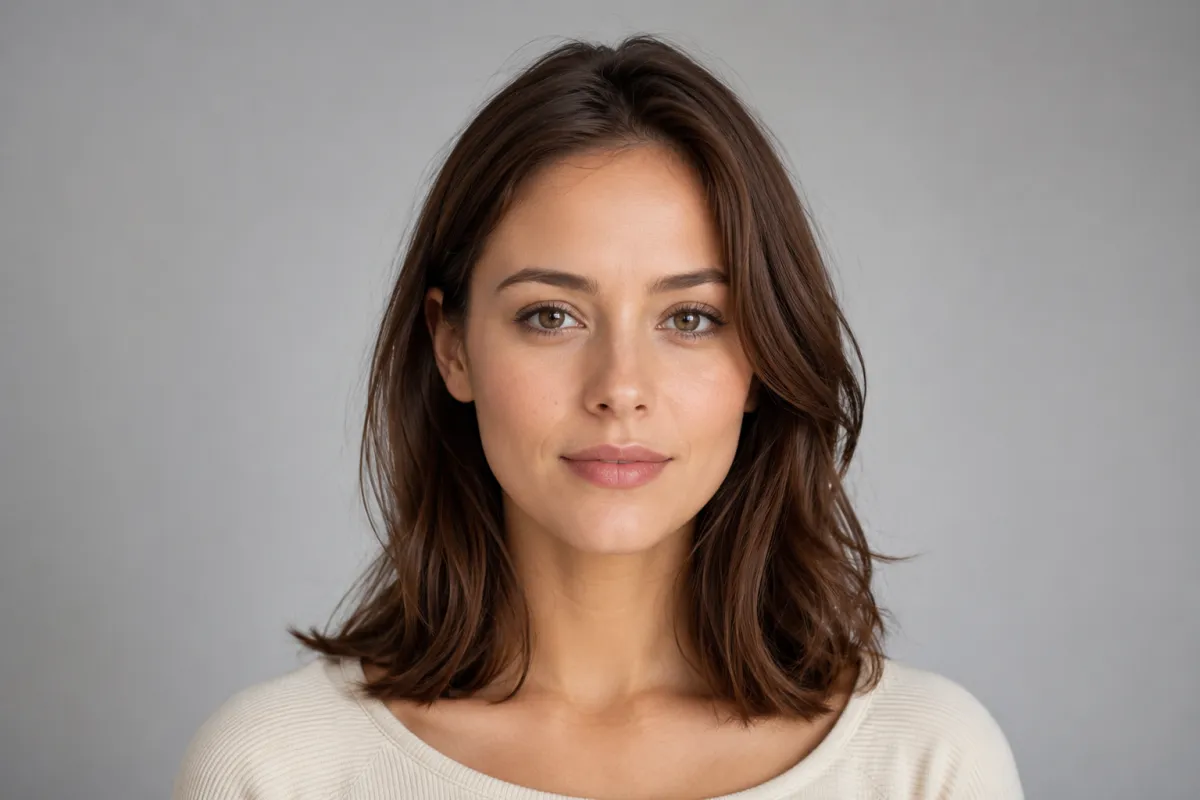
The fastest way to answer "how would I look with bangs" is to stop imagining and preview them on your own face. Upload one selfie to the AI hairstyle changer, pick a fringe shape, and a free bangs filter renders curtain, blunt, wispy, or side-swept bangs onto your photo in about a minute — no scissors, no grow-out, nothing to regret.
Bangs (or "fringe," if you're in the UK) change a face more than almost any other cut, which is exactly why they're the hardest to picture in the mirror. This guide shows you how to preview them, which bang types tend to suit which face shapes, and where a dedicated filter beats both the salon chair and a general chatbot.
Last updated: June 20, 2026 · ~6 min read
How to see how you'd look with bangs in 3 steps
You don't need an account, an app download, or any editing skill. From a single photo to a side-by-side preview takes under a minute.
- Upload a clear, front-facing selfie. Even lighting, hair pushed back so your forehead and hairline show, no heavy filters. This is the single biggest factor in a realistic fringe — the AI needs to read your hairline to place bangs naturally.
- Pick a bang type (or several). Choose curtain, blunt, wispy/see-through, side-swept, or micro from the presets, or type a request like "soft curtain bangs that hit the cheekbone." The rest of your hair, length, and color stay exactly as they are.
- Compare and download. The bangs filter returns a photo-real preview on your own face. Line up two or three fringe shapes side by side, keep the one that frames your face best, and bring it to your stylist.
Why preview first: a real fringe is roughly $30–$80 at a salon and weeks of grow-out if it's not for you. A preview costs you a photo and 30 seconds — you can test five looks before lunch.
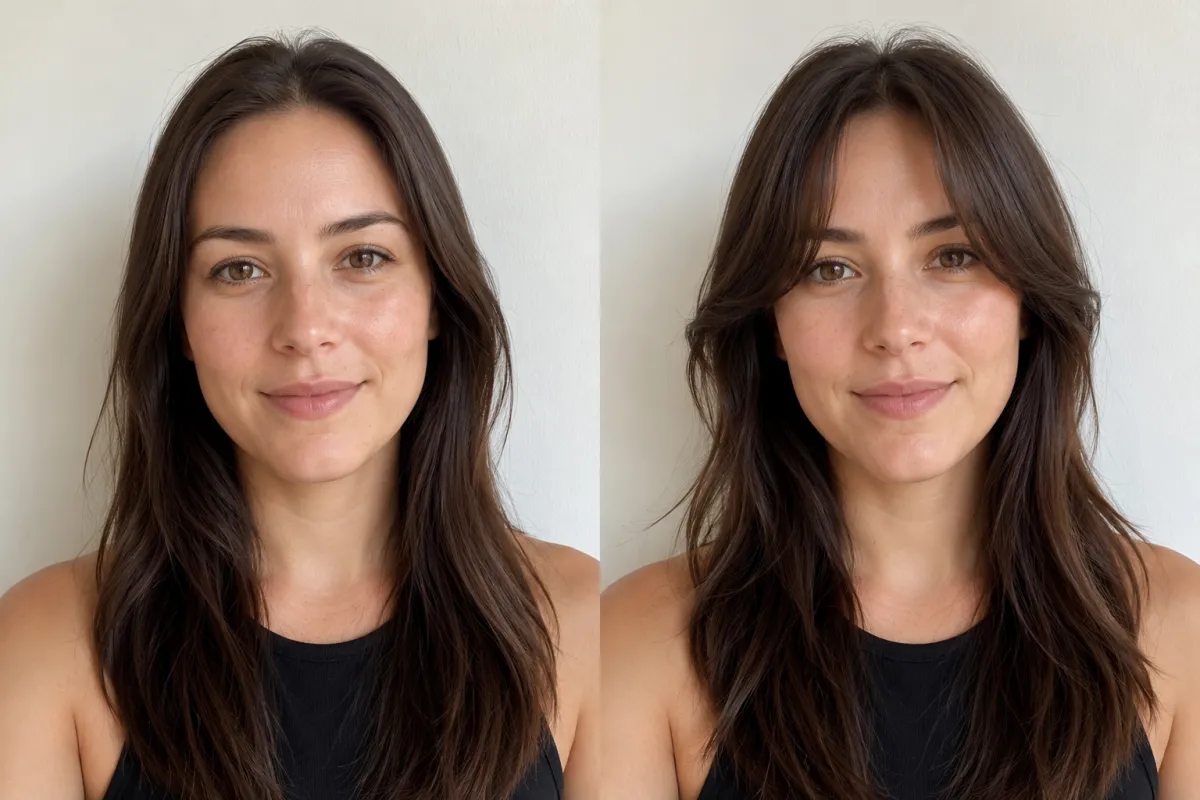
Same selfie, two looks: no fringe on the left, previewed curtain bangs on the right — generated in seconds, not cut.
Bang types and the face shapes they tend to flatter
There's no "wrong" face for bangs — it's about which fringe shape works with your features. Use this as a starting map, then preview the ones that catch your eye. None of these are rules; they're just patterns stylists notice.
| Bang type | Tends to flatter | What to know |
|---|---|---|
| Curtain bangs | Round, heart, oval — most shapes | Parted in the middle and swept to the sides; soft and low-commitment, grows out gracefully |
| Blunt bangs | Oval, long faces | A bold, straight-across fringe; high-impact and high-maintenance, needs trims every few weeks |
| Wispy / see-through | Round, square, anyone wanting something light | Thin and feathered so skin shows through; airy and forgiving, easy to style |
| Side-swept | Square, heart, longer faces | Diagonal sweep that softens strong jawlines and angles; flexible and grows out easily |
| Micro (baby) bangs | Oval, balanced features | A very short, statement fringe; striking and editorial, the biggest commitment on this list |
The honest takeaway: a curtain or side-swept fringe is the low-risk place to start, while blunt and micro bangs are bigger swings. A preview lets you test the bold options before you find out the hard way.
Bangs filter vs. salon vs. a general chatbot
People reach for three different tools to answer "how would I look with bangs." Here's the honest trade-off:
| AI bangs filter | Asking your stylist | General chatbot (ChatGPT / Gemini) | |
|---|---|---|---|
| See it on your own face | ✅ Yes, photo-real | ⚠️ Verbal / mood-board only | ⚠️ Often refuses or returns a stranger's face |
| Speed | Seconds | Needs an appointment | Slow, inconsistent |
| Cost | Free | Consultation / full cut | Free but unreliable |
| Fringe shape options | ✅ Curtain, blunt, wispy, side-swept, micro | ✅ Expert eye | ❌ Hit or miss |
| Reversible | ✅ It's just a preview | ❌ Once it's cut, it's cut | ✅ Preview only |
If you've ever typed "how would I look with bangs" into ChatGPT or Gemini and watched it stall, refuse the edit, or hand back a generic person, that's the gap a dedicated bangs filter fills: it edits your photo instead of inventing a new face. A stylist's eye is still worth having — bring your favorite preview to the consultation and you'll both be looking at the same thing.
How would I look with bangs, realistically?
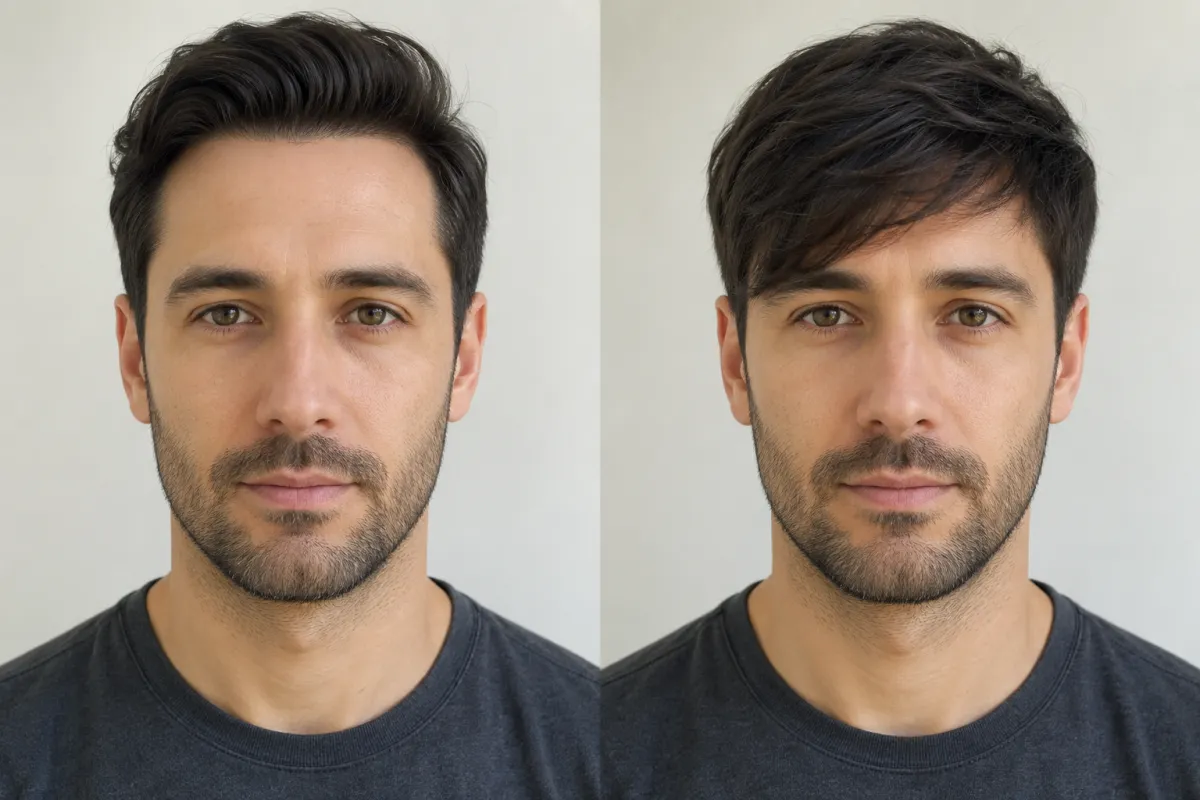
A side-swept fringe preview keeps the same face, lighting, and hair color — only the fringe is added, so you can judge the look honestly.
Modern face-mapping is good enough that a clean selfie produces a fringe most people would accept as real. Three things move the needle:
- Photo quality — front-facing, even light, hair off the forehead. Sunglasses, extreme angles, and group shots hurt accuracy because the AI can't read where your hairline sits.
- Face-shape awareness — the better tools place the fringe and weight to suit round, oval, square, heart, and long faces, which is exactly what people mean by "a fringe app that shows my face shape." Not sure of yours? See what hairstyle suits my face.
- Realistic vs. cartoon — social filters (Snapchat, TikTok) skew stylized and slap a sticker on top; an AI hairstyle changer aims for photo-real, which is what you want before booking a real cut.
Treat the preview as a confident estimate, not a guarantee — your stylist still decides density, length, and how it sits day to day. But for answering "how would I look with bangs" before you commit, a photo-real fringe on your own face beats guessing every time.
Frequently asked questions
How would I look with bangs — can I see it online for free?
Yes. Upload a front-facing selfie to a free bangs filter and it renders a fringe onto your own face in about a minute, no download or account needed. Test curtain, blunt, wispy, side-swept, and micro bangs from the same photo, then keep the one you like — it's a neutral preview, never a verdict on how you "should" look.
Would I suit a fringe? Is there a free app to check?
Try it on instead of guessing. A free fringe app lets you preview the look on your own selfie, which is worth far more than a verbal "maybe" because bangs change a face so much. Curtain and side-swept fringes are the low-risk shapes to start with, but you can test the bold ones too — at zero cost and zero commitment.
What's the best hair fringe app to try bangs on a photo?
The most useful tools edit your actual photo rather than handing back a stock model, and they offer real fringe presets — curtain, blunt, wispy, side-swept, micro — so you can compare. Our bangs filter does this free in the browser; for a wider look at testing any cut, see our hairstyle try-on guide.
Can I use filters to visualize long hair or short hair along with bangs?
Yes — the same upload lets you preview different lengths and a fringe together. Add curtain bangs to long hair, or pair micro bangs with a shorter cut, and compare them side by side. Start from the home page for the full range of cuts, colors, and textures on your own face.
Which bangs suit my face shape?
As a rough guide: curtain bangs flatter most shapes, blunt bangs suit oval and longer faces, wispy bangs work for round and square faces, side-swept softens strong jaws, and micro bangs reward balanced features. These are starting points, not rules — preview a couple on your photo and trust what you see. For more on matching cuts to features, read what hairstyle suits my face.
Why can't ChatGPT or Gemini just show me bangs on my face?
General chatbots aren't built to edit your specific photo — they frequently refuse image edits, hit availability limits, or return a generic face instead of yours. A purpose-built bangs filter works directly on the selfie you upload, so the fringe lands on a face that's recognizably you. We dig into this in can ChatGPT change hair color.
Is it safe to upload my photo to a bangs filter?
Face photos are sensitive, so a little caution is fair. Before you upload, check any tool's policy on how long images are kept, whether they're used to train models, and how to delete them. A bangs preview only needs one selfie, and the result is yours to download and keep.
Related guides
Keep exploring before you book a fringe:
- Try the free AI hairstyle changer → — upload a selfie and preview bangs or any style on your own face.
- Bangs Filter: try curtain, blunt & side-swept fringe free
- Hairstyle try-on: see any haircut on your face
- What hairstyle suits my face?
- AI Hair Color Changer and the Buzz Cut Filter
Ready to see yourself with bangs?
Stop wondering. Upload a selfie and try a free bangs filter → — preview curtain, blunt, and side-swept fringe on your own face, then bring your favorite to the salon with confidence.