
Purple Hair Filter: Preview Fantasy Hair Colors Safely
Use a purple hair filter to preview lavender, violet, amethyst, plum, and deep purple hair on your own photo before dyeing.
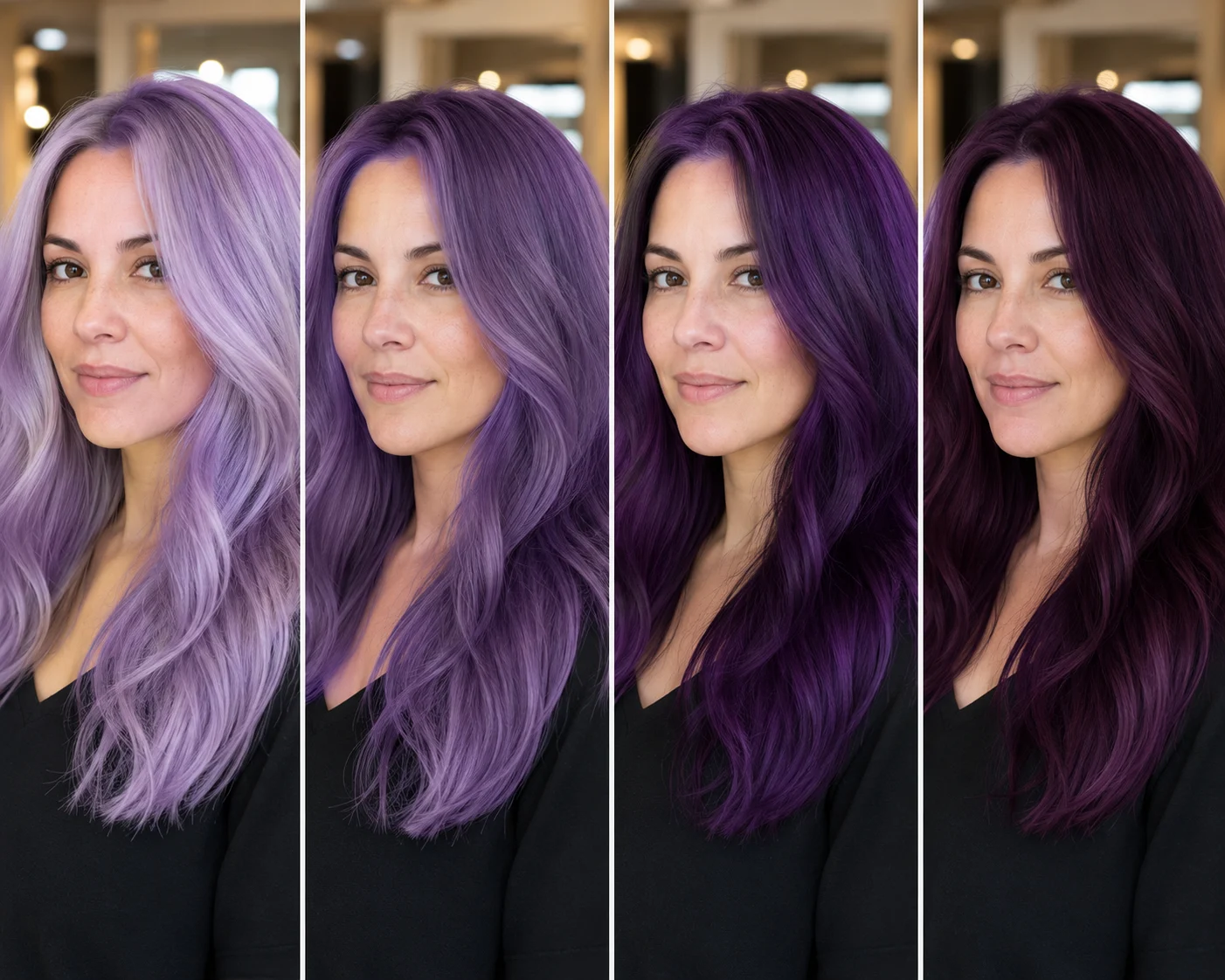
A purple hair filter is useful because purple is not one color. Lavender, amethyst, violet, plum, mauve, and deep eggplant can all look completely different on the same face. Before you bleach, dye, or book a salon appointment, preview purple hair on your own photo with the AI purple hair filter.
Last updated: July 8, 2026 - about 7 min read
Start by comparing several purple families on the same photo before you choose a salon direction.
Purple hair looks simple on a color chart and complicated in real life. A cool violet can brighten one person and make another look tired. A warm plum can feel elegant on dark hair and too red on light hair. A pastel lavender can be beautiful, but it usually demands more lift and maintenance.
The safest way to start is not asking, "Would purple hair look good?" Ask, "Which purple would look good enough to maintain?" An AI hair color changer makes that comparison faster because you can keep the same portrait while only the shade changes.
Quick answer
Use a purple hair filter to compare at least four directions:
- Lavender: soft, pastel, cool, high-maintenance.
- Amethyst: clear violet, vivid but wearable.
- Deep purple: bold, saturated, easier to imagine on darker hair.
- Plum: warmer red-purple, softer against warm skin tones.
Then check the preview in normal lighting, not just a perfect selfie. The winning shade should make your skin look clearer, not just make the hair look dramatic.
Purple shade guide
| Purple shade | Best for | Watch out for |
|---|---|---|
| Lavender | Soft fantasy color, cool undertones, light hair goals | Can require heavy lightening and regular toning |
| Amethyst | Clear purple with strong color impact | Can look too bright if makeup and wardrobe stay muted |
| Deep violet | Darker hair, bold but less pastel | May read almost black in low light |
| Plum | Warm skin tones, brunette bases, richer style | Can lean red or burgundy depending on lighting |
| Smoky purple | Muted, fashion-forward, softer contrast | Can look gray if the tone is too cool |
A filter gives you permission to be honest. If lavender looks exciting but washes you out, try plum before rejecting purple entirely.
Start with your real lighting
The most common mistake is testing purple hair on a filtered selfie. Colored phone filters can push violet toward blue, red, gray, or brown. Heavy smoothing also hides the texture that makes vivid dye look believable.
Use a clear portrait in daylight or soft indoor light. Hair should be visible from roots to ends, and the face should not be hidden by shadows. If you normally take photos in both indoor and outdoor light, test two portraits. Purple changes a lot between daylight, office light, and warm evening light.
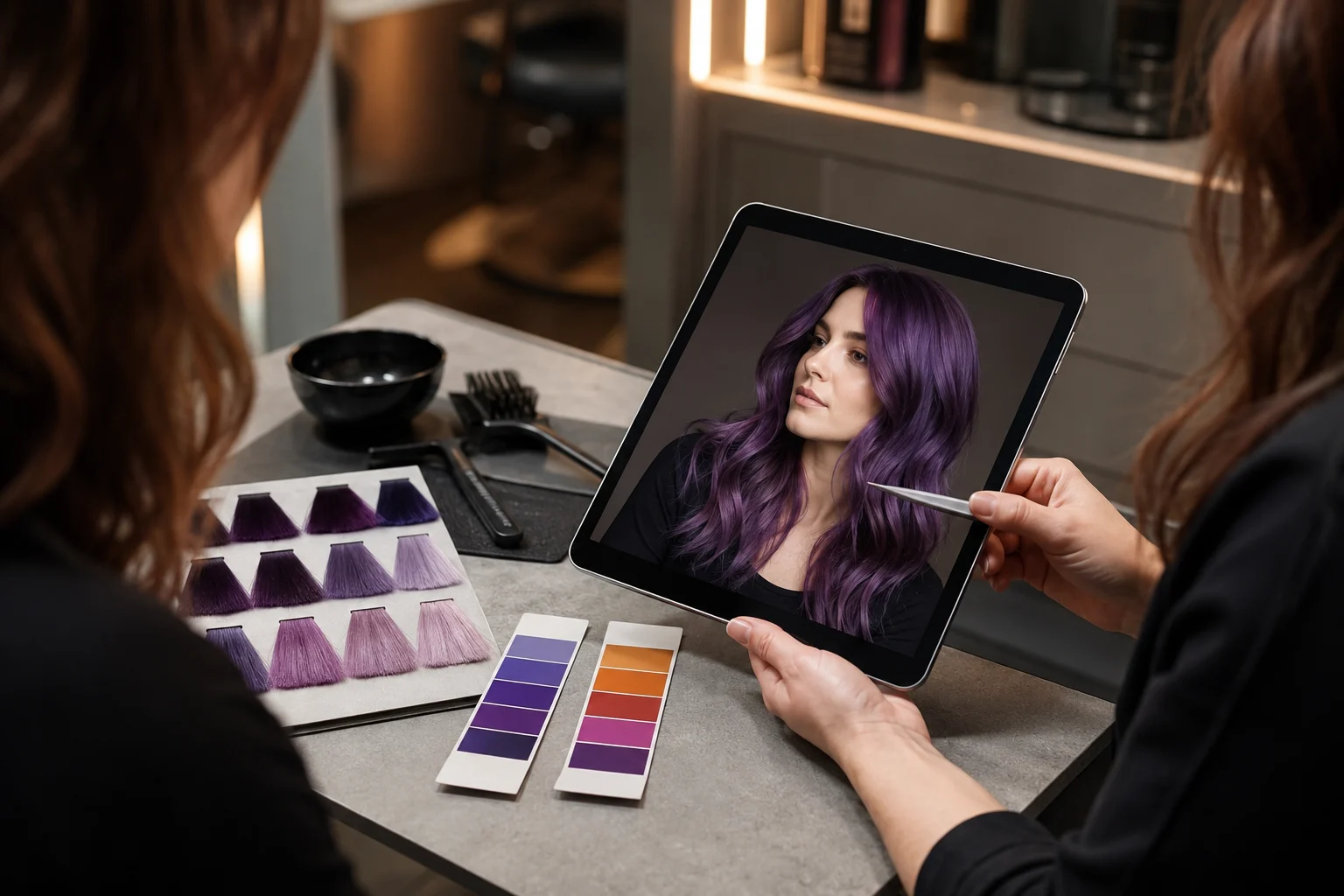
Check purple hair in realistic lighting, then compare cool violet against warmer plum before deciding.
Match purple to skin tone
Purple can sit cool, warm, bright, smoky, or nearly black. That makes undertone more important than the word "purple."
If your skin leans cool, blue-violet, lavender, and amethyst may look crisp. If your skin leans warm, plum, mauve, burgundy-purple, and softer violet often feel easier. If your contrast is high, deep purple can look polished. If your features are softer, a very saturated purple may overpower the face.
Use the hair color for skin tone guide if you are not sure where you sit. The filter helps because you do not have to decide from a theory. You can see the shade on your face.
Think about your starting hair color
A purple hair filter shows the destination. Real dye still depends on the starting point.
On very dark hair, deep purple or plum may be more realistic than pastel lavender. On blonde hair, lavender and amethyst may show more clearly, but they can fade fast. On red or warm brown hair, purple may pull warmer unless the base is corrected first.
That does not mean you cannot choose the shade you like. It means the preview should start a better salon conversation:
- "Can we get close to this without too much lift?"
- "Would this fade warmer or cooler?"
- "Would a gloss or money-piece version be safer?"
- "Can we do a darker plum first?"
Use the filter in two rounds
Round 1: choose the purple family
Generate lavender, amethyst, deep violet, and plum on the same photo. Do not change the haircut yet. Keep the comparison about color. If you want to try purple hair without committing to one shade, save each result before moving to the next.
Round 2: adjust depth and placement
Once one family works, test depth:
- Full color.
- Darker roots.
- Face-framing pieces.
- Purple balayage.
- Purple ends.
- Subtle underlayer.
The second round is where purple becomes wearable. A full lavender head may feel too loud, while lavender money pieces may look perfect.
When purple looks wrong in the preview
Do not delete the idea too quickly. Identify what failed.
If your face looks dull, try a warmer plum. If the hair looks flat, try a deeper shade with more shadow. If the color looks childish, try a smoky purple or a darker root. If the result looks too heavy, try partial color instead of full color.
The preview is a low-cost way to find the adjustment before real dye makes it expensive.
Maintenance reality check
Purple can be forgiving or demanding depending on shade.
Lavender and pastel violet usually need more lift, toning, color-safe shampoo, and refreshes. Deep purple and plum can be easier to keep rich, especially on darker hair, but they may still fade into red, brown, or gray tones.
Ask a stylist about the route, not just the result. A purple hair filter shows what you like. A stylist can tell you what your hair can handle.
Related guides
- Try the purple hair filter
- AI hair color changer
- How to change hair color in a photo
- Best hair colors for cool undertones
- Best hair colors for warm undertones
Preview purple before dyeing
Purple hair is worth testing because small tone changes make a big difference. Use the purple hair filter to compare lavender, amethyst, violet, and plum on your own photo, then take the strongest version to your stylist or use it as a safer at-home color reference. If you are still unsure, run the same image through the broader AI hair color changer and compare purple against red, burgundy, blue, or brown before you change hair color in photo references for real.