
Snapchat Bangs Filter: Preview Fringe Before You Cut
Use a Snapchat bangs filter for a quick first look, then compare a clear photo preview before deciding on fringe or a salon consultation.
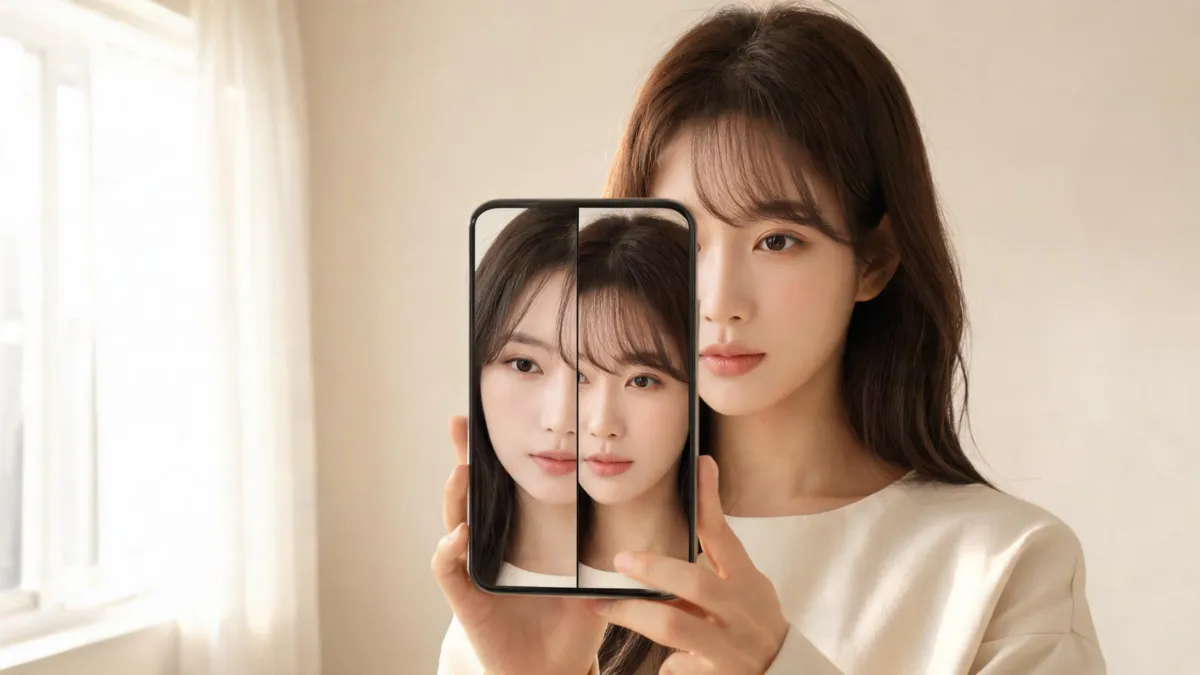
A Snapchat bangs filter is useful for a fast, low-stakes reaction to fringe, but it should not make the haircut decision for you. Try a current Lens for the fun first look, then use the same clear portrait in an AI hairstyle changer to compare two believable fringe shapes without changing the rest of the photo. Keep the original beside each preview and take only your preferred direction to a stylist.
Last updated: September 5, 2026 · ~6 min read
Is there a Snapchat bangs filter right now?
Yes—Snapchat currently has a public Bangs Lens page, but individual Lenses can rotate, vary by device, or disappear. Snapchat calls these camera effects Lenses, not ordinary Filters: its official Lens guide describes choosing one from the camera carousel and capturing a Snap.
That distinction matters because a Lens is designed for a moving, playful camera experience. It can answer, “Do I like hair across my forehead?” It cannot answer, “Will this exact fringe sit well with my hairline every morning?” Treat a current Lens as inspiration, not a salon brief. If it is not visible, do not chase old screenshots or third-party download links; use a still-photo comparison instead.
How to use a Snapchat bangs filter as a first look
- Use even light and a bare face. Face the camera near a window, remove sunglasses, and move heavy existing fringe away from your eyes. A Lens needs a clear view of the face to give you a usable first impression.
- Try one current bangs Lens, then capture one still. Do not keep switching effects until one flatters you by accident. Save a single result and the unedited frame from the same angle.
- Compare a controlled photo preview. Open the same clear portrait in the bangs filter, test two named fringe directions, and keep the part, makeup, background, and expression fixed. That makes it easier to tell whether you prefer the fringe—not a different pose or flattering light.
A filter can help you notice a preference. It cannot predict your cowlick, density, shrinkage, styling time, or how a cut will grow out. Those are real-hair questions for you and a stylist.
Snapchat Lens vs. a still bangs preview
| Question you need answered | Snapchat Lens | Still-photo bangs preview | Stylist consultation |
|---|---|---|---|
| Do I enjoy a fringe as a playful look? | Good first signal | Good | Good |
| Which of two fringe shapes do I prefer? | Hard to control | Strong when the photo stays fixed | Strong with real-hair context |
| Will the cut follow my natural part and growth? | Cannot establish it | Cannot establish it | Best person to assess it |
| Can I save an unaltered comparison? | Depends on the current workflow | Yes—save the original and versions | Bring both images |
| Should I book a cut? | Not by itself | Useful conversation starter | Final practical check |
The main difference is control. Snapchat is fast, but a live camera view changes with motion, distance, and expression. A still-photo workflow lets you change one visible factor at a time. For a bigger decision, start with a virtual haircut simulator.
Pick two fringe directions, not ten
The fastest way to make a preview useless is to compare every fringe style, hair color, length, and beauty effect in one sitting. Choose a pair that answers one clear question.
| If you are wondering… | Compare these first | What to inspect |
|---|---|---|
| “Would a softer frame suit me?” | Curtain vs. wispy bangs | The opening at the center and cheekbone length |
| “Do I want more forehead coverage?” | Wispy vs. blunt bangs | Visibility of the brows, eyes, and hairline |
| “Would a side part feel easier?” | Side-swept vs. curtain bangs | Whether the part looks plausible on your photo |
| “Could I handle a bolder cut?” | Curtain vs. short blunt bangs | The change in outline, not a beauty-filter effect |
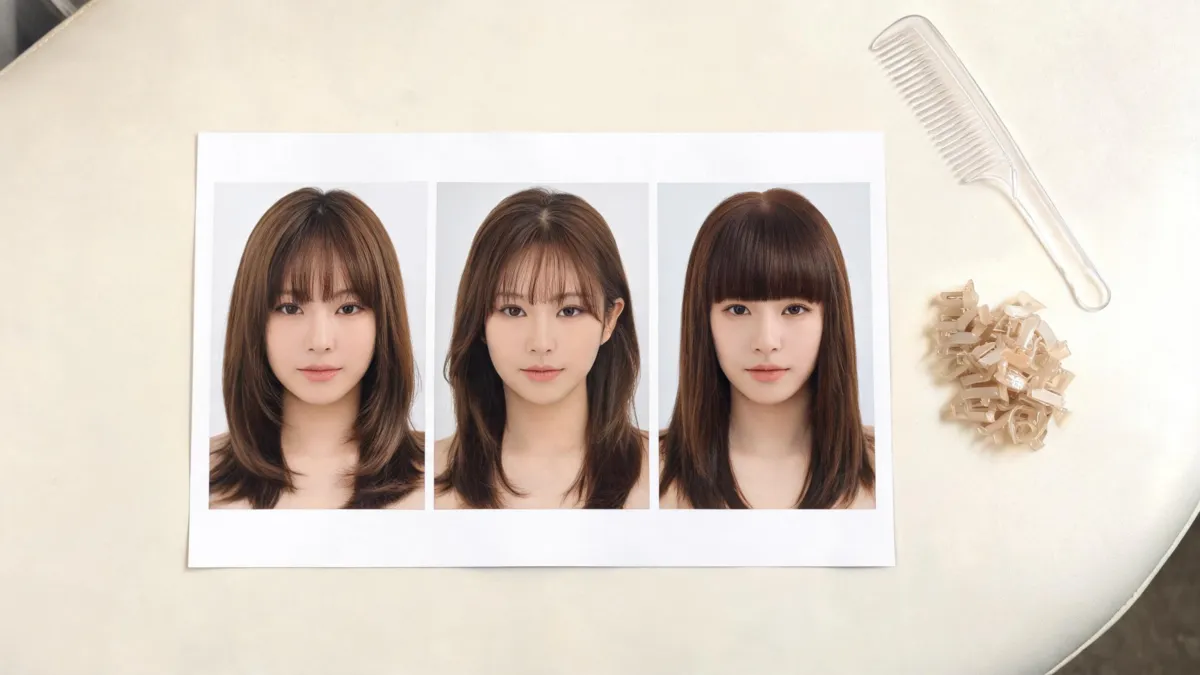
Editorial illustration: a controlled comparison changes the fringe while keeping the portrait context consistent.
Make a small shortlist. A soft curtain option and a slightly fuller alternative are more useful than six unrelated renders. Test color in a second round with the AI hair color changer.
What to check before you save a bangs preview
Look at the image at normal phone size first. A perfect-looking render at full resolution may reveal a strange edge as soon as it is smaller. Then check these practical details:
- Hairline: Does the fringe begin where your real hairline could plausibly begin, or does it look pasted onto the forehead?
- Part and direction: Do the strands follow your natural part, rather than splitting in a new direction with no explanation?
- Eyes and brows: Can you still see the amount of face you want to show, without relying on a smoothing effect to make it work?
- Edges: Do the temples, ears, and side pieces remain clean instead of melting into the face or background?
- Lighting: Does the fringe still feel balanced in an ordinary indoor photo, not only in the brightest frame?
- Original identity: Do you still look like yourself? Reject any result that reshapes features, changes skin tone, or substitutes a different-looking face.
Save the original, label your two candidates plainly, and delete versions that do not preserve your features. The goal is clarity, not a collection of edited selfies.
Turn a filter result into a useful salon conversation
Bring one original photo plus up to two previews. Tell the stylist what you liked: “more openness at the center,” “less coverage,” or “a soft edge near my cheekbones.” Avoid asking for the digital image to be copied exactly. A real result depends on texture, density, growth direction, face shape, upkeep, and styling.
Ask what will happen when the fringe is air-dried, how often it needs a trim, and what grow-out will be like for your current length. If a short fringe feels too committed, compare longer curtain bangs or a wispy bangs filter first. A preview can make the conversation specific; it cannot replace the professional assessment.
Editorial disclosure: AIChangeHair is a photo-based hairstyle preview tool. We do not operate Snapchat, control its Lens catalog, or claim that a digital fringe will match a haircut. Use only photos you have permission to upload, keep an original copy, and confirm the current Lens and privacy options in the app before sharing a result.
Watch a Snapchat bangs Lens walkthrough
This short walkthrough shows how to find Snapchat’s Stylish Bangs filter in the app, though Lens availability can change over time.
Frequently asked questions
Is there a Snapchat bangs filter?
Snapchat has a Bangs Lens page, and Lens availability can change by device, region, and catalog rotation. Use a current Lens as a quick visual experiment, not a promise that a particular effect will remain available or predict a real haircut.
Can a Snapchat bangs filter show what I would look like with bangs?
It can show a broad first impression, especially how more coverage at the forehead feels. It is less useful for judging an exact cut because a live Lens can stylize the face, smooth texture, or place the fringe differently as you move. Compare a still, unfiltered portrait too.
Which bangs should I preview first?
Start with two nearby options rather than every fringe at once: curtain bangs and wispy bangs are a useful soft pair, while blunt bangs give you a clearer high-coverage comparison. Keep the same photo, part, and lighting so the fringe is the only meaningful change.
What should I take to a stylist after trying a bangs filter?
Take your original photo, one or two restrained previews, and notes about the length, part, and amount of forehead coverage you liked. A stylist can then assess your natural growth pattern, density, texture, and maintenance routine—details a filter cannot establish.
Related guides
- Try the free AI hairstyle changer → — compare a hairstyle direction on your own clear photo.
- Bangs Filter: try curtain, blunt, and side-swept fringe
- Curtain bangs filter: compare part and length
- Wispy bangs filter: preview a soft fringe
- Virtual haircut simulator: make a controlled comparison
Ready to make the decision clearer?
Use a current Snapchat Lens for the quick reaction, then compare two bangs previews on the same photo → before you book a cut.