
Virtual Hairstyle Try On: Check Hair Down and Tied Back
Use a virtual hairstyle try on to compare one proposed cut worn down and tied back. Keep length consistent and spot previews that invent extra hair.
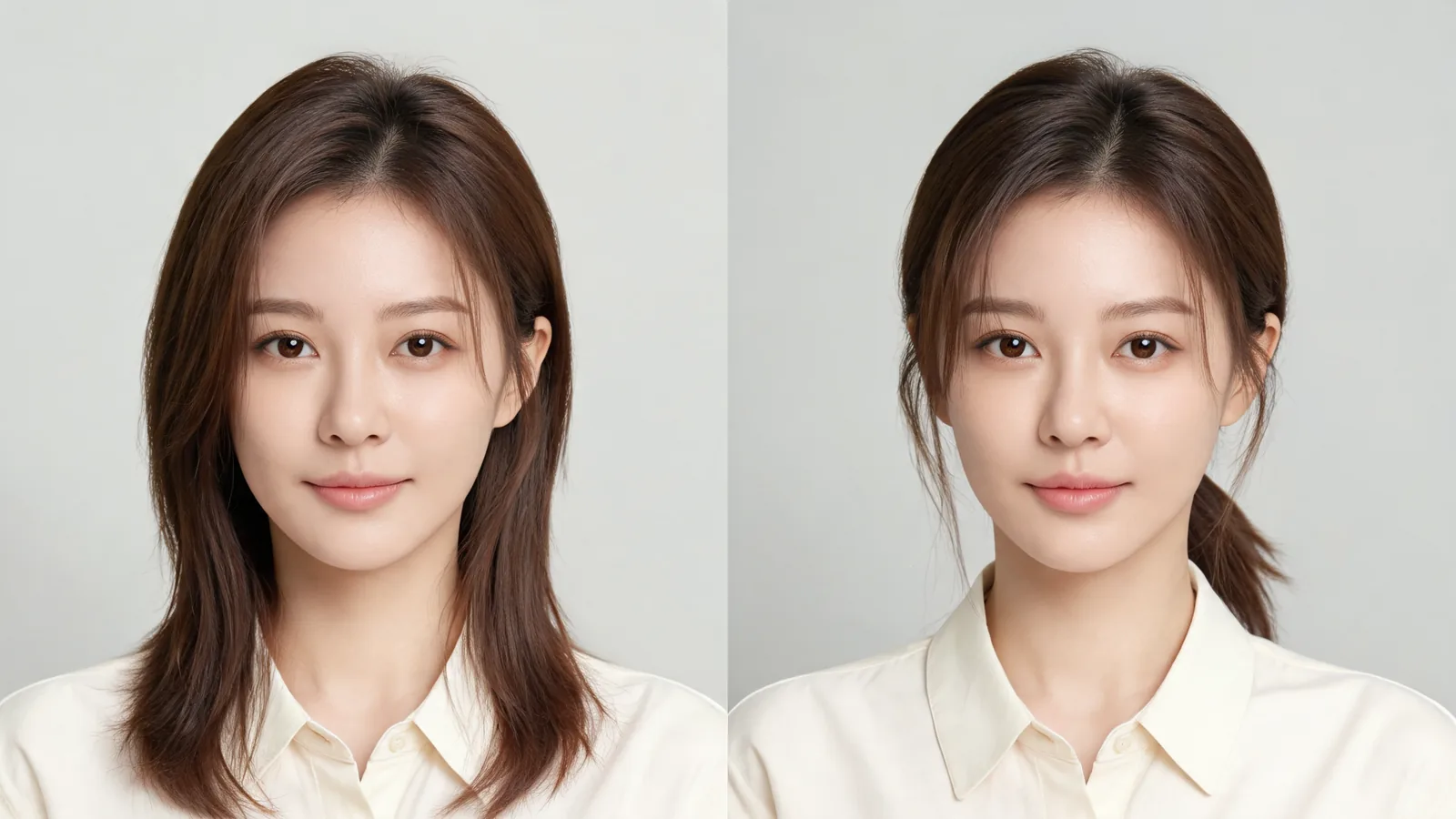
Use a virtual hairstyle try on to compare the same proposed haircut worn down and tied back, starting both edits from one original photo. In the AI hairstyle changer, keep the length, color, fringe, and face framing consistent. Reject any tied-back preview that invents extra length; a stylist must check whether your real hair can reach the tie.
Last updated: October 14, 2026 · about 6 min read
The haircut you like with hair loose may feel different when you gather it for work, exercise, or cooking. Your forehead and ears become more visible, and short front sections may stay outside the tie. Checking both wearing states helps you ask better questions before cutting.
This guide is published by AIChangeHair, which operates a photo hairstyle editor. The cover illustrates the comparison; it is not a product result or proof that a particular haircut will tie back. The workflow below uses separate described edits, not an automatic two-image mode.
What question are you trying to settle?
Choose one practical question before creating images. You might ask whether you like the face framing with your ears exposed, whether you want a fringe to remain down, or whether a loose low tie is part of your daily routine. Each question calls for the same proposed haircut in a different wearing state.
Do not compare loose shoulder-length hair with a long, full ponytail. That changes both the cut and how it is worn. Likewise, a heavy fringe in one image and a completely bare forehead in another can make you prefer one version for reasons unrelated to tying the hair back.
If you are still deciding between unrelated haircuts, begin with the broader hairstyle try-on guide. Return to this two-state check when you can describe one cut clearly enough to keep its details consistent.
How do you set up a fair comparison in three steps?
- Choose the original and define the cut. Use one clear, front-facing portrait with the crown and shoulders in frame. Write down the target length, part, fringe, front sections, texture, and color. Use a photo of yourself or someone who consented.
- Create the hair-down edit. Describe that cut worn loose. Inspect the output before saving it: the requested length and framing should be visible, and your face should remain recognizable. A preset can help you pick a direction, but its name is not enough to define the comparison.
- Create a separate tied-back edit from the same original. Repeat the cut details and ask for a loose tie at a specified height. Compare the two saved images side by side. Reject a result that changes the cut, adds hair, or alters the face enough to affect your preference.
As of October 14, 2026, AIChangeHair offers described edits and 180 hairstyle presets. Generation requires sign-in and sufficient credits. Check the current controls before starting; this process means two separate requests, and matching instructions do not guarantee identical details.
For a bob or lob direction, the bob haircut filter can help you choose an initial silhouette. Once chosen, record what you mean by its length and layers rather than letting a different preset define each state.
What should stay the same in both images?
Treat your written cut description as the common reference. A line such as “collarbone length, side part, long front sections, no fringe, current brown color” is easier to repeat than “something flattering and practical.” Choose only details relevant to the haircut you are considering.
| Detail | Hair down | Tied back | Reason to reject the comparison |
|---|---|---|---|
| Overall length | Ends at the proposed level | Gathered from that same length | A ponytail appears much longer than the loose cut |
| Fringe | The requested shape and length | Stays down or moves as specified | The fringe disappears or becomes long enough to join the tie |
| Front sections | Visible lengths around the face | Loose or gathered as requested | Short sections turn into long continuous strands |
| Color and texture | Your chosen direction | The same direction | A new shade or smoother texture changes the impression |
| Face, pose, and light | Based on the original portrait | Based on the same portrait | A changed jaw, skin, or angle makes one result look preferable |
If fringe is the main concern, the bangs filter is a relevant tool for exploring the shape first. Settle the fringe before the two-state comparison so the tied-back request does not quietly introduce a different haircut.
Keep color fixed too. If you later want to assess a shade with the AI hair color changer, do that as a separate question. A lighter frame around the face can distract from the length decision.
What instructions can you use for the separate edits?
Use plain language, starting with the proposed cut. The following instructions are examples to adapt; they are not measured recommendations for your hair or promises about what the editor will return.
Hair-down request
“Show a collarbone-length haircut worn down, with a side part, long face-framing sections, and no fringe. Keep my current brown color and natural texture. Preserve my face, expression, pose, clothing, and lighting. Do not add extensions.”
Tied-back request
“Show the same proposed collarbone-length haircut with a side part, long face-framing sections, no fringe, and my current brown color. Gather it loosely into a small low ponytail at the nape. Leave sections loose if they cannot plausibly reach. Do not lengthen the hair or add extensions. Preserve my face, expression, pose, clothing, and lighting.”
If your cut includes a fringe, replace “no fringe” with its description in both requests. Say whether it should stay down or be swept aside. Asking for a sleek ponytail without that instruction may encourage a result that removes the very detail you wanted to test.
How do you inspect forehead, ear, and neckline framing?
Look at the two images at the same size. Start with the forehead: do you like the visible part and fringe in both states? Then check the temples and ears. Hair loose beside your cheeks may create a different outline from the same sections tucked or gathered behind them.
Next, examine the neckline where it is visible. Loose ends at the collar can suggest a different silhouette from a small tie at the nape. A front-facing portrait cannot document the whole back, so do not infer a complete rear view from a tiny glimpse of a ponytail.
Name the preference precisely. “I like the ears visible, but want these front pieces left loose” gives a stylist something to adapt. “The ponytail is prettier” is less useful if the generated image also changed your jaw or added length.
The question is whether you like the framing in both states. The image cannot establish how much hair will physically fit into a tie after the cut.
How can you spot a tied-back preview that invents extra hair?
Watch for a full ponytail on a cut whose loose version barely reaches the jaw, or front pieces that suddenly stretch from the cheeks to the nape. A thick gathered tail can also conceal missing layers. These are reasons to reject the preview as a comparison, even if it looks appealing.
Check the hairline too. If the edit fills the temples, moves the part, or gives you a new fringe, it has changed more than the wearing state. Request a correction using the original portrait and the same cut description. Saving an attractive but inconsistent image gives you a misleading reference.
Do not use image correction to “prove” feasibility. Even a visually plausible result cannot account for your actual section lengths, shrinkage, density, or growth pattern. If tie-back matters, the stylist needs to examine those details directly before cutting.
What should you ask a stylist before keeping or cutting length?
Bring both previews, the original portrait, and your short cut description. Explain the wearing state that matters: a loose low tie, a half-up clip, or keeping front pieces away from the face. Ask whether the shortest front and side sections will reach the position you use.
If you have curls or waves, discuss the length in the condition you normally wear it. Ask which pieces may remain loose and whether your preferred framing requires styling each morning. A stylist can adapt the layering or retained length; the preview cannot measure that tradeoff.
For comfortable tie-back habits, the American Academy of Dermatology's guidance on hairstyles that pull recommends loosening styles that create tension. A tighter tie should not be the workaround for a cut that does not meet your routine.
Before the appointment, save the images somewhere you can reopen without navigating the editor. Label them “down” and “loose low tie,” and add a note such as “keep front sections long enough for my usual tie.” Mark any detail that is only an illustration or still needs confirmation. That keeps the consultation focused on your actual hair.
Frequently asked questions
Can a virtual hairstyle try on tell me whether a bob will tie back?
It can suggest how the framing might look, but it cannot prove that your actual sections will reach a tie. Reject an image that adds length, and ask a stylist to check the front, sides, and nape against the proposed cut.
Should I use a different photo for each wearing state?
For the visual comparison, start both edits from the same original photo with the same lighting and pose. A separate real photo with your current hair tied loosely back can help a stylist understand your routine, but it should not replace the controlled comparison.
What if the tied-back preview changes my bangs?
It no longer isolates the wearing state. Request the same fringe length and shape, specifying whether it stays down or is swept aside. Reject the comparison if the result still removes, lengthens, or replaces the fringe.
Does AIChangeHair generate the two previews together?
This workflow uses separate described edits from the same original portrait. You keep the proposed cut and color consistent, then compare the saved results yourself. It is not an automatic paired output or a physical test of tie-back feasibility.
Related guides
- AI hairstyle changer studio
- Short-hair checklist before cutting
- Finding a haircut direction from a photo report
Use the AI hairstyle changer to request the two wearing states, then bring consistent previews and your tie-back requirement to your stylist before changing the length.