
Bald Filter Free With No Sign-Up: What to Check
Looking for a bald filter free with no sign-up? Check generation and download limits before uploading, and learn when AIChangeHair requires an account.

A bald filter advertised as free with no sign-up should let you generate a preview without creating an account; downloading may have separate limits. Check both steps before uploading. AIChangeHair's AI hairstyle changer requires sign-in to generate, so it is an account-based option if you are comfortable with that trade-off.
Last updated: October 5, 2026 · ~8 min read
The useful question is not whether a page opens for free. It is whether you can finish the task you came for: see a bald version of your own photo, inspect it, and save it under terms you accept. A large upload button does not answer those questions. Neither does a sample transformation of someone else.
Here is how to check access, cost, and photo handling before trying a service, then judge whether the preview is useful once it arrives.
What should “free with no sign-up” include?
Break the process into four stages. Browsing means opening the page and seeing examples. Photo selection means choosing a file, which may stay on your device until you continue. Generation means the service actually creates your preview. Download means saving a usable copy rather than only viewing a small image.
These stages can have different access rules. A service may let you browse and choose a file anonymously, then ask you to register before generating. Another may offer one free result but charge for further attempts or a larger download. That distinction matters if your first photo produces an awkward scalp outline and you need to retry.
| What the page offers | What you still need to check | What it means for your task |
|---|---|---|
| Free editor access | Is generating your own image included? | Opening a workspace may not produce a preview |
| A free first preview | How many attempts are allowed? | A second photo could require credits or payment |
| No sign-up to generate | Is saving the result also available anonymously? | You may still meet a download prompt |
| A free download | Is it full-size, watermarked, or restricted? | The saved file may differ from the preview |
| Free credits after registration | What does each attempt cost? | There is an account step and a finite allowance |
Write down your minimum requirement before you compare tools. For a quick personal look, one small saved image may be enough. For a barber conversation, a clear image beside the original matters more. If you need several attempts, check the retry allowance rather than assuming the first-preview offer covers them.
“No app download,” “no payment card,” and “no sign-up” describe different things. Look for the condition that matches your reason for choosing the tool.
Which tools advertise a no-account bald preview?
As of October 5, 2026, BaldFade's bald-filter page advertises a free first preview without sign-up. RightHair's bald-filter page also advertises no-sign-up access, while displaying a sign-in option and a credit-related prompt. Those are statements on the public pages, not proof that every visitor can complete every step anonymously.
We have not completed an anonymous generation and download with either service for this guide. Their current allowance, download conditions, and treatment of repeat visits therefore need checking in the actual editor. Read the terms presented when you use it; do not treat a headline as a guarantee of unlimited access.
This is a short starting point, not a ranking. A tool that meets your access requirement today may change its offer later. Keep your decision focused on what is available for your session, the image you need, and the photo terms you can accept.
How do you check a service before uploading?
Use this three-step check while the photo is still on your device.
- Read the whole route to the result. Look near Generate, the credit balance, the pricing page, and any Download explanation. Check whether an email address, social login, payment card, or subscription is required at any stage.
- Read the photo terms. Find the privacy policy and identify whether images leave your device, whether originals and results are retained, and how deletion works. If the policy does not answer a question that matters to you, choose another service or ask its support team before uploading.
- Choose one suitable portrait and one goal. Decide whether you want a completely shaved head or very short remaining hair. Start with an image you own and a result you can assess without needing a long series of retries.
If avoiding an account is essential, use a browser session where you are not already signed into the service. Otherwise, a saved login can hide an account requirement. Do not clear data to evade usage limits; the purpose is simply to see what access a new visitor actually receives.
You can often learn enough from the editor and its terms to rule a tool out before sending a photo. When the service only reveals its conditions after upload, that is a reason to pause. You do not owe it a portrait just because you opened the page.
Does AIChangeHair work without signing in?
AIChangeHair requires sign-in to generate an image. You can open the bald filter and read about the workflow, but browsing the page is different from completing a generation. Review the credits available to your account and the current pricing before starting; do not assume there are unlimited free retries.
If an account is acceptable, upload a clear portrait, use the bald instruction, and inspect the result before downloading. The editor provides a download action for a completed image. A preview can still contain invented detail, so the presence of a download button says nothing about whether the result is accurate enough for your purpose.
If registration is the reason you are avoiding a service, AIChangeHair is not the right match for that requirement. Choose a tool whose actual generation and save steps meet it. If your main priority is comparing looks and you are willing to sign in, account-based tools can remain in your shortlist without being described as anonymous.
What photo reduces wasted attempts?
Use a recent, sharp, shoulder-up portrait taken near eye level. Leave space above the hair and keep both sides of the head visible. A crop that cuts through the crown gives the editor less room to create a plausible scalp outline.
Even light helps you inspect the boundary around the forehead, temples, and ears. Avoid a hat, sunglasses, a hand across the face, or hair blending into a very dark background for the first attempt. Turn off face-smoothing filters so you have a dependable original to compare with the result.
Keep the beard unchanged if you are only testing scalp hair removal. Changing facial hair at the same time makes it harder to identify why the result feels different. A slightly raised camera or a new smile can also change the impression of your face; reuse the same source portrait for each version.
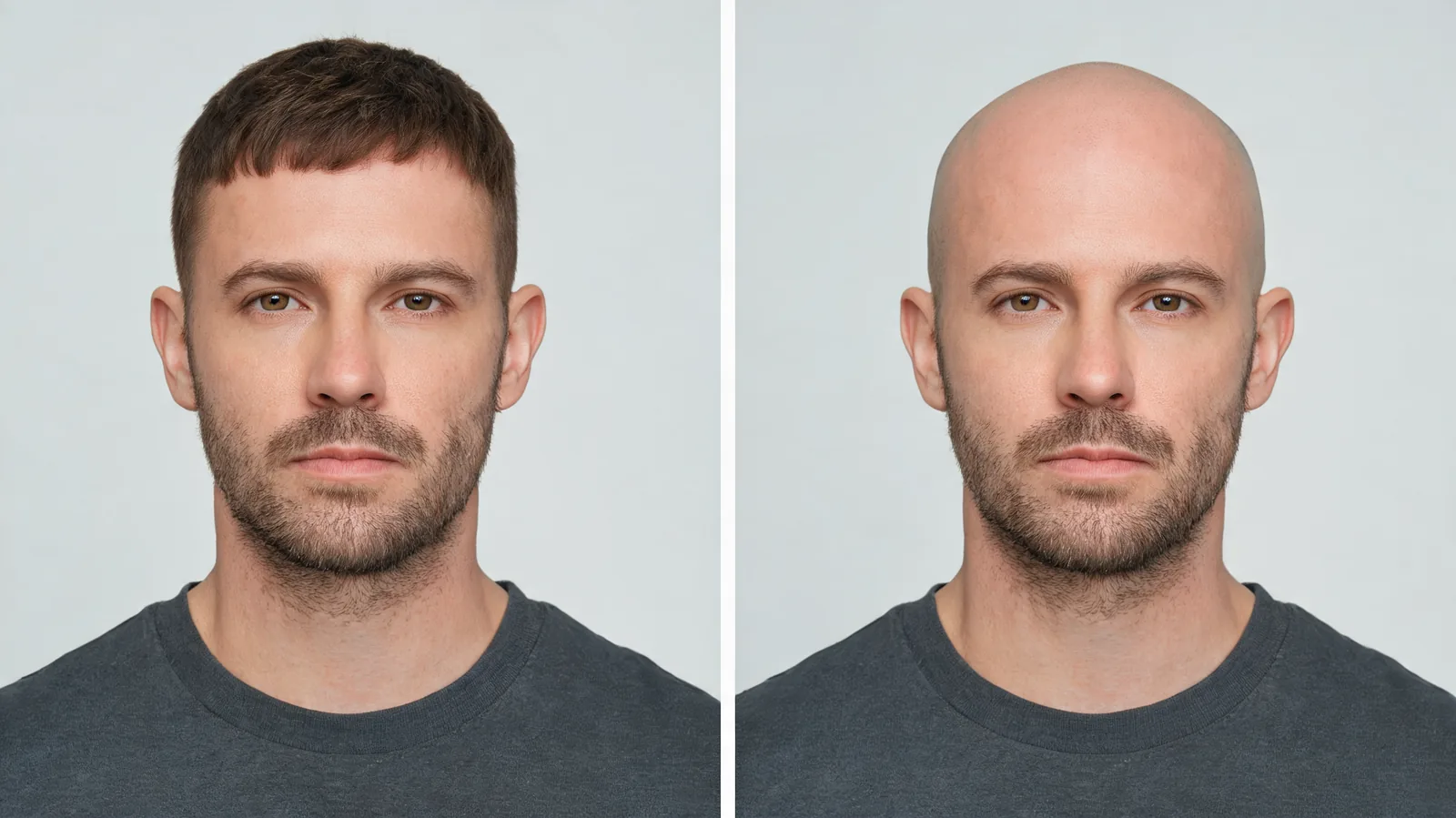
Illustrative comparison, not a documented tool result: keeping the face, expression, and lighting steady makes the scalp-hair change easier to assess.
Before spending another attempt on the same image, ask whether the problem is the photo or the requested edit. If the head is cropped, take a better portrait. If the output leaves a strip of hair you did not want, clarify the instruction. Repeating an unclear input without changing anything may just use up the remaining allowance.
How can you tell whether the bald preview is useful?
Compare the output with the original at the same display size. First check the eyes, nose, ears, beard, and expression. If those have changed substantially, you are reacting to more than a bald look. Then inspect the scalp outline and the transitions at the temples and behind the ears.
A fully bald edit has to invent what was hidden under the hair. It cannot reveal your exact skull contour, scalp texture, scars, or the shadow left by a real shave. Reject conspicuous bumps, blurred ears, repeated skin patterns, or a scalp that is lit differently from the face. Treat a plausible result as a visual idea rather than an anatomical prediction.
If the decision is between shaving and keeping a little hair, try a buzz cut filter as a separate comparison. A short cut preserves some hair texture and a visible hairline, so it answers a different question from complete removal. Keep the photo and beard constant for both versions.
For a broader decision about the look, see what you might look like bald. The access check comes first; once that is settled, you can spend your attention on the result instead of discovering a registration or payment step halfway through.
What if the download asks for an account or payment?
Return to the offer and check whether it promised a free preview, a free download, or both. If it only promised a preview, the save restriction may be part of the advertised arrangement. If the wording promised an anonymous download but the editor demands registration, do not describe the workflow as no-sign-up based on the headline alone.
Do not enter a card just to recover a casual experiment unless you have decided the purchase is worthwhile. Check the billing interval and cancellation conditions before accepting any subscription. A screenshot also does not remove license restrictions or give you permission to republish someone else's portrait.
Keep your original file. It lets you try a different service under clearer terms without depending on the first editor's storage. If you want the uploaded image removed, follow that service's deletion process rather than assuming that closing the tab deletes a server copy.
Editorial disclosure: AIChangeHair publishes this guide and offers an account-based photo-preview tool. Alternative-service descriptions above report their public offers, not completed hands-on tests. Images in this article are illustrations. No generated preview predicts your exact appearance after shaving.
Frequently asked questions
Can I use a bald filter for free without signing up?
Some services advertise a free preview without registration. Check whether that includes generating your own photo and saving the result, rather than just opening the editor. AIChangeHair requires sign-in to generate; review the available credits before starting.
Does uploading a photo mean the bald filter is free?
No. Selecting or uploading a photo can happen before an account or payment prompt. Confirm the generation allowance and download terms separately before sending a portrait you would prefer to keep private.
Is a no-sign-up bald filter automatically private?
No. A service can process a photo on its servers without creating an account for you. Read its privacy policy for storage, deletion, sharing, and reuse terms, and use only a photo you have permission to upload.
Can a bald filter show my exact head shape?
No. Hair covers parts of the scalp, so a generated preview must invent some of the hidden outline. Use the image to explore the overall look, not as an exact prediction of your shaved head.
Related guides
- Try the AI hairstyle changer →
- Bald filter
- Buzz cut filter
- Bald preview guide
- Is an AI hairstyle changer safe?
Choose the access terms before the look
Check generation, saving, and photo handling first. If sign-in works for you, use AIChangeHair to compare a bald idea with your original portrait before making a change.