
Bald Filter Online: Compare a Shaved Head With a Beard Before You Shave
Use a bald filter online to compare a shaved head with your current beard and a clean-shaven face before you make either grooming change.
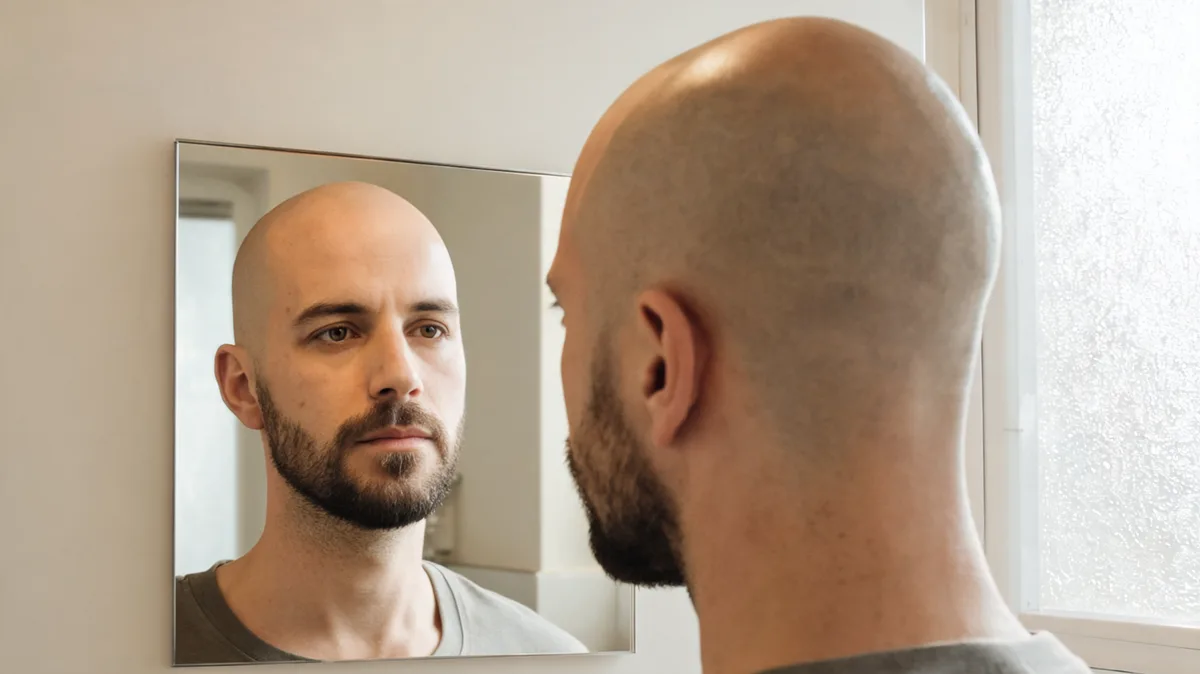
A bald filter online is most useful when you compare two versions of the same portrait: a shaved head with your current beard, and a shaved head with a clean-shaven face. That pair reveals whether the beard gives you lower-face framing once scalp hair is gone. Use the AIChangeHair bald filter to keep the head change focused, then use a no beard filter only for the second comparison. It is a reversible style test—not a prediction of your skin, beard growth, or a barber’s finish.
Last updated: September 23, 2026 · about 7 min read
This is a different question from “what would I look like bald?”
Our general bald-filter guide is for the first, broad question: how a clean-shaven scalp changes your overall outline. This companion starts after that question. It asks a narrower styling question: once you have chosen a shaved-head direction, does your current beard provide the face framing you want, or does a fully smooth face feel more like you?
That distinction keeps the comparison honest. A beard changes the visible outline at the cheeks, jaw, chin, and upper lip. If you change scalp hair, beard density, beard length, camera angle, and lighting all at once, you do not know which change created the reaction.
| Comparison | What it helps you decide | What it cannot decide |
|---|---|---|
| Current hair + current beard vs. bald + current beard | Whether a shaved head with familiar facial hair feels worth exploring | Whether shaving will be comfortable or suit your routine |
| Bald + current beard vs. bald + clean-shaven | Whether lower-face framing changes your preference | The exact skin or beard-growth result after a real shave |
| Bald + current beard vs. buzz + current beard | Whether scalp length, not facial hair, is the real variable | Which clipper setting or beard shape a barber should use |
Do not turn this into a verdict on what you “should” look like. The point is to notice a practical preference you can explain: more jaw definition, less contrast, a softer outline, or simply a look that feels familiar.
Make the beard comparison in three controlled passes
Use a recent portrait where the full head, hairline, ears, moustache, beard, jaw, and neckline are visible. Even daylight or even indoor light is better than dramatic overhead light. Keep your expression and crop the same.
- Create the bald-with-current-beard version. Start with the bald filter. The live feature describes a shaved-head edit that preserves the beard, face, clothing, lighting, and background. Check the scalp transition, temples, and beard boundary before you keep it.
- Create the bald clean-shaven version from the same source. Use the No Beard Filter for a separate facial-hair-removal comparison. Do not combine an unrelated haircut, color, or glamor effect. Skin hidden under dense beard has to be generated, so treat that image as a plausible direction rather than recovered evidence.
- Review at ordinary phone size. Put the original and the two bald versions beside each other. Note one or two reactions in plain language: “I prefer the beard’s jaw framing,” “the clean shave looks too exposed,” or “I am actually deciding between bald and buzz, not beard or no beard.”
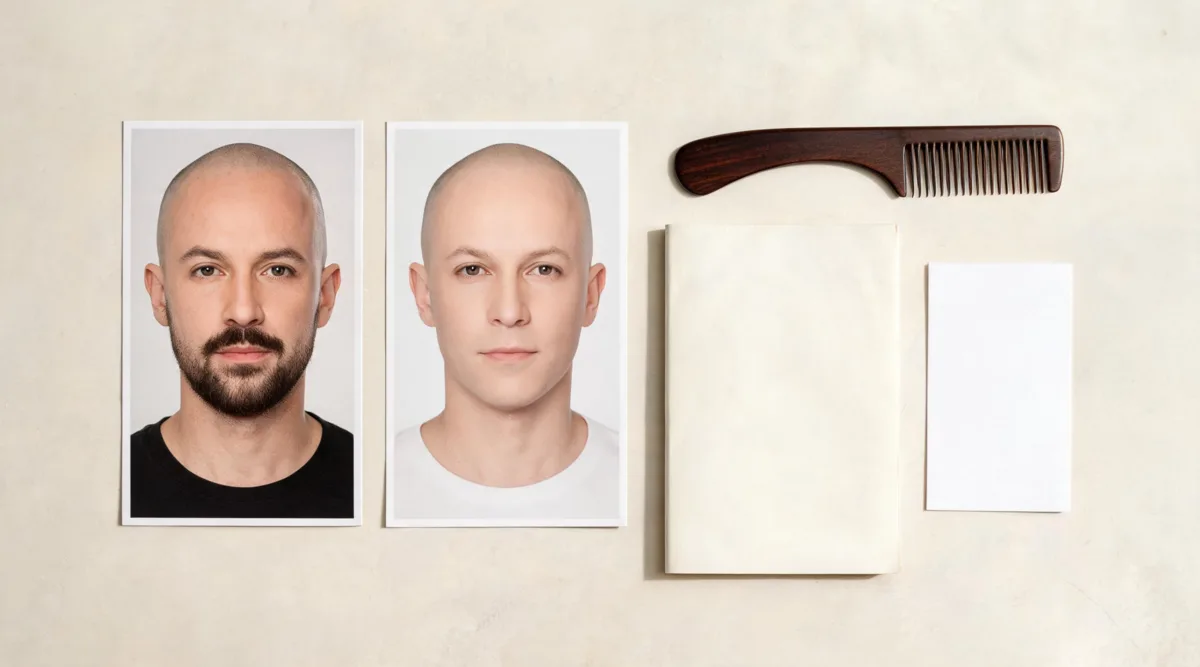
Editorial illustration: compare only the grooming variables that answer your decision.
What to inspect before you save a result
A polished-looking image is not automatically a useful reference. Review the details that a shave and beard actually change.
- Scalp outline: Does the forehead, crown, temple, and ear area look continuous rather than blurred or overly smooth?
- Beard edge: Do cheek lines, moustache edges, sideburns, and the neckline look like facial hair rather than a painted shadow?
- Lower-face balance: Does the beard make your jaw and chin feel more defined, softer, or simply more familiar? There is no universal right answer.
- Identity preservation: Does the result keep your eye shape, skin tone, facial proportions, clothing, and room intact? If it produces a different-looking person, reject it.
- Hidden-skin limit: A clean-shaven preview cannot reveal skin that was hidden by dense facial hair. It is a style direction, not a dermatology assessment or a promise about irritation.
If either render fails, use a clearer source image rather than stacking more prompts. The clean-shaven filter guide goes deeper on why the beard-free version is less certain around the chin and upper lip.
Turn the pair into a useful barber reference
Bring the original and no more than two stable previews. Say what you actually prefer rather than asking for the digital output to be copied: “keep a short boxed beard with the scalp shave,” “show more cheek line,” or “I want less lower-face weight.” A barber can then assess your real density, growth direction, neckline, head shape, clipper choice, and maintenance routine.
If you decide to shave, the practical follow-through is separate from the preview. The American Academy of Dermatology advises protecting exposed scalp skin from the sun, including sunscreen or a wide-brimmed hat for thinning hair; its current sunscreen application guidance is a useful starting point. Ask a qualified professional about irritation, skin concerns, or grooming techniques specific to you.
Editorial disclosure: AIChangeHair is a visual-preview tool. It does not diagnose hair loss or skin conditions, tell you how to shave, or promise that a generated beard edge or scalp surface will match your real result. Use only photos you have permission to upload, retain the original, and make the final grooming decision on your own terms.
No directly relevant verified YouTube walkthrough was embedded here. The reviewed “bald filter online” video demonstrated a general bald filter but did not cover this article’s specific same-person beard-versus-clean-shaven comparison.
Frequently asked questions
Can a bald filter keep my beard?
A bald-head preview can keep existing facial hair when the edit is limited to scalp hair. AIChangeHair’s bald filter is designed for a shaved-head request while preserving the face, eyebrows, beard, clothing, lighting, and background. Check every result closely because generated edges can vary.
Should I compare bald with a beard and bald clean-shaven?
Yes, if you are deciding whether to shave your head and whether to change facial hair. Keep the same source photo and make only those two deliberate changes. The pair isolates how the lower-face framing changes after scalp hair is removed.
What should I inspect in a bald-with-beard preview?
Inspect the scalp outline, temples, ears, beard edges, neckline, jaw framing, and whether the preview preserves your identity, lighting, clothing, and background. Reject a result that invents a different face or makes hidden skin look certain.
Can a bald filter predict exactly how I will look after shaving?
No. It is a reversible visual direction, not a prediction of scalp texture, shaving irritation, beard growth, natural hair loss, or a barber’s exact finish. Use it to make a more specific grooming decision and ask a professional about practical care.
Related guides
- Try the free AI hairstyle changer →
- Bald filter: preview a shaved head before the razor
- No Beard Filter: compare a clean-shaven face
- What would I look like bald? Start with the broad question
- Clean-shaven filter: review a beard-free preview carefully
Compare the real decision, not every possible change
Keep the source photo steady, make the two bald comparisons, and use the bald filter → to decide what you want to discuss with a barber before you shave.