
Hair Color Filter for Darker Hair: What It Can Show
Use a hair color filter to compare darker hair directions on your own photo, while keeping the limits of dye, lifting, and a real color consultation clear.

A hair color filter can help you compare whether a darker direction—soft black, espresso, or deep brunette—changes the contrast around your face. Use an AI hair color changer to test one direction at a time, but do not treat the image as a chemical prediction: it cannot tell you how existing color will lift, fade, cover gray, or react on your hair.
Last updated: August 30, 2026 · about 7 min read
Start with a direction, not a dye formula
“Darker hair” is not one result. A filter is most useful when you compare three nearby directions on the same photo.
| Direction | What to notice in a preview | A real-world question for a colorist or product instructions |
|---|---|---|
| Soft black | Stronger edge without an obviously blue cast | Will the shade fade warmer on my starting color? |
| Espresso | Deep, cool-looking brunette contrast | Is a very dark root line practical for my regrowth? |
| Deep neutral brown | Darker appearance with a softer transition | How will it relate to existing warm or highlighted lengths? |
This is a visual planning task. If the screen result makes your brows, eyes, or hairline look more defined, save that direction as a reference. It is not a promise that one box shade will reproduce it.
A preview should narrow a conversation, not replace a patch test, strand test, or professional assessment of hair history.
How to compare darker hair in three steps
- Use one clear photo. Natural window light, a visible hairline, visible lengths, and no beauty filter make comparisons easier to read.
- Change one variable. Start with a deep neutral brown, then test a softer black and a cooler espresso. Keep your cut, lighting, face, and background unchanged.
- Review the hairline and lengths separately. A color can look good around the face but make highlights, gray regrowth, or porous ends look less believable.
If you are considering brunette rather than near-black, compare the family on the brown hair color changer first. If the goal is an actual cut plus color change, use the AI hairstyle changer in separate passes so you can tell which difference you are judging.
What the preview cannot tell you
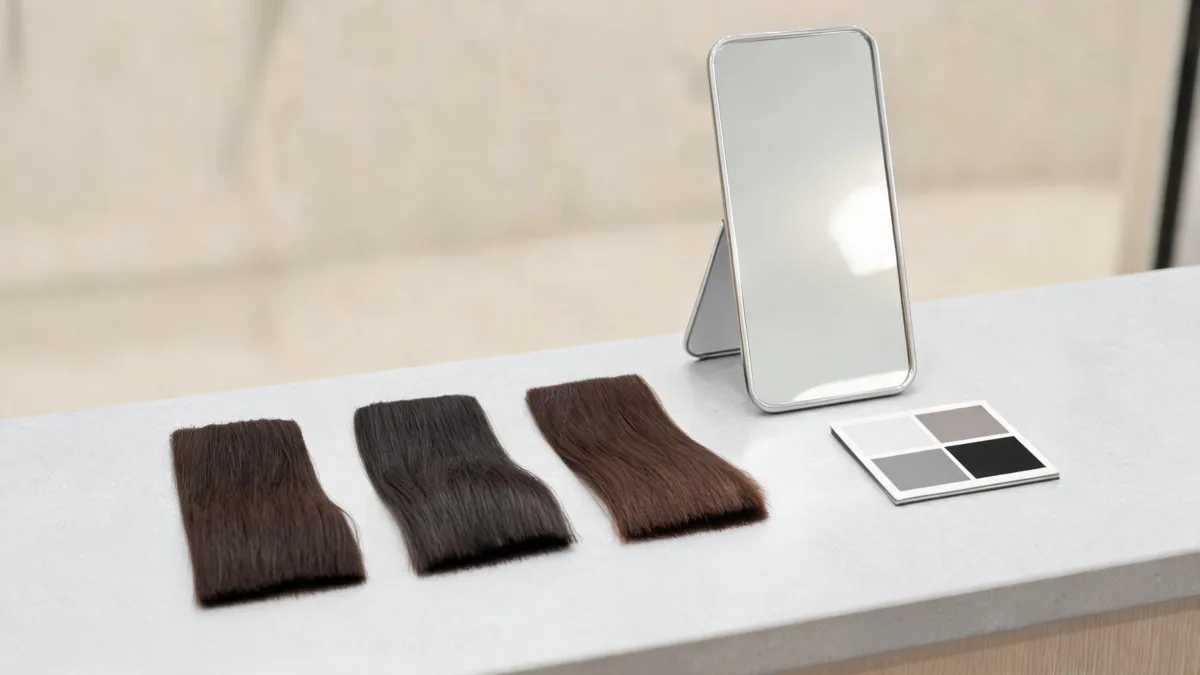
A screen comparison can show visible direction; your starting color and treatment history decide the real dye process.
| Question | What a filter can show | What needs a real source or consultation |
|---|---|---|
| Does a darker shade feel too severe? | Face contrast and broad tone direction | Personal maintenance tolerance |
| Will dark dye cover gray? | Nothing dependable about coverage | Product instructions, strand testing, or a colorist |
| Can I go lighter again? | Nothing dependable about future lifting | Hair history and a professional color plan |
| Will the color suit my wardrobe? | A simple visual comparison in one photo | The garments and lighting you actually wear |
The U.S. Food and Drug Administration's hair dye guidance says to follow label directions and allergy warnings. Follow the instructions for the exact product and stop if you have a reaction. This article is not medical or chemical advice.
Watch a color-filling explanation
The embedded tutorial explains why a stylist may discuss filling when hair goes darker. It is useful context for the phrase, but it does not diagnose your hair or replace product directions.
Its relevance is limited to explaining a darker-color workflow; it is not a recommendation for a product or formula.
Bring a useful reference to a salon or store
Save the two or three previews that best show what you liked. Then state the visible preference plainly: “I like the softer root contrast,” “I prefer the neutral version,” or “I want depth without a blue-black cast.” That gives a colorist something more useful than a vague request for “darker.”
Also bring the facts a filter does not know:
- Recent dye, bleach, toning, or chemical services.
- Gray coverage goals and regrowth tolerance.
- Whether you want temporary coverage, a gloss, or a lasting color change.
- Sensitivity history and the exact product instructions when using at-home color.
For a color that stays close to your current family, the root touch-up preview guide covers blending rather than a full darker-color decision.
Frequently asked questions
Can a hair color filter show my exact dye result?
No. It can show a visual direction on your photo. An actual result depends on your starting color, prior treatments, porosity, formula, processing, and maintenance.
Should I try black or dark brown first in a filter?
Try a deep neutral brown first. It provides a softer baseline, then you can compare a soft black or cooler espresso without changing several variables at once.
Can a darker-hair preview tell me whether color will cover gray?
No. Gray coverage is a formula and hair-condition question. Check the exact product instructions or ask a qualified professional before relying on a result.
What kind of photo is best for a dark hair filter?
Use a clear, unfiltered photo in even daylight with the hairline, part, and visible lengths in frame. Heavy shadows or warm artificial light can make every result look darker or warmer than it is.
Related guides
- Try the free AI hairstyle changer →
- Brown hair filter
- Black hair filter
- What an AI hair preview cannot tell you
Use the filter as a visual brief
Compare one darker direction at a time, save the best two references, and keep the real dye decision grounded in your hair history and the exact product or professional advice.