
Root Touch-Up Hair Color Preview: Test Roots Before Dyeing
Preview root touch-up hair color on your own photo before you dye. Compare gray coverage, regrowth blending, and shade direction with an AI hair color changer.
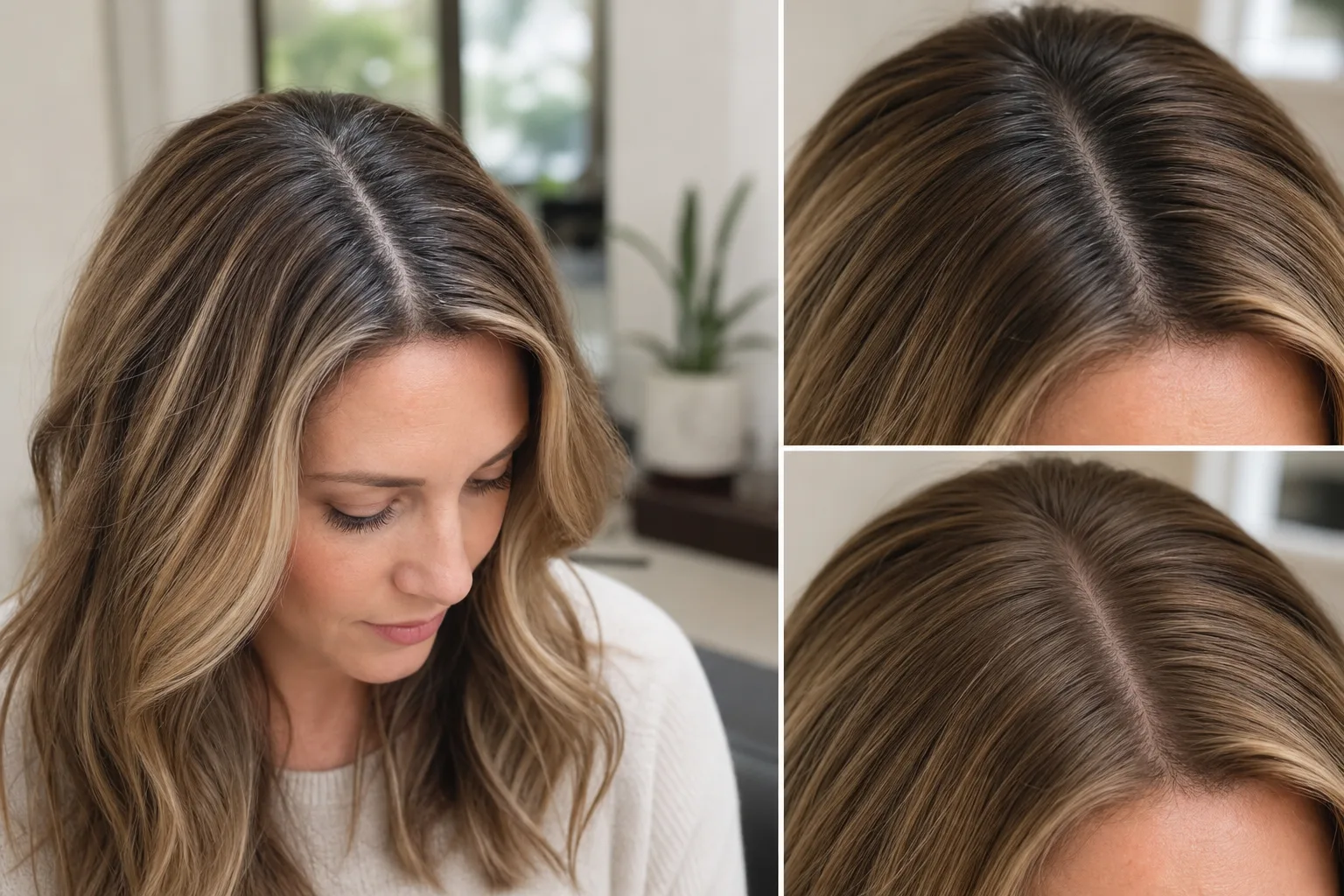
A root touch-up hair color preview helps you answer one question before dye touches your hair: will this shade blend with my roots and the rest of my color? Upload one clear photo to an AI hair color changer, compare two or three nearby shades, and use the result as a visual reference before you buy a root kit or book a color appointment.
Last updated: July 7, 2026 · ~8 min read
Root touch-up products are practical, but they are not magic. The wrong shade can make gray roots look flat, make dark regrowth too harsh, or leave a warm band between the roots and the lengths. A photo preview will not replace a strand test or a stylist, but it can stop you from choosing a shade that obviously fights your current color.
Quick answer
Use a root touch-up preview when you need to decide:
- Should the root shade match your current hair exactly?
- Should it be a little deeper for gray coverage?
- Should it be warmer, cooler, or ashier?
- Would a temporary powder or spray be enough?
- Is the regrowth line too strong for a DIY touch-up?
Use a real strand test, patch test, or colorist when you need to know:
- How your hair will chemically lift or deposit color.
- Whether gray coverage will hold.
- Whether the formula irritates your scalp.
- How porous or previously colored hair will react.
The preview is a planning tool. The real dye result still depends on your hair history.
Why roots are harder than they look
Root touch-ups look simple because the area is small. In reality, roots are where color mistakes are easiest to see.
There are three different colors in play:
- New growth at the scalp.
- Existing dyed hair through the mid-lengths.
- Faded ends that may be lighter, warmer, or duller.
If the root color is too dark, it can create a heavy cap. If it is too warm, it can leave a coppery band. If it is too cool, it can make the top look flat or gray-green in certain light. That is why a root touch-up hair color preview is useful: it lets you judge the direction before you apply anything permanent.
How to preview root touch-up hair color
You do not need a studio photo. You do need a photo where the roots are visible.
- Take a clear photo near a window. Avoid bathroom lighting, heavy filters, and direct flash.
- Show the part line and hairline. Pull hair away from the face if your roots hide under bangs or volume.
- Upload it to the AI hair color changer.
- Describe the root result, not just the color name. For example: "blend gray roots into a medium neutral brown while keeping the rest of the hair the same."
- Compare two or three shade families. Try neutral, slightly warm, and slightly cool versions.
- Save the best reference. Use it as a conversation starter with a colorist or as a sanity check before choosing a box shade.
The important part is not making the whole head a new color. It is seeing how the root area could blend with what you already have.
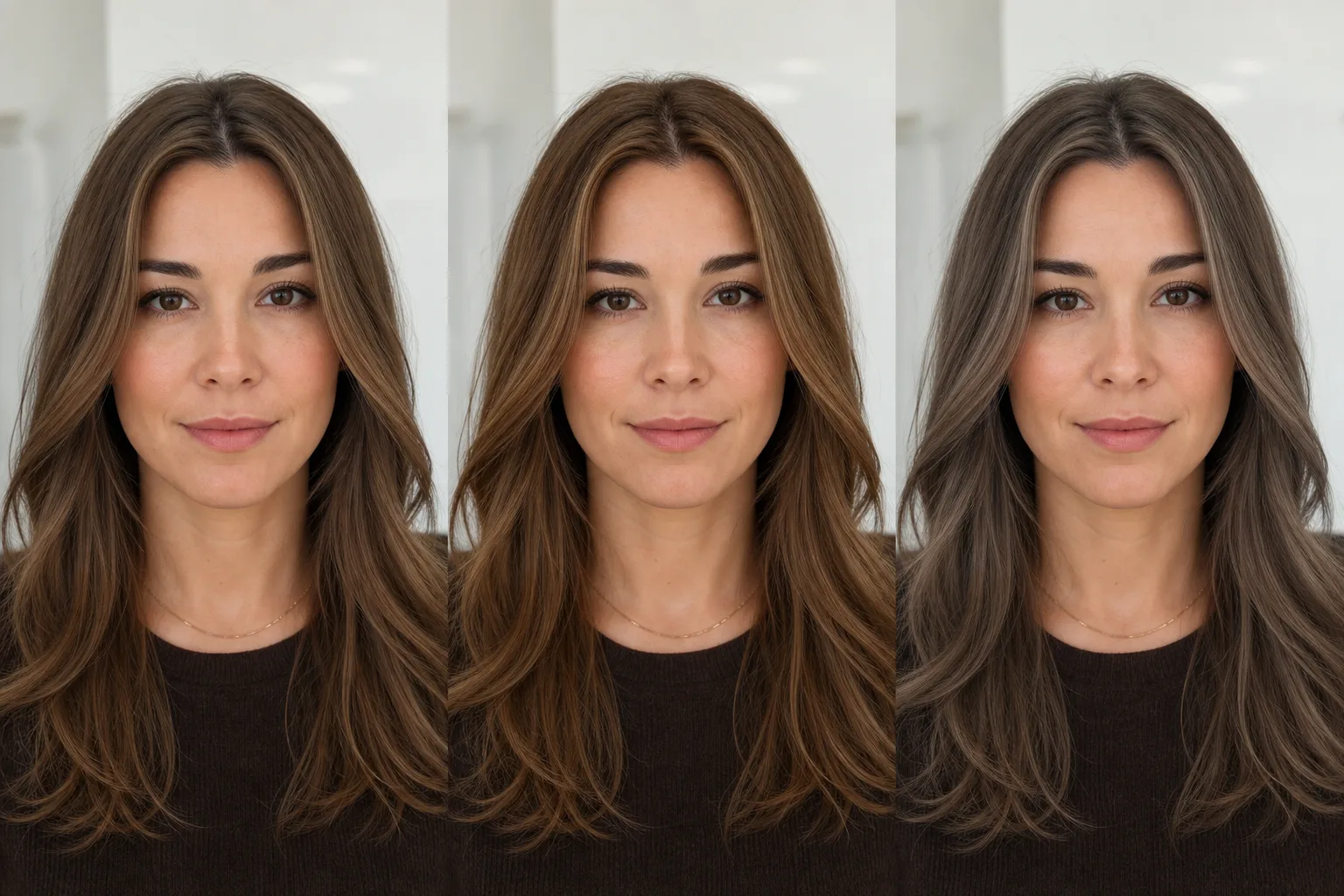
Illustrative shade comparison: test root blending direction before deciding between neutral, warm, or cool coverage.
What to test in the preview
Look at the root area the way a colorist would: tone, depth, hairline softness, and how the new growth blends into the lengths.
1. Gray coverage direction
Gray roots can look different from the rest of your hair because gray hair often reflects light more strongly. A preview helps you decide whether you prefer:
- Full coverage.
- Softer blending.
- A slightly highlighted root effect.
- A darker shadow root.
If you want full gray coverage in real life, check the dye instructions and formula type carefully. The AI preview can show the look, but it cannot prove coverage longevity.
2. Warm vs cool tone
Most root mistakes are not just too light or too dark. They are too warm or too cool.
Warm roots can look orange against ash lengths. Cool roots can look flat against golden lengths. Neutral brown, beige blonde, soft black, and dark blonde all sit differently around the face.
Use the preview to compare tone on your actual skin, not on a model.
3. Root depth
Depth means how light or dark the root shade is. One level too dark can make the top of your hair look heavy. One level too light may not cover gray or may make regrowth obvious again after a few washes.
For subtle root work, preview:
- Same depth as your mids.
- One touch deeper.
- One touch softer or more blended.
Do not chase perfect matching from a screen. Use it to rule out the obvious bad fit.
4. Hairline softness
The hairline is where root color can look harsh. If a preview makes your hairline look flat, blocky, or too dark, choose a softer instruction:
Blend the root color softly around the hairline. Keep face, skin tone, and existing lengths natural.
This is especially useful before touching up around the temples.
Temporary root touch-up vs permanent dye vs salon color
| Option | Best for | Watch out for |
|---|---|---|
| Temporary powder or spray | One event, photos, quick gray camouflage | Can transfer, may look flat if over-applied |
| Box root touch-up kit | Short regrowth, matching an existing color family | Shade mismatch, overlap bands, scalp sensitivity |
| Salon root touch-up | Gray coverage, blondes, corrective color, complex history | Costs more, but safer for difficult color |
| Root melt or gloss | Softer grow-out and blended transition | Needs skilled placement and tone control |
An AI preview fits before all four. It helps you decide what look you want, then the real formula decides how to get there.
What the AI preview cannot guarantee
A root touch-up preview is useful, but it is not chemistry.
It cannot guarantee:
- Gray coverage percentage.
- How color deposits on resistant gray hair.
- Whether old dye will grab warmer or darker.
- Whether your scalp will react.
- How the shade will fade after washing.
- Whether a box formula matches salon color.
For real dye, follow the product instructions, do a patch test when required, and ask a colorist if your hair has bleach, multiple dye layers, henna, color correction, or major damage.
Prompt examples
Use plain language. Keep the rest of the hair stable.
Neutral brunette roots
Blend visible gray roots into a natural medium neutral brown. Keep the existing brown lengths, face, skin tone, hairstyle, lighting, and background unchanged. The hairline should look soft and realistic.
Dark roots on blonde hair
Preview a soft dark blonde root touch-up that blends into the existing blonde lengths. Keep the rest of the hair color and style the same. Avoid a harsh line or orange tone.
Black hair root refresh
Cover the visible roots with a soft natural black shade. Keep the lengths, shine, face, skin tone, and background unchanged. The result should look blended, not painted on.
Copper regrowth check
Preview warm copper root blending that matches the existing copper lengths. Keep the same hairstyle and lighting. Avoid a bright orange band at the part line.
If you want to change the entire shade instead of only the roots, start with the broader guide on how to change hair color in a photo.
Best photos for a root touch-up preview
Use a photo where the root problem is visible.
Good:
- Clear part line.
- Hairline visible.
- Even daylight.
- No strong color filter.
- Roots and lengths both in frame.
- Hair dry and styled normally.
Avoid:
- Wet hair.
- Harsh bathroom light.
- Hats or heavy accessories.
- Blurry selfies.
- Photos where the roots are hidden by volume.
- Color-correcting filters.
The preview is only as honest as the photo.
How to judge the result
After the preview, do not just ask "does it look good?" Check the specific root area.
Look for:
- Does the hairline still look natural?
- Does the part line blend?
- Does the root color fight your skin tone?
- Is there a harsh band between roots and mids?
- Did the AI change the whole head when you asked for roots?
- Did it change your face or skin tone?
If the result changes too much, use a narrower prompt:
Adjust only the visible roots and part line. Keep the rest of the hair color, face, hairstyle, lighting, and background unchanged.
Related color guides
If you are still choosing the shade family, these help:
- Hair color for skin tone
- Best hair colors for cool undertones
- Best hair colors for warm undertones
- Gray hair filter
- Blonde hair filter
FAQ
These answers cover the root touch-up questions that come up before choosing a shade or formula.
Can I preview root touch-up hair color before dyeing?
Yes. Upload a clear photo where your roots and lengths are visible, then use an AI hair color changer to compare root shade directions. It is useful for visual planning, but it does not replace product instructions, patch testing, or a colorist.
What root touch-up color should I choose?
Start near your current mid-length color, then compare a neutral version, a slightly warmer version, and a slightly cooler version. The best shade should blend the part line and hairline without creating a harsh band.
Can AI show whether gray roots will be covered?
AI can show what covered gray roots might look like, but it cannot prove real gray coverage. Resistant gray hair, product formula, processing time, and hair history all affect the real result.
Is a root touch-up preview useful for blondes?
Yes, especially because blonde roots can shift warm or harsh quickly. Use the preview to compare beige, ash, golden, or darker root-shadow directions before choosing a product or asking your colorist.
Can I use this instead of going to a salon?
Use it to clarify what you want. For simple, short regrowth, an at-home root kit may be enough. For bleach, gray resistance, color correction, or big tone changes, a salon is safer.
Bottom line
A root touch-up hair color preview will not predict chemistry, but it can prevent a bad visual guess. Use the AI hair color changer to compare root shade direction, hairline softness, gray blending, and warm-vs-cool tone before you spend money or apply dye.
If the preview looks wrong on your face, do not force the formula. Adjust the shade, soften the root, or bring the reference to a colorist before the mistake becomes permanent.