
Haircut Changer AI: Turn Random Results Into a Three-Look Test
Use a haircut changer AI to turn a promising random preview into a controlled three-look test, then save a clear salon reference.
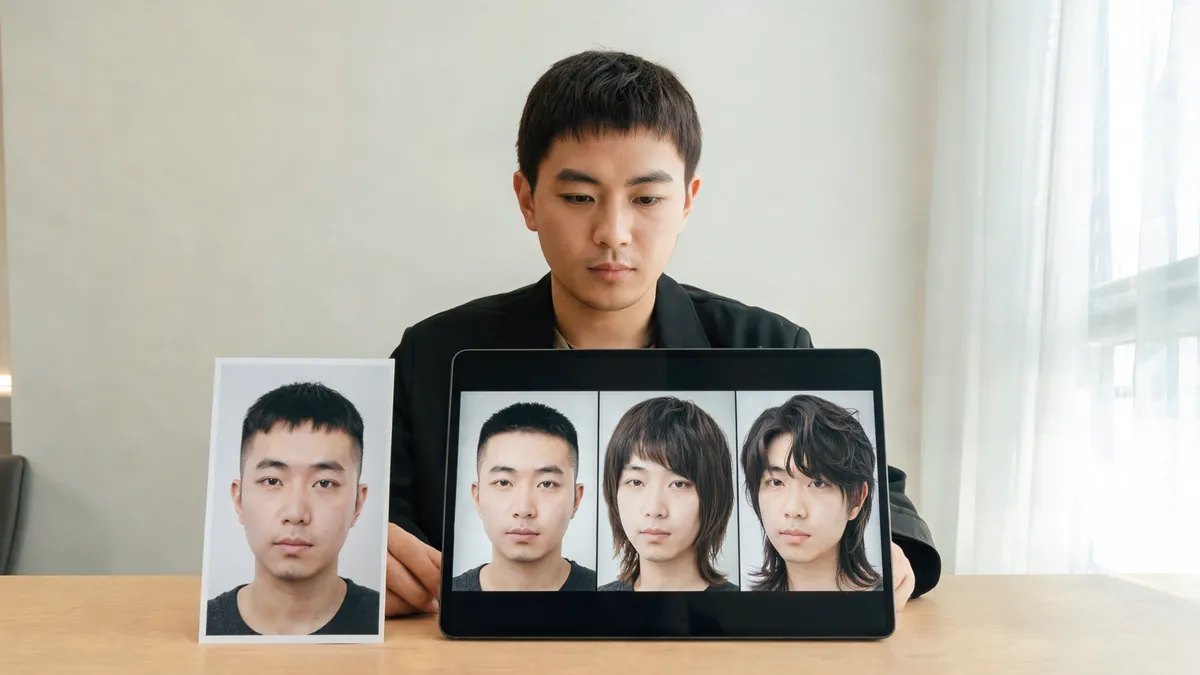
A haircut changer AI becomes useful after a random result catches your attention: stop shuffling, keep one own photo fixed, and test three deliberate cuts that answer the same decision. Compare length, face framing, hairline preservation, and upkeep, then save the one or two images that give you language for a salon conversation. The AI hairstyle changer can create the visual options; it cannot predict exactly how your hair will cut, grow, or style in daily life.
Last updated: September 25, 2026 · about 7 min read
A surprise preview can be a great spark. It is not yet a decision. The next move is to turn “that looks interesting” into a small, fair test. This is different from a random-hairstyle workflow: you are no longer asking for novelty. You are asking which of a few plausible haircut directions earns a closer look.
Build a three-look test from one original photo
Use a recent image in even light, with the hairline, usual part, and enough length visible to read the silhouette. Make each candidate from that same image. The closer you keep the baseline, the easier it is to see the actual trade-off.
| Look | What should change | What should stay fixed | Question it answers |
|---|---|---|---|
| Current-shape reference | Nothing, or only a tidier version of your existing silhouette | Face, light, color, background, and part | What do I like enough to keep? |
| Nearby option | One meaningful shift in length or face framing | The same photo and hair color | Do I prefer a smaller, realistic change? |
| Stretch option | One bolder but still plausible direction | The same photo and framing | Is the bigger change worth asking about? |
The three results do not need to be “good, better, best.” They are a way to make a choice legible. For example, someone considering a bob might compare their current long shape, a collarbone-length cut with face framing, and a jaw-length bob. Someone considering bangs might compare no fringe, a soft curtain fringe, and a brow-skimming option. A three-look test works because the options are related.
Reject a polished image if it has changed your eyes, jawline, skin tone, camera angle, or hairline. A haircut preview should preserve the person and let the hair change answer the question.
Run the test in three steps
- Name the one decision. Write a short question before you generate: “How short can I go without losing face framing?” or “Do I prefer a soft fringe to an open forehead?” Do not test color, makeup, and cut at once.
- Generate three related directions. Start with a familiar reference, then one nearby and one stretch option. The short hair filter is useful if length is the question; the bangs filter is more focused when fringe is the variable.
- Review, label, and reduce. Compare at full size and phone size. Add one honest sentence below every version, then keep only the original plus one or two results that you can explain clearly.
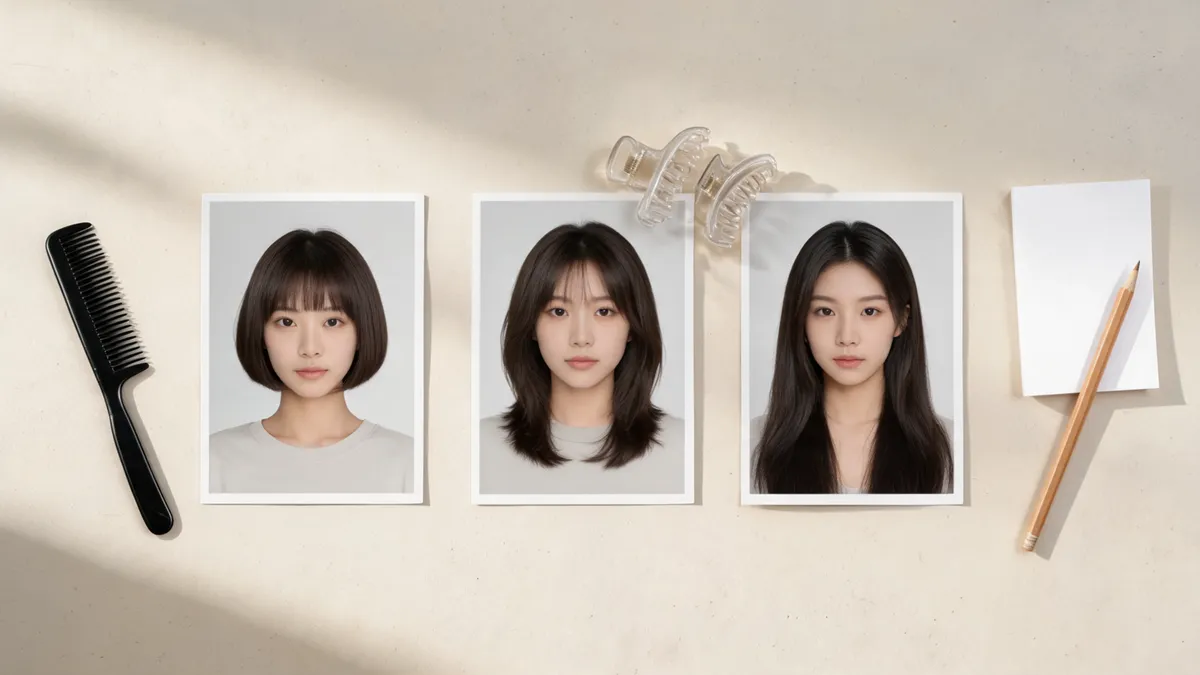
Three related haircut directions make the trade-offs easier to see than a stream of unrelated generated looks.
Compare the details that change a real haircut decision
Do not grade a generated image on a vague realism score. Read the visible details that would change your next step. Look at the outline around your face, where the weight sits, whether the hairline stays recognizable, and how much styling the image appears to assume.
| Review point | Ask yourself | Why it matters at a consultation |
|---|---|---|
| Length | Where does the shortest point land: chin, collarbone, or above? | Gives a stylist a concrete starting range |
| Face framing | Is the face more open, or do pieces soften the sides? | Helps describe what you want near the cheeks and jaw |
| Fringe and part | Do you prefer an opening, sweep, or fuller coverage? | Turns a screenshot into a discussion about placement |
| Shape and volume | Is the weight at the crown, sides, or ends? | Distinguishes a silhouette from a generic haircut name |
| Daily effort | Does the image depend on smooth styling, texture, or a strict part? | Keeps the option connected to your actual routine |
Treat an AI preview as a visual brief, not an engineering drawing. It cannot see your growth pattern, density, shrinkage, cowlicks, texture, or how much time you will spend styling. A cut that looks appealing in a controlled photo may need a different length or technique in real life. That is a good reason to bring the comparison into a conversation, not a reason to dismiss the comparison entirely.
Turn the winner into a useful salon reference
Bring the original photo and no more than two candidates. Say what each image teaches you rather than asking a stylist to reproduce a generated face. Useful sentences include:
- “I like how this version keeps length at the front but removes weight at the ends.”
- “I prefer the open center part here, not a heavy straight fringe.”
- “This is the shortest outline I am comfortable discussing; I do not want the face framing to disappear.”
- “I like the shape, but I need to know what it does with my natural texture and wash-day routine.”
That gives the stylist information a random gallery does not. If a generated style depends on a dramatic change, ask what a lower-commitment version would look like. You may decide a longer bob, softer layers, or a temporary fringe is the more realistic first move.
For another perspective on making a preview dependable, read how to make an AI hairstyle preview realistic. If you are deciding between specific short silhouettes, long hair to short hair preview can help you set a more focused comparison.
Know when the test has failed
Start again with a better photo if every option changes more than the hair. Use an unfiltered, eye-level image in even light. Show your hairline and usual part, and avoid hats, sunglasses, heavy shadows, or hands over your face. If the output keeps inventing a new pose or face, it is inspiration—not evidence for a haircut decision.
You can also stop when the three options answer the question. Creating ten more versions rarely produces a clearer choice. The goal is a concise decision test, not an endless feed of possible selves.
Editorial disclosure: AIChangeHair provides visual hairstyle previews. It does not measure face shape, diagnose hair or scalp concerns, guarantee the result of a cut, or replace a stylist's assessment. Use a generated image to describe a preference, then let your hair, routine, and a qualified professional guide the real haircut.
Frequently asked questions
How many haircut previews should I compare at once?
Three is a practical limit for one decision: keep your current shape as context, then compare two nearby alternatives or three deliberate directions. More unrelated images usually make it harder to remember what changed and why.
What should stay the same in a haircut changer AI test?
Use the same original photo, lighting, framing, expression, and hair color. Change one haircut variable at a time so the comparison is about length, face framing, volume, or fringe rather than a different person or scene.
Can an AI haircut preview tell me what to ask my stylist for?
It can help you describe visible preferences, such as a jaw-length perimeter, softer face framing, or less fringe. It cannot determine how a cut will behave with your growth pattern, texture, routine, or a stylist's technique.
What should I do if every generated haircut changes my face?
Discard those results and retake the base photo in even light with your hairline visible. A result that changes the eyes, jaw, skin tone, camera angle, or background does not give you a dependable haircut comparison.
Related guides
- Try the free AI hairstyle changer →
- Short hair filter
- Bangs filter
- Long hair to short hair preview
- How to make an AI hairstyle preview realistic
Turn the interesting result into a real decision
Use the AI hairstyle changer with one clear original, limit the next pass to three related cuts, and save the choices you can describe in plain language.