
Long Hair Filter: Add Length While Keeping Your Face the Same
Use a long hair filter to compare straight length, waves, and layers on your own photo while keeping the rest of the image steady.
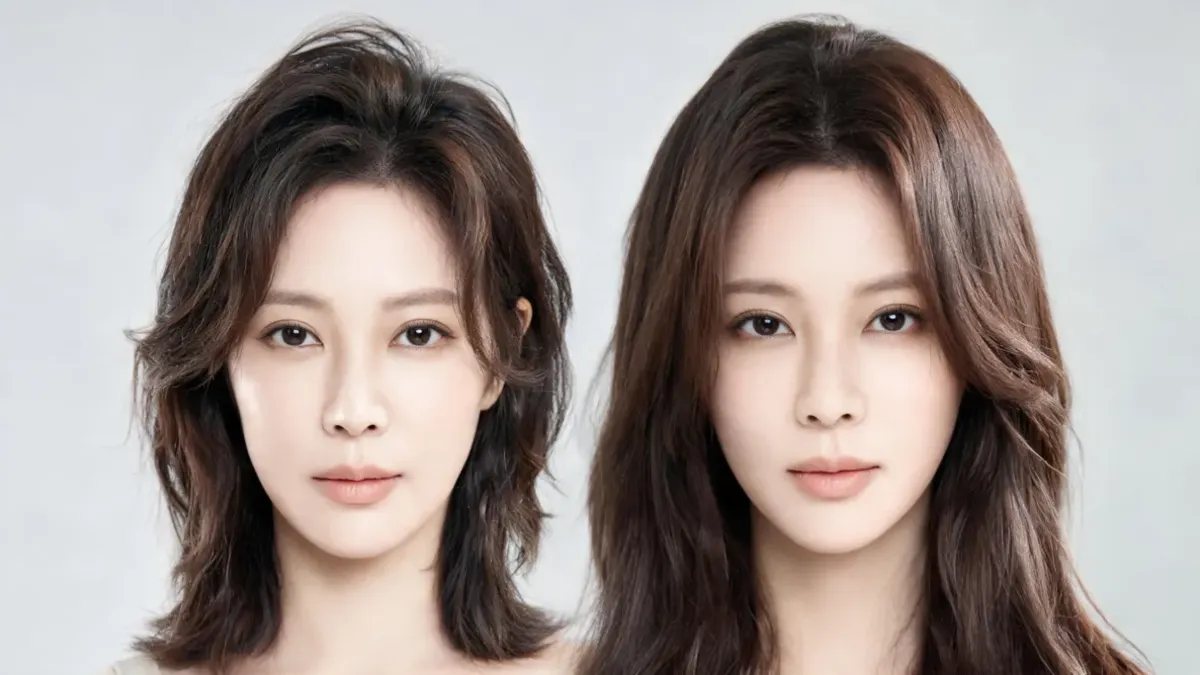
A long hair filter lets you test more length on your own photo before you spend months growing it out or book an extension consultation. Use one clear portrait, keep your face, lighting, and background fixed, and compare only a few long-hair shapes—straight, wavy, or layered. The live Long Hair Filter is most useful as a visual shortlist: it can clarify the length and movement you like, but it cannot predict your growth, texture, or a salon outcome.
Last updated: September 26, 2026 · about 7 min read
The search is usually not really “should I have long hair?” It is closer to “how would this amount of length change my outline?” A controlled preview gives you a lower-pressure way to answer that question. It is more useful than comparing yourself with a model because the face, usual part, and familiar lighting stay in the decision.
Start with a photo that makes length easy to judge
Choose a recent, unfiltered chest-up portrait. Your hairline, shoulders, and current part should be visible. Even window light is usually easier to read than a warm overhead light or a high-contrast car selfie. Those choices are not about making the image perfect; they make it easier to spot whether the tool changed only the hair.
| Photo choice | Why it helps a long-hair preview | Retake if… |
|---|---|---|
| Front-facing, eye-level portrait | Keeps your face and hairline easy to compare | The camera is far above or below your face |
| Shoulders in frame | Gives the new length somewhere real to land | The crop ends at the jaw or chin |
| Even, neutral light | Makes color and texture easier to judge | One side of the face is in hard shadow |
| Usual part and texture visible | Lets you test a direction that starts from you | A hat, filter, or heavy styling hides the baseline |
If your first result gives you a different face, expression, skin tone, camera angle, or background, do not “average it out” with other results. Discard it. It has stopped being a clean length comparison.
A long-hair preview is strongest when the original is still obviously present. The point is to test a silhouette on you, not to generate a more polished stranger.
Make a useful long-hair filter test in three steps
- Name one length question. Start with a practical target such as “past the shoulders,” “collarbone length with layers,” or “long hair with a center part.” Do not add a new color or fringe in the same first pass.
- Compare two or three nearby shapes. Test a sleek straight version, loose waves, or soft layers from the same source image. The AI hairstyle changer can help you keep the comparison on one photo; choose related options rather than a random stream of looks.
- Write what you notice before choosing. Use visible language: “I like the extra length but not the center part,” or “the waves give the outline too much width.” That sentence is more useful than saving a folder called “maybe.”
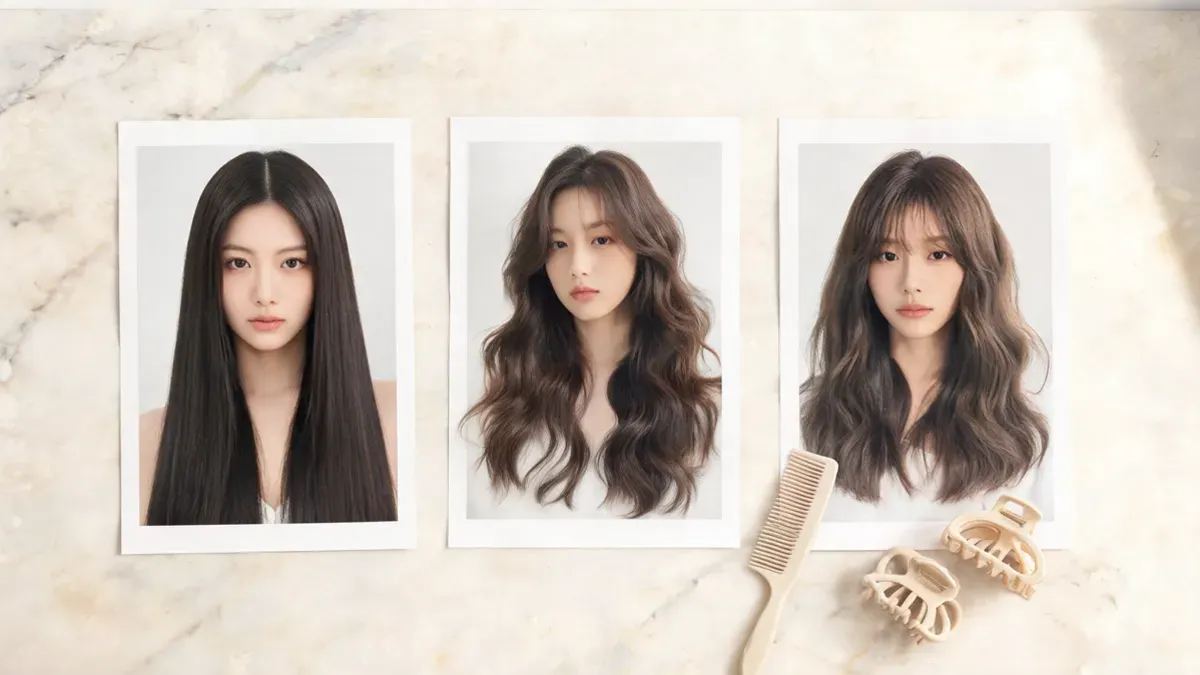
Three related long-hair directions are easier to judge than a feed of unrelated makeovers.
Compare shape before you decide whether you like “long hair”
Long hair is a family of options, not one result. A straight, center-part style can make length read as a clean vertical line. Waves add width and movement. Layers can make the ends feel lighter, but they also change the outline around the shoulders. Test one variable at a time so the comparison remains understandable.
| Direction to preview | What to look at | Useful next question |
|---|---|---|
| Straight, one-length hair | Where the ends land and how the outline frames the jaw | Do I want a cleaner or softer edge? |
| Loose waves | Whether movement feels balanced around the cheeks and shoulders | Does added width still feel like me? |
| Soft long layers | How the face-framing pieces and ends change the shape | Which layer placement would I ask about? |
| Long hair with a familiar part | Whether the length works with your daily styling habit | Would I actually wear this part most days? |
If color is also a question, make it a separate comparison with the AI hair color changer. Asking one preview to change length, wave pattern, color, fringe, and makeup at once can look impressive without answering a real decision.
Turn the preview into a practical reference
Keep the original plus one or two long-hair results. Then make a short note about the detail you want to preserve and the detail you are unsure about. For example: “I like the long layers around the cheeks, but I do not want the ends to look thin,” or “I prefer the length but need an option that works with my natural wave.”
That is a useful starting point for a stylist or for your own next test. It leaves room for the things an image cannot see: your density, growth pattern, routine, budget, extension preferences, and how hair behaves after washing. The American Academy of Dermatology’s healthy-hair tips are also a sensible reminder that the condition of real hair matters more than a single rendered result.
For a bigger change in the opposite direction, use the long hair to short hair preview guide. If the main question is whether the output is dependable, read how to make an AI hairstyle preview realistic before you save a reference.
A quick check before you keep a result
- The source portrait is recent and shows your hairline and shoulders.
- The face, pose, lighting, and background still match the original.
- You changed length and one shape detail, not every styling variable at once.
- You can explain what you like in one visible sentence.
- You kept the original beside the one or two results you may discuss later.
Editorial disclosure: AIChangeHair provides visual hairstyle previews. It does not measure hair density, predict individual growth, assess hair or scalp health, determine extension suitability, or guarantee a salon result. Use a preview to clarify a preference, then make real-world decisions with the information an image cannot supply.
Frequently asked questions
How can I see myself with long hair without growing it out?
Use one clear, recent portrait in a long hair filter and compare a few related long-hair directions on the same image. Keep your face, lighting, background, and hair color fixed, then use the result as a visual preference rather than a promise about a real cut or growth process.
What should I ask a long hair filter to change?
Start with length and one shape detail, such as straight hair past the shoulders, loose waves, or soft long layers. Avoid combining length, color, makeup, and a new background in the first request because it becomes hard to tell what changed.
Why does a long hair preview sometimes look fake?
A preview is less useful when the source photo hides the hairline, has heavy filters, strong shadows, an extreme angle, or very little hair and shoulder area in frame. Retake the photo in even light and reject any output that changes the face, pose, or background more than the hair.
Can an AI long hair filter tell me how long it will take to grow my hair?
No. It can show a visual direction, but it cannot predict an individual's growth, texture, density, maintenance needs, extensions, or salon result. Use it to decide which long-hair reference is worth discussing, not as a forecast.
Related guides
- Try the free AI hairstyle changer →
- Long Hair Filter
- AI hair color changer
- Long hair to short hair preview
- How to make an AI hairstyle preview realistic
See the length before you commit to it
Use the Long Hair Filter with one clear portrait, compare a small set of related shapes, and save the version you can describe in plain language.