
Mustache Filter: Compare Styles Before You Trim or Grow One
Use a mustache filter to compare a pencil, chevron, or handlebar look on the same photo before you trim, grow, or shave facial hair.
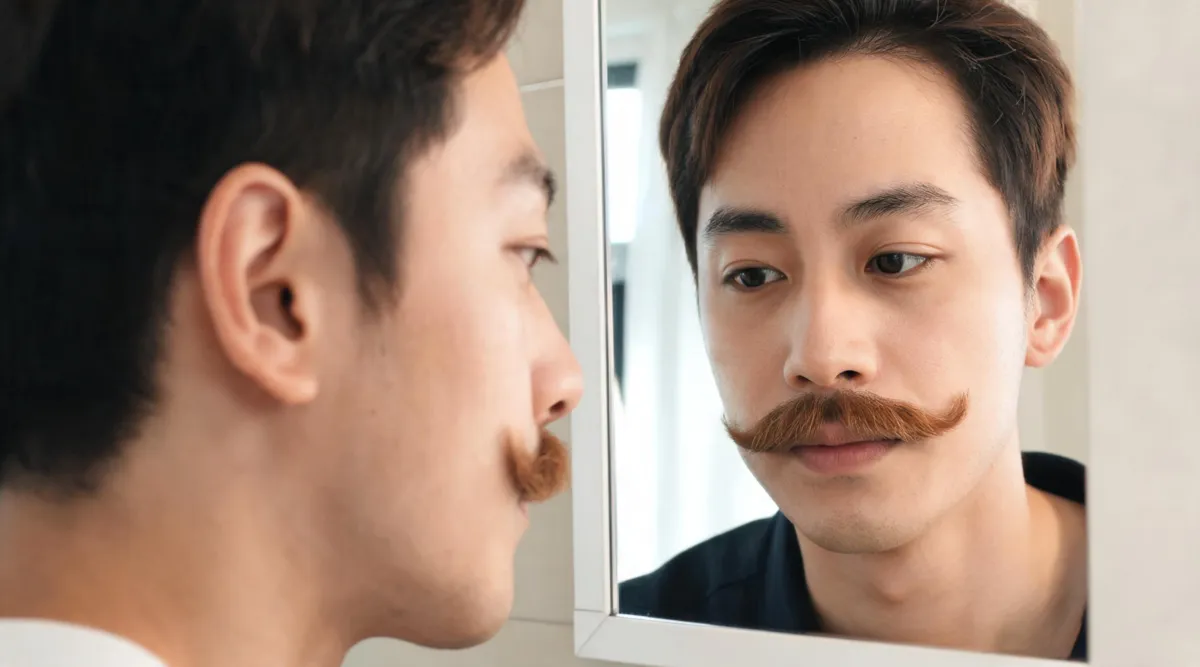
A mustache filter helps you compare a few facial-hair shapes on your own face before you trim, shave, or spend time growing one. Start with one clear portrait, test a natural baseline such as a chevron, then compare just one nearby alternative. The AIChangeHair Mustache Filter is designed for that narrow photo-editing job: add a requested mustache while keeping the portrait recognizable. Treat the result as a grooming reference, not a promise of how your hair will grow.
Last updated: September 16, 2026 · about 6 min read
The useful question is rarely “which mustache is best?” It is usually more specific: should the hair sit wider than the corners of my mouth, look dense or light, or leave more space between the nose and lip? A controlled preview turns that vague choice into something you can see and describe.
Start with a photo that makes the comparison fair
Use a recent, front-facing portrait in even light. Your upper lip, mouth corners, jawline, and the area under the nose should all be visible. A clean-shaven or lightly stubbled photo makes the added shape easier to judge, but the most important thing is consistency: use the same photo for every version.
The live mustache filter accepts a plain-language description. You can ask for a natural mustache, then name a chevron, pencil, handlebar, or horseshoe direction if you want to compare a more distinct silhouette. Keep the rest of the request stable: face, skin tone, lighting, background, and existing hairstyle should not be part of the experiment.
| Starting image | Why it helps | Take another image when… |
|---|---|---|
| Recent straight-on portrait | The upper lip and both mouth corners are easy to compare | One side of the face is hidden or cropped |
| Even daylight or soft room light | Hair edges are easier to see without dramatic shadows | Strong backlight makes the lip area disappear |
| Natural expression | You can judge proportion against your usual face | A grin, pursed lips, or beauty filter changes the reference |
| Same image for every style | The mustache is the only variable | Each version begins from a different selfie |
A preview is useful only when it answers one grooming question. If it changes your jaw, complexion, hairline, or camera angle, rerun it instead of treating a flattering new portrait as evidence about the mustache.
Compare two styles, not a gallery of strangers
Begin with the most ordinary version you could imagine wearing. For many people, that is a tidy, medium-width chevron. Then make one second version that changes a single visible choice: lighter density, narrower width, straighter lower edge, or more lift at the ends. This approach lets you decide what the change actually did to your face.
- Save the original first. Keep it nearby while reviewing every result. The original is your control, not a version to improve.
- Generate a believable baseline. A simple request such as “add a natural medium-brown chevron mustache; keep my face, lighting, and background unchanged” gives you a useful starting point.
- Change one detail for the second preview. For example, ask for a slightly narrower chevron or a light pencil mustache. Do not change the mustache, hairstyle, photo lighting, and expression at once.
- Review at two sizes. Look once at full size for edge artifacts, then at everyday phone size for overall proportion. If it only works when enlarged, it may not be a helpful grooming reference.
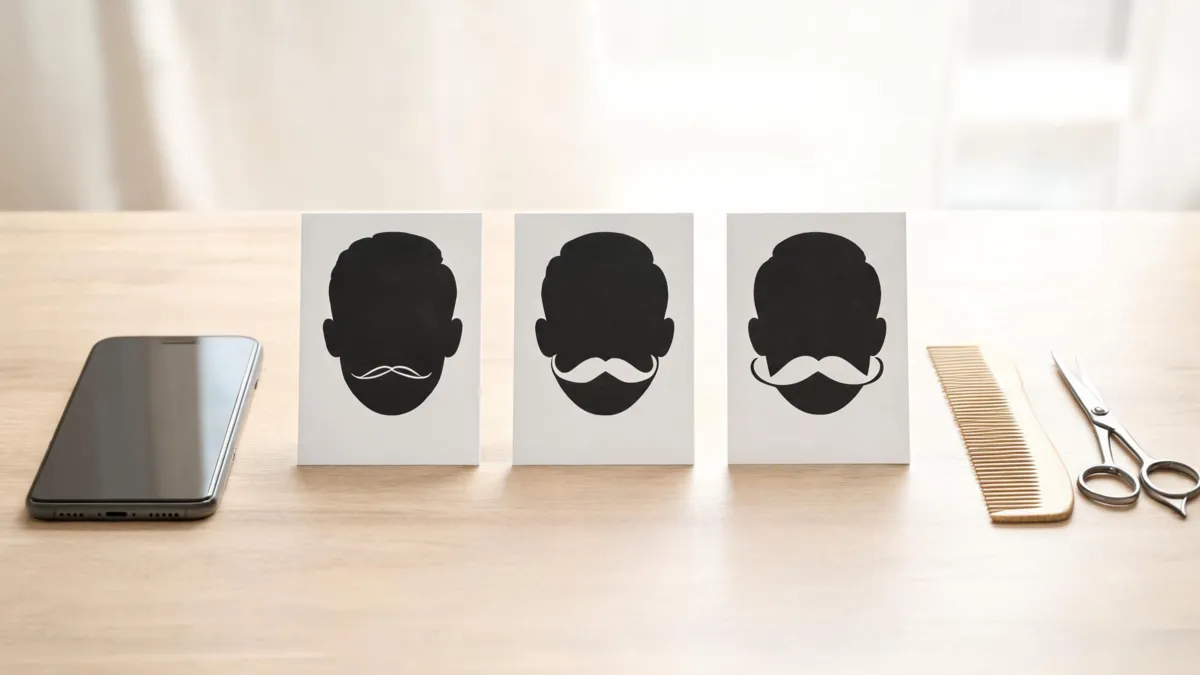
A small comparison set makes it easier to describe the shape you prefer without pretending the preview predicts real growth.
What each style changes visually
Names are useful only when they help you narrow the decision. The table below is a visual planning aid, not a set of rules about who should wear a given style. Your growth pattern and comfort with upkeep matter more than a label.
| Style to preview | The visible choice | A helpful question to ask |
|---|---|---|
| Soft chevron | Medium density across the upper lip with a natural lower edge | Do I like the extra visual weight above my mouth? |
| Pencil | A thinner, more graphic line with more skin visible | Does the narrowness feel intentional at normal phone size? |
| Wider chevron | More coverage toward the mouth corners | Does the width balance my smile without hiding it? |
| Light handlebar direction | Lift or extension at the ends | Would I realistically style and maintain this shape? |
If the difference you prefer is actually about the beard around it, separate the decisions. A goatee filter can help you compare a chin-focused outline, while the No Beard Filter is better for deciding whether to remove facial hair altogether. Combining every facial-hair choice into one generation makes the result harder to use.
Inspect the output before you let it influence a trim
The goal is not to find a perfect synthetic photo. It is to see whether a shape is plausible enough to guide a small, reversible grooming decision. Look closely at the points where generated facial hair often becomes unhelpful: the nostrils, philtrum, lip line, mouth corners, and the transition into existing stubble.
| Check | Keep the preview when… | Reject it when… |
|---|---|---|
| Identity | Your eyes, expression, face shape, and skin tone still read as yours | The edit subtly remodels the face or smooths skin unrealistically |
| Mustache edge | The upper and lower edges follow the lip area naturally | Hair crosses the lip, floats above skin, or forms a hard sticker-like line |
| Symmetry | Both sides feel balanced without being mechanically identical | One end vanishes, drifts too far from the mouth, or doubles |
| Scope | Only facial hair changed | Haircut, lighting, clothing, or background also changed |
| Decision value | You can say what you prefer in one sentence | You only know that the new portrait looks different |
A picture cannot tell you whether a certain density will grow in or how a barber will adapt the shape to your hair. It can, however, give you clear language: “I prefer the softer width,” “I want the corners kept short,” or “I like the look but not the maintenance.” That is enough to make a more deliberate next step.
Move from a preview to a low-risk real-world test
Do not try to copy every generated hair edge in one pass. Grow or trim conservatively, then reassess in ordinary light. If you shave around a mustache, the American Academy of Dermatology advises softening skin and hair, using shaving cream or gel, shaving in the direction of growth, and rinsing the blade during use in its facial shaving guidance. Those are skin-care considerations; a photo preview does not replace them.
For a barber visit, save three items: the original photo, the one preview that best expresses your direction, and a short note about the boundary you want to avoid. For example: “Keep it natural and medium-width; I do not want the ends lifted.” A professional can then account for density, texture, and growth direction that no image can inspect.
Frequently asked questions
How can I see what I would look like with a mustache?
Use a recent, clear portrait with your upper lip visible, then make one mustache preview from that image. Keep the original beside the result and reject it if the face, lighting, or camera angle changes so much that you are no longer comparing the facial-hair choice.
Which mustache style should I try first?
Start with the style closest to the amount of grooming you would actually maintain. A soft chevron is a practical baseline for many people; compare it with only one more specific direction, such as a lighter pencil or a wider handlebar, rather than generating every style at once.
Can a mustache filter predict exactly how mine will grow?
No. A photo preview can show a visual direction, but it cannot measure your density, growth pattern, texture, or how quickly a real mustache will fill in. Use it to decide which shape to explore, not as a growth forecast.
What should I check before trimming a real mustache?
Compare the upper-lip width, the edge near each mouth corner, the amount of skin showing below the nose, and whether the shape still feels like you at normal phone size. Save the original and one preferred preview, then make a small real trim rather than copying a generated edge exactly.
Related guides
- Try the free mustache filter →
- Preview a goatee on your photo
- Preview yourself without a beard
- Clean Shaven Filter: make a careful shave decision
- Best selfie for an AI hairstyle app
Keep the first decision small
Use the mustache filter to compare one natural baseline and one nearby alternative on the same photo. If one version gives you a clear grooming direction, that is a successful preview—whether you grow it, ask a barber, or decide to keep your current look.