
White Hair Filter: Compare Snow, Icy, and Pearl White Before Bleaching
Use a white hair filter to compare snow, icy, silver-white, platinum, and pearl white on one photo before you discuss bleaching.
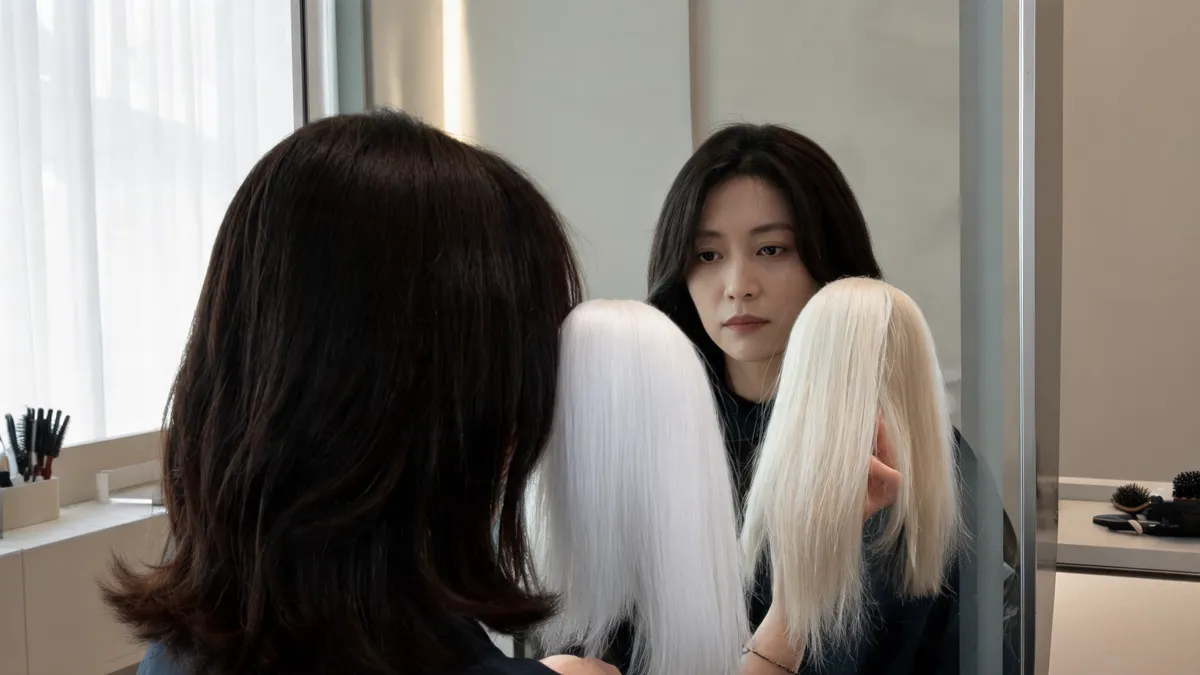
A white hair filter is most useful when you compare snow, icy, silver-white, platinum, and pearl white on the same clear photo before you make a bleaching plan. Start with one cool white and one softer white, keep the haircut and lighting fixed, and save only the results that answer a real decision. The live White Hair Filter can make that visual comparison; it cannot promise a bleach formula, hair-health outcome, or salon result.
Last updated: September 25, 2026 · about 7 min read
White is not a single finish. Snow and icy white read clean and high contrast. Silver-white adds a gray-metallic cast. Platinum white can read bright but less blue, while pearl white is the gentler option in this group. The point of a preview is not to find a universal best shade. It is to identify the direction you would still want after the novelty wears off.
Compare five white directions without changing the question
Use one recent portrait in neutral, even light. Keep the crop, expression, background, and haircut the same in every result. When only the undertone changes, you can judge the color rather than a different pose or a newly generated face.
| White direction | What to inspect in the preview | Useful decision question |
|---|---|---|
| Snow white | The crispest, brightest contrast around the hairline | Do I enjoy a pure, striking white next to my features? |
| Icy white | A blue-cool cast that can feel sharper in neutral light | Does the coolness look intentional rather than flat? |
| Silver-white | A metallic, gray-leaning variation | Do I prefer a little depth over a very clean white? |
| Platinum white | A bright, lifted look that can read less blue than icy white | Is this the brightness I would realistically ask about? |
| Pearl white | A softer, slightly warmer-feeling version | Do I prefer this gentler contrast on my usual photo? |
The AI hair color changer lets you begin with a hair-color comparison instead of changing color, length, fringe, and styling in a single request. That restraint matters here: the color is already a big decision.
Keep the original beside every result. If the eyes, hairline, skin tone, lighting, or background have changed more than the hair, reject the result. It is no longer a fair white-hair comparison.
Make a white-hair comparison in three steps
- Choose an honest baseline. Use a recent, front-facing photo with the hairline and enough length visible to judge the color. Window light or another even light source is easier to read than warm lamps, hard shadows, or a beauty-filtered selfie.
- Test nearby white families. Make a snow or icy white version, then a pearl white version. Add silver-white or platinum only if the first two leave a real question. Keep the same haircut in the first pass.
- Write one sentence under each result. Try a visible observation: “I like the clean brightness but not the blue cast,” or “pearl feels softer around my face.” A short note is more useful at a consultation than a folder of unnamed images.
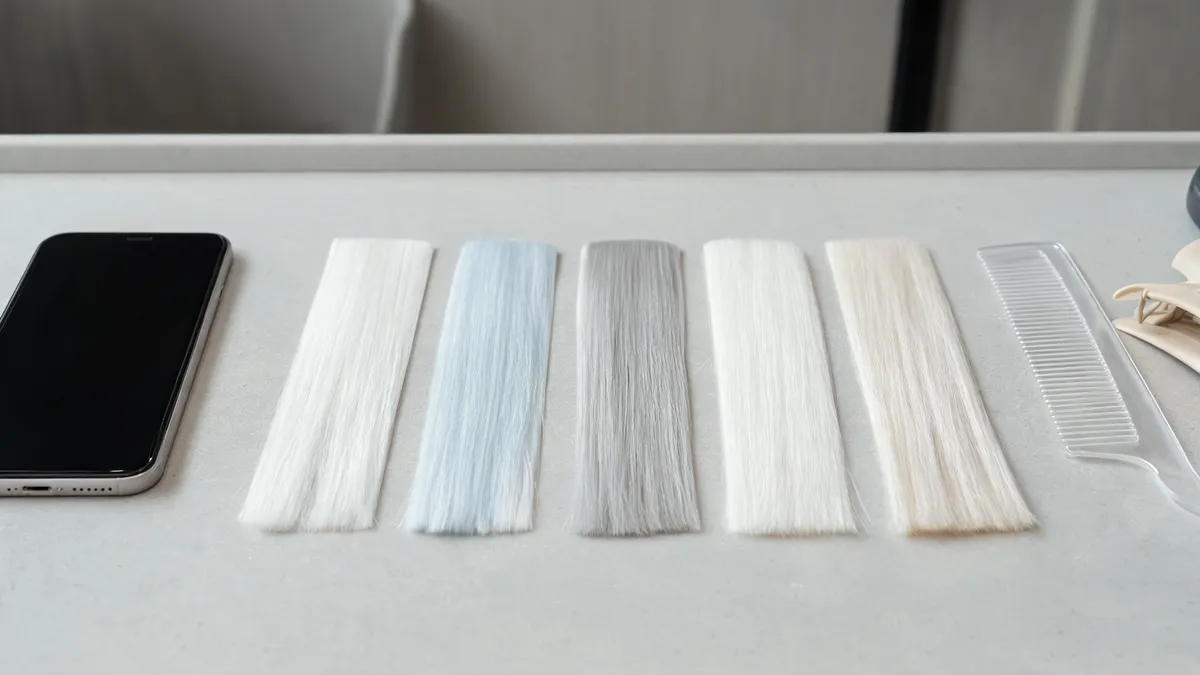
A controlled set of white undertones is easier to judge than a gallery of unrelated makeover images.
Look at contrast before you decide on a favorite
White often feels dramatic because it changes contrast around the face. Instead of asking whether a result is simply flattering, look for specifics. Does the result make your brows and eyes feel more defined? Does it make your regular clothing feel unexpectedly stark? Does one shade only work in the brightest version of the photo?
Review every candidate twice: once at full size, then again at ordinary phone size. At a smaller size, details disappear and the overall contrast is easier to judge. If snow white and pearl white look almost identical at that size, you may not need to make your salon decision around a tiny undertone difference. If they feel clearly different, you have a useful preference to name.
The preview does not assign a skin tone or tell you what you should wear. It simply gives you a steady way to see which white direction you want to explore. If the color still feels too severe, compare a more familiar option through the blonde hair color changer before assuming that white is your only light-color choice.
Treat the preview as a salon question, not a process plan
The filter can help you decide what to ask for visually. It cannot see earlier color services, the condition of your hair, sensitivity, or the route a colorist would need to take. The American Academy of Dermatology notes that lightening more than three shades can require higher-volume peroxide and can cause more damage; its hair-color care guidance is a useful reminder that a bright screenshot is not a chemical plan.
| A visual preview can help with | A visual preview cannot determine |
|---|---|
| Whether snow, icy, silver-white, platinum, or pearl is your preferred direction | Whether your hair can reach the shade in one appointment |
| Whether the contrast feels too sharp or pleasantly bold | Formula, processing time, patch-test needs, or hair-health risk |
| Which one or two images are worth discussing | How the result will fade, grow out, or look under every light |
Bring the original and no more than two labeled previews to a qualified colorist. Explain what you notice, share your actual color history, and ask what part of the reference is realistic from your starting point. If you use an at-home product, follow its instructions, including its patch-test guidance. Stop and seek appropriate medical advice for a reaction or ongoing scalp concern.
A small checklist before you save a white preview
- The source photo is recent, unfiltered, and taken in even light.
- The face, pose, and background still match the original.
- You compared at least one cool white with one softer white.
- You can name the visible detail you prefer, not just say “this one is better.”
- You have kept the original next to the one or two images you may show a stylist.
Editorial disclosure: AIChangeHair provides visual hairstyle and hair-color previews. It does not evaluate hair or scalp health, predict an exact salon result, or replace professional advice. Use the image to clarify a preference, then make practical color decisions with product instructions and a qualified professional where appropriate.
Frequently asked questions
What is the best white shade to try first?
Start with one crisp, cool direction such as snow or icy white and one softer direction such as pearl white. Compare both on the same photo before adding silver-white or platinum, so you can tell whether you prefer sharp contrast or a gentler result.
Can a white hair filter tell me if I can bleach my hair white?
No. A filter can show a possible finished color on your photo, but it cannot assess prior color services, hair condition, sensitivity, or the lightening process needed for your hair. A qualified colorist can discuss what is realistic.
Why should I keep the same photo for each white-hair preview?
The same photo holds the face, lighting, background, and haircut steady. That makes the undertone difference easier to judge and helps you spot a result that has changed more than the hair color.
What should I bring to a color appointment after using a white hair filter?
Bring the original photo and one or two labelled previews. Say what you like in visible terms, such as the cool brightness of icy white or the softer feel of pearl white, then share your color history and maintenance limits.
Related guides
- Try the free AI hairstyle changer →
- White Hair Filter
- AI hair color changer
- Bleached hair filter
- Hair color filter: test shades before dyeing
Compare the white direction before you bleach
Use the White Hair Filter with one clear photo, hold the original next to each result, and keep the comparison focused enough to give you a real next question.