
AirBrush Bangs Filter: Preview Fringe Before You Cut
Use the AirBrush bangs filter for a first look, then compare fringe options on one clear photo before deciding on a haircut.
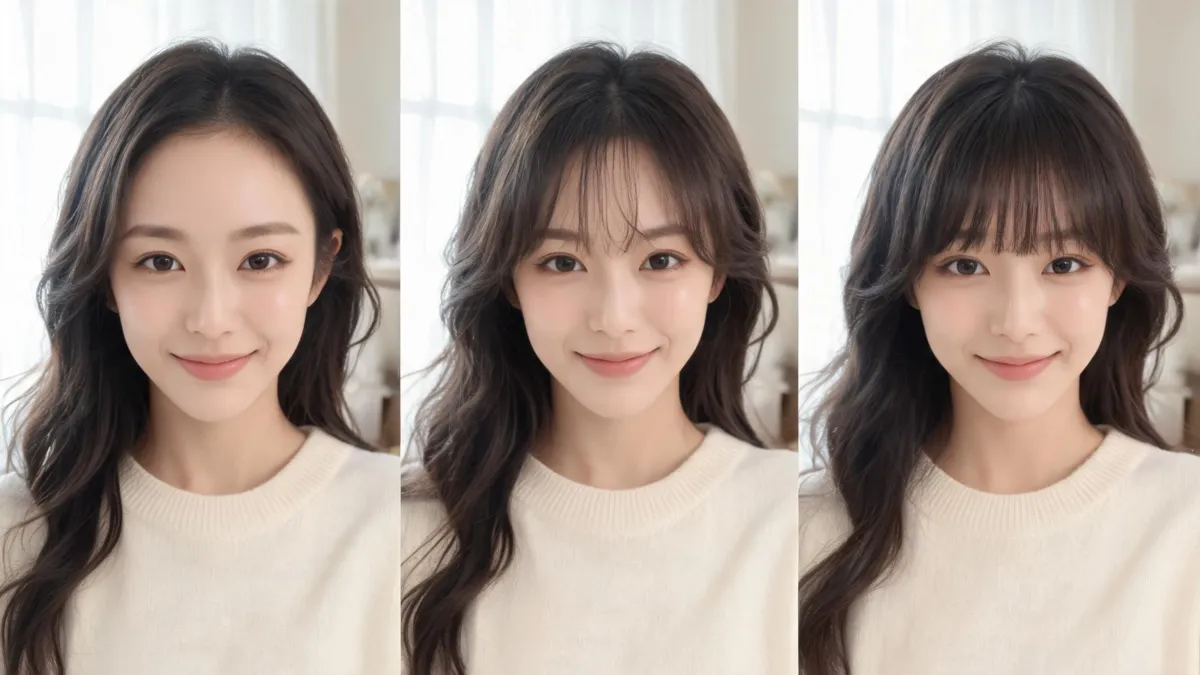
The AirBrush bangs filter can give you a useful first reaction before a haircut: upload one clear portrait, test one fringe direction at a time, and compare it against the original. Treat the result as a visual prompt—not a promise about your hairline or styling routine. For a controlled second opinion, make the same comparison with the AI hairstyle changer and keep every variable except the fringe steady.
Last updated: September 4, 2026 · about 7 min read
What the AirBrush bangs filter is useful for
AirBrush’s current Bangs Filter lets you upload a photo, use an automatic option or a prompt, and download a result. Its own guidance describes the tool as a way to explore a fringe before a haircut. That makes it a sensible first step when your question is broad: do you enjoy more forehead coverage, a center opening, or softer pieces near the temples?
It is not a salon forecast. A generated fringe cannot check your cowlicks, density, texture, natural part, shrinkage, or how much styling you will actually do on a weekday. Those are not small details; they often determine whether a fringe feels easy to wear.
| Use a preview to decide | Do not use a preview to decide |
|---|---|
| Whether you prefer more or less face framing | The exact cut length your stylist should use |
| Whether a curtain opening feels more like you than full coverage | Whether your hairline will cooperate without styling |
| Which visual details to discuss at a consultation | Whether a result will stay the same in humidity or after sleep |
| Whether to explore the idea further | Whether a particular subscription or export will remain free |
A convincing picture is only useful evidence when the fringe is the main thing that changed. If the tool also changes your face, makeup, light, crop, or hair color, start again.
Make a fair bangs comparison in three steps
- Start with an honest source photo. Face a window or use even indoor light. Keep your forehead, usual part, and front hair visible; remove hats and sunglasses. Skip beauty modes and heavy filters. The best selfie for an AI hairstyle app explains why a clear source image matters more than a complicated request.
- Ask one question per result. Begin with a light, longer fringe if you are deciding whether any bang shape suits you. Then test one meaningful alternative—perhaps a center-parted curtain fringe or slightly fuller coverage. Do not change your color, face, pose, and haircut at the same time.
- Save the original beside only the useful versions. Write a short note about what you actually like: “more open at the center,” “lighter at the temples,” or “less brow coverage.” Those details are much more useful than asking for an image to be copied exactly.
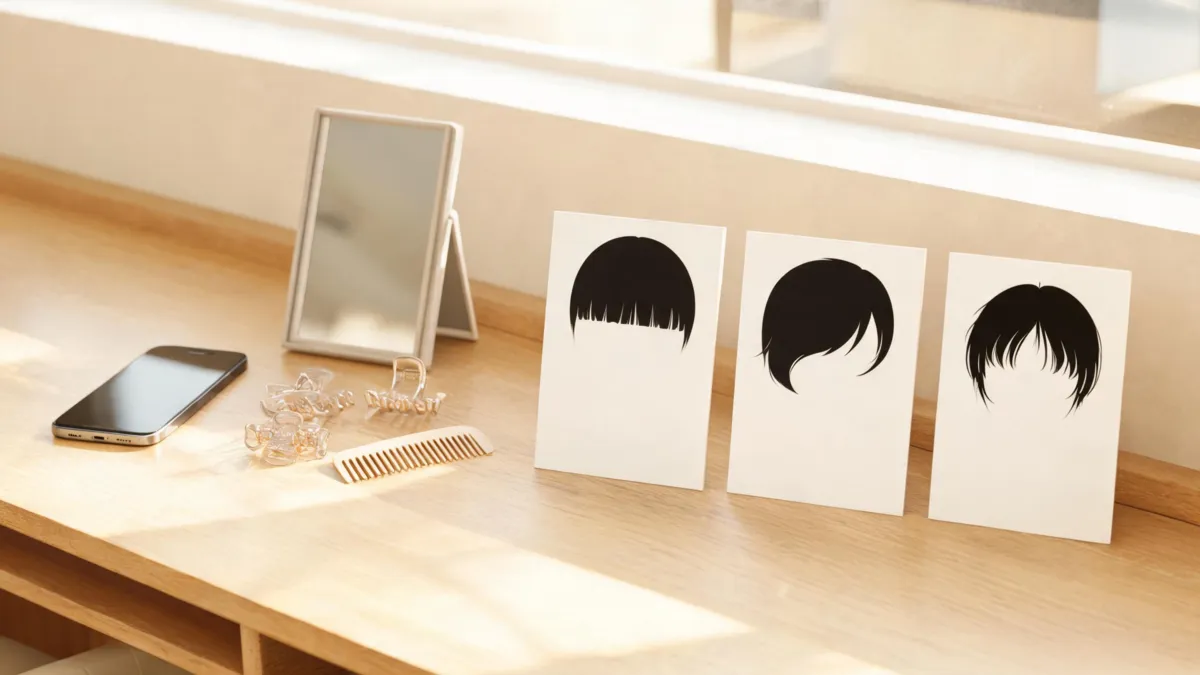
Keep the original in the set. It is the control that makes a fringe comparison honest.
Choose the fringe question before you upload
“Bangs” covers several different decisions. A short, dense fringe and a long, separated curtain fringe can ask opposite things of your hairline and routine. Naming the question first stops a tool from turning one vague idea into a random makeover.
| If you are wondering | First comparison to make | What to inspect |
|---|---|---|
| “Would I like any fringe?” | Your current look vs. a soft, longer fringe | Whether the face framing feels comfortable |
| “Would curtain bangs work?” | Light center opening vs. no fringe | How the opening relates to your usual part |
| “Do I want more coverage?” | Light fringe vs. fuller fringe | Brow visibility and density at the hairline |
| “Could I go shorter?” | A longer believable version first | Whether the roots and outline still look plausible |
AirBrush also describes a custom-prompt route. If you use it, keep the request narrow: “Add soft, separated curtain bangs that begin naturally at my hairline and blend into my current front layers. Keep my face, hair color, expression, lighting, clothing, and background unchanged.” The bangs filter is another direct way to make that controlled test. If your real choice is density rather than a broad fringe, compare the specific scenarios in the wispy bangs filter guide.
Reject polished but unhelpful results
Do not choose the image that looks most dramatic. Reject a render if it raises the hairline, makes a solid helmet-like strip, blurs the roots, hides your usual part, or changes your eyes, jaw, skin, room, or lighting. A glamorized result can be enjoyable and still be bad evidence for a haircut.
Instead, regenerate with a smaller request. Keep your source portrait and change only the fringe. If a result is nearly right, name the difference you see rather than stacking more changes: “less dense,” “longer at the sides,” or “show more forehead.” A controlled comparison is also kinder to your decision-making: it helps you explore a haircut without suggesting there is one look you are supposed to have.
The American Academy of Dermatology’s hair-styling guidance advises using heat tools on dry hair at low or medium heat and avoiding excessive heat. A virtual fringe cannot tell you whether that daily effort fits your routine. It can, however, help you decide what to ask about it.
Bring the result to a stylist the useful way
Take the original plus one or two stable comparisons—not a camera roll full of unrelated edits. State the visible preference in plain language: “I like a soft center opening,” “I want the sides to blend into my layers,” or “I do not want anything that covers my brows.” Then ask how that direction will work with your hairline, texture, natural part, glasses, and maintenance limit.
AirBrush says basic online try-ons are available free and that some advanced features may be premium. That is product information, not a promise about the next screen you see: review the current upload, export, privacy, and payment terms yourself before you rely on them. Similarly, a tool’s privacy statement cannot replace your own judgment about uploading a face photo.
Editorial disclosure: AIChangeHair is a visual-preview tool. It does not diagnose hair or scalp conditions, predict a stylist’s exact cut, or guarantee that a generated fringe will match an in-person result. Use previews to clarify a preference, then let a qualified stylist adapt it to your actual hair.
Frequently asked questions
Is the AirBrush bangs filter free to use?
AirBrush says its basic online bangs try-on is available free, while some advanced features may require a premium plan. Check the current upload and export screens before treating any option as free.
Can an AirBrush bangs filter tell me exactly how a haircut will look?
No. It can help you react to face framing, coverage, and a broad fringe direction. It cannot predict cowlicks, density, shrinkage, styling time, or how a stylist will adapt the cut to your natural hair.
What photo works best for a bangs preview?
Use a recent, front-facing portrait in even light with your hairline, forehead, usual part, and front sections visible. Avoid beauty filters, hats, sunglasses, harsh shadows, and hair covering the forehead.
How many bangs previews should I keep?
Keep the original plus one or two stable results that answer different questions, such as light curtain bangs versus fuller fringe. A small comparison is easier to judge and more useful in a salon conversation.
Related guides
- Try the free AI hairstyle changer →
- Bangs filter
- Curtain bangs filter
- How would I look with bangs?
- Make an AI hairstyle preview look more realistic
Preview the question, not a new identity
Try the AI hairstyle changer with one clear photo, then bring your original and your two most useful comparisons to a haircut consultation.