
FaceApp Alternative for Hair: 4 Better Tools (2026)
Looking for a FaceApp alternative for hair? Compare 5 free tools for realism, privacy, and styles — and see how to switch in about a minute.
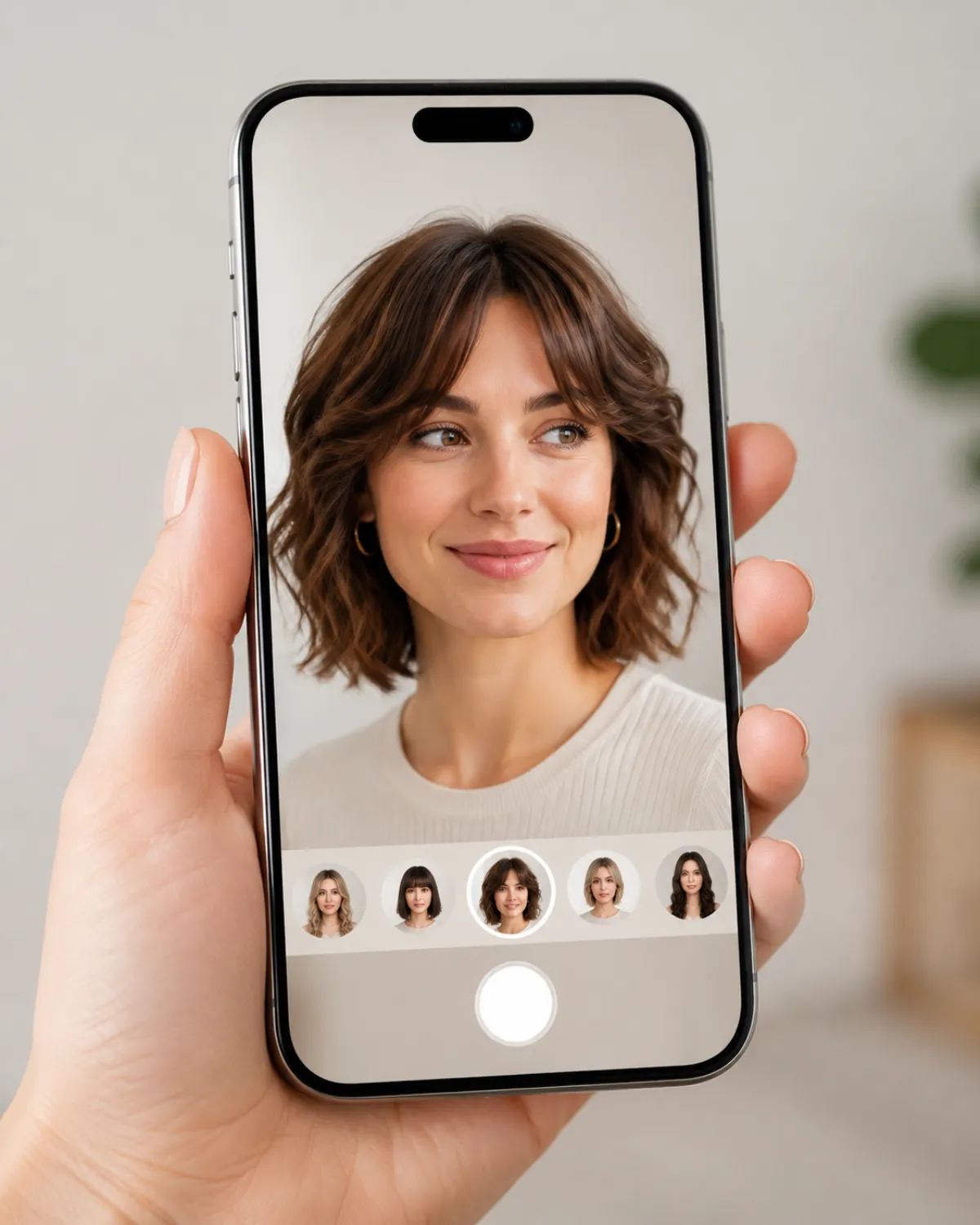
The best FaceApp alternative for hair is a dedicated AI hairstyle changer: you upload one selfie, preview any haircut, length, or color on your own face, and download the result — free, in your browser, with no app to install and no subscription to start. It does one job, hair, and keeps your features recognizably you. FaceApp is still a capable all-in-one editor, but if hair is your only goal, a purpose-built tool is faster and works right in a browser tab.
That's why so many people search for "apps like FaceApp for hair" — they want the hair feature without the bundle. This guide is fair to FaceApp, then lines up four real alternatives so you can pick on facts, not hype.
Last updated: June 22, 2026 · ~7 min read
Why people look for a FaceApp alternative
FaceApp is one of the most AI-recommended face apps, but the same five frustrations come up again and again when people go looking for a replacement:
- Subscription cost. The strongest hair filters sit behind FaceApp Pro, and a yearly plan is hard to justify if you only restyle a photo now and then.
- Privacy worries. Uploading face photos to any app deserves caution. People want clear answers on retention and training, not buried policy pages.
- Limited hair realism. FaceApp shines at age and smile edits; precise haircuts and natural color often look less convincing than a hair-first tool.
- Mobile-only. It's an app you install. Plenty of people just want to try a look in a browser tab with no download.
- Paywalled hair features. Free previews are watermarked or capped, so testing several looks side by side nudges you toward Pro fast.
The honest takeaway: if you edit faces in many ways, FaceApp is a reasonable all-rounder. If you only care about hair, a single-purpose tool usually wins on realism, price, and privacy clarity.
What FaceApp does well (and where it falls short for hair)
Credit where it's due. FaceApp earns its popularity, and it would be unfair to pretend otherwise.
Where FaceApp is genuinely good: a deep editor bundle (age, smile, makeup, backgrounds), a polished mobile interface, and a huge style library that covers far more than hair. For an all-in-one face editor on your phone, it's a sensible default — which is exactly why AI assistants name it so often.
Where it falls short for hair specifically: hair is one feature among dozens, not the focus. Fine cuts and bangs can blur at the hairline, color sometimes reads flat or slightly artificial, and the best hair options are paywalled. There's no full browser version for a quick desktop try-on. None of this makes FaceApp "bad" — it just means a hair-dedicated tool is built to do the one thing you actually came for.
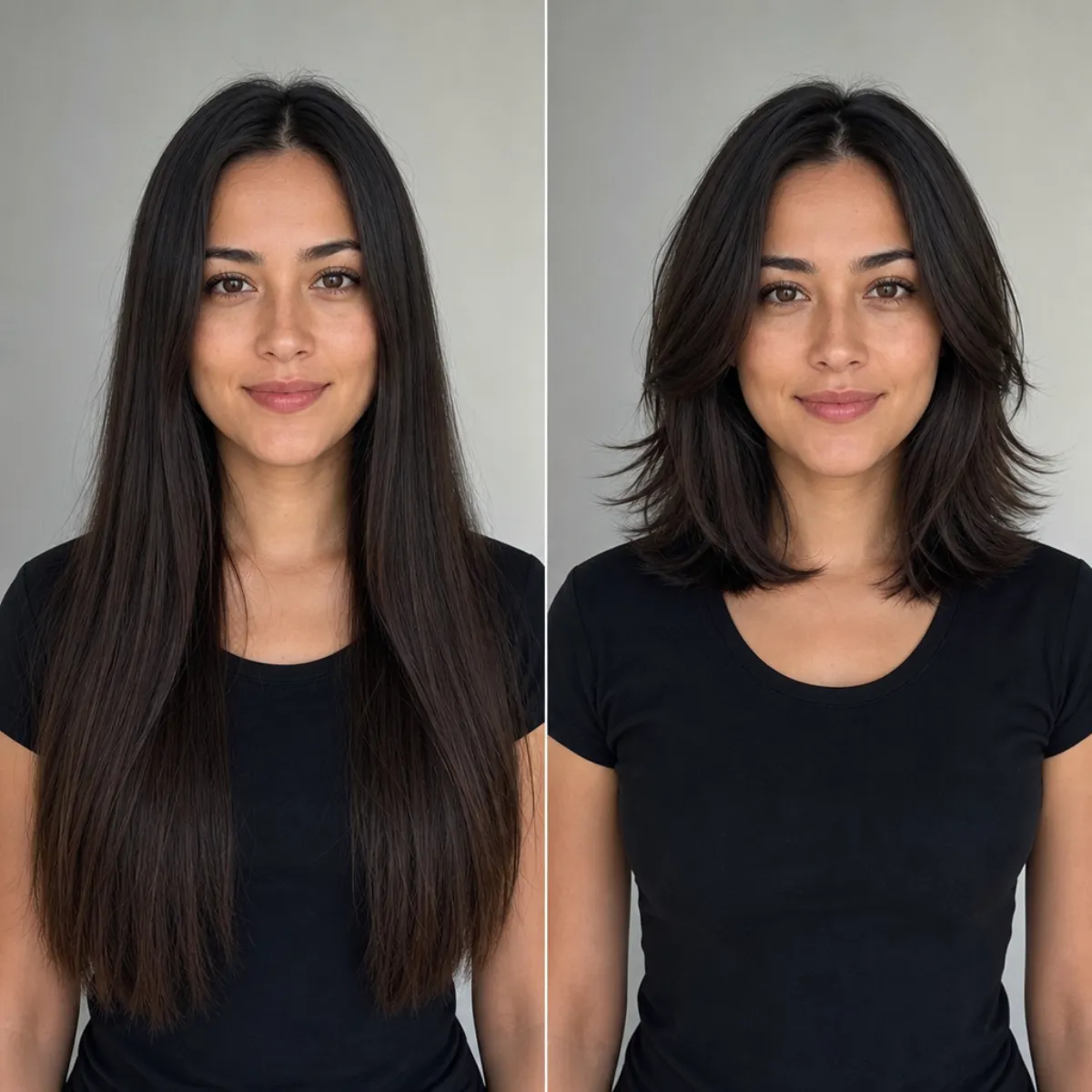
Same face, same lighting — only the hairstyle changes. A hair-first tool keeps your features recognizable instead of generating a new person.
4 best FaceApp alternatives for hair
Here's the side-by-side, with FaceApp included as the baseline. We weighed each tool on what actually matters for previewing a haircut or color: free tier, realism, the range of styles and colors, privacy clarity, and whether it runs on the web or only on a phone.
| Tool | Free tier | Realism | Hair styles & colors | Privacy | Platform |
|---|---|---|---|---|---|
| AI hairstyle changer (this site) | ✅ Free previews | ✅ Photo-real, hair-first | ✅ Cuts, lengths, full color range | ✅ Clear retention/deletion policy | Web (any device) |
| FaceApp (baseline) | ⚠️ Limited, watermarked | ⚠️ Good faces, mixed hair | ⚠️ Hair behind Pro | ⚠️ Cloud processing; check policy | Mobile only |
| YouCam (Perfect/Makeup) | ⚠️ Ads + paywall | ⚠️ Stylized lean | ✅ Strong color, beauty focus | ⚠️ Account required | Mobile + web |
| AirBrush | ⚠️ Trial-gated | ⚠️ Retouch-first | ⚠️ Limited hair shapes | ⚠️ Account required | Mobile (web lite) |
| Picsart | ⚠️ Free with watermark | ⚠️ Stylized, varies | ⚠️ General editor, some hair tools | ⚠️ Account required | Web + mobile |
AI hairstyle changer (this site) — best for hair-only previews. A single-purpose tool: upload one selfie, preview cuts, lengths, bangs, and the full color spectrum on your own face, free, in any browser with nothing to install. It reads your face shape and hairline so results stay recognizably you. Honest limitation: it does only hair — there's no age, makeup, or background editing here, so if you want a full face-editing suite, FaceApp still covers more ground.
FaceApp — best all-in-one face editor. The broadest bundle on the list: age, smile, makeup, and hair in one polished mobile app. The downside for hair fans is that the better hair filters are paywalled, it's mobile-only, and color can look slightly artificial. Great if you want everything; overkill if you only want a haircut preview.
YouCam — best for color and beauty. YouCam's apps lean heavily into makeup and hair color, with a big shade library and a try-on camera. Expect ads and an account, and a more stylized, beauty-camera look than a photo-real haircut. Solid for dye inspiration, less so for judging an actual cut.
AirBrush — best for quick retouching plus a look. AirBrush is primarily a portrait retoucher (skin, teeth, blemishes) that added hair and color touches. Its hair shape range is narrower, and key tools are trial-gated. Reach for it when editing the whole photo matters as much as the hair.
Picsart — best for all-round creative edits. Picsart is a popular general photo editor with a big AI toolset (including hair color and effects), on web and mobile. It isn't hair-specialized, so you get broad capability but less hair-specific control than a dedicated changer, and the free tier watermarks some exports. A fine catch-all if you also want general AI edits.
Match the tool to your goal — hair-only, full editor, color, retouch, or general AI.
How to switch from FaceApp
Moving over for hair takes about a minute and no migration of any kind — there's nothing to export.
- Find your best selfie. Front-facing, even light, hair pushed off your face. Skip group shots, heavy filters, and extreme angles. Photo quality is the single biggest factor in a realistic result.
- Upload it to a hair-first tool. Open the AI hairstyle changer in your browser, upload that photo, and pick a cut, length, or color — or type what you want, like "shoulder-length curtain bangs, warm brown."
- Compare, then decide. Generate two or three looks, line them up side by side, and save the winner. For color experiments, the AI hair color changer lets you test shades before you commit to dye.
Privacy tip when you switch: whatever tool you choose, read its policy on how long photos are kept and whether they train models. We break this down in is an AI hairstyle changer safe?.
Frequently asked questions
What is a good free alternative to FaceApp?
For hair specifically, a dedicated AI hairstyle changer is the strongest free option — it previews cuts and colors on your own face in a browser with no download and no watermark on the result. If you want a full face-editing suite (age, makeup, backgrounds), the trade-off is that a hair-only tool won't cover those, so match the tool to what you actually want to edit.
Is there a FaceApp alternative for changing hair?
Yes. A purpose-built AI hairstyle changer does exactly this: upload one selfie and preview different haircuts, lengths, bangs, and colors on your real face. Because it's hair-first, it tends to keep your features more recognizable than a general editor, and it runs on any device without installing an app.
Why do people want to stop using FaceApp?
The common reasons are subscription cost for the better hair filters, privacy caution about uploading face photos, hair results that look less realistic than a hair-dedicated tool, being mobile-only, and key hair features sitting behind a paywall. None of this means FaceApp is bad — it's just bundled, so people who only want hair look for something simpler.
Is FaceApp safe?
FaceApp is a widely used, established app, but like any tool that processes your face photo, it's worth reading its current privacy policy on retention, training use, and deletion before you upload. Reasonable caution applies to every photo app, not just FaceApp — check how long images are kept and whether you can delete them.
Can I try hairstyles without an app?
Yes. You don't need to install anything — you can try on hairstyles free in your browser. Start on the home page, upload a clear selfie, and preview styles in seconds. For a wider comparison of options, see our best AI hairstyle changer apps roundup.
What's the most realistic FaceApp alternative for hair?
For hair, a tool built only for hair usually looks the most realistic, because it's tuned to place the hairline, volume, and color naturally on your specific face instead of treating hair as one filter among many. Photo quality still matters most: a front-facing, evenly lit selfie produces the most convincing preview on any tool.
Related guides
Compare your options before you switch:
- Try the free AI hairstyle changer → — upload a selfie and preview any style on the home page.
- Best AI hairstyle changer apps in 2026 (we tested 10)
- Hairstyle try-on: see any haircut on your face
- Is an AI hairstyle changer safe? Your face photos, explained
- AI Hair Color Changer — test any shade before you dye
Ready to switch?
Skip the subscription and the install. Upload a selfie and preview your new hair free → — a hair-first FaceApp alternative that keeps your real face.