
How Would I Look With Dreads? Preview Locs Before You Commit
Wondering how you would look with dreads? Use one clear photo to compare loc length, thickness, and framing before a loctician consultation.

If you are asking “how would I look with dreads?”, the most useful answer is a controlled photo comparison: use the same clear selfie to preview short, medium, and longer loc directions, then keep only the option where the hair—not your face, lighting, or background—is doing the changing. The Dreadlocks Filter lets you try loc presets or describe a variation on your own portrait before you discuss it with a loctician.
Last updated: September 28, 2026 · about 6 min read
A convincing-looking image is not the same as a reliable decision. Use a preview to answer a small visual question: Do you prefer locs that sit around the jaw, shoulders, or chest? Do you like a narrower or fuller silhouette? Is your face still easy to recognize? Those are useful things to bring into a real consultation.
Start with a photo that makes the comparison fair
Choose a recent, unfiltered portrait in even light. Include your forehead, hairline, shoulders, and as much of your current hair as you comfortably can. A front-facing image is easiest for judging face framing; a second profile photo can be helpful for a later conversation, but do not mix it into the first comparison.
The existing Dreadlocks Filter supports a single-photo preview with loc presets and custom directions. It offers short starter coils through longer locs, plus different thicknesses and styles. That gives you a practical way to test the visual direction before you spend time trying to describe it.
| Keep stable | Change on purpose | Why it matters |
|---|---|---|
| Your source photo, crop, and lighting | Loc length | You can see whether the ends change the shape around your shoulders and jaw |
| Your face, skin tone, and expression | Loc thickness or volume | You can judge the silhouette without mistaking a changed portrait for a better style |
| Your outfit and background | Parting or a tied-back direction | The hairline and overall outline stay easier to compare |
A preview is a visual reference, not a prediction of how your hair will form, feel, or mature. Keep the question small enough to answer honestly.
Make a three-look loc comparison
Instead of generating a pile of unrelated images, make a short set from one original portrait.
- Choose the baseline. Save the unedited selfie first. It is the only way to notice whether a result has changed more than hair.
- Test one length family at a time. Try a short starter-loc direction, a shoulder-length option, and a longer option. Keep the thickness and overall finish as similar as possible for the first pass.
- Pick one detail to refine. Once a length feels right, compare a narrower versus fuller result, a center versus side part, or a tied-back option. Do not change every variable at once.
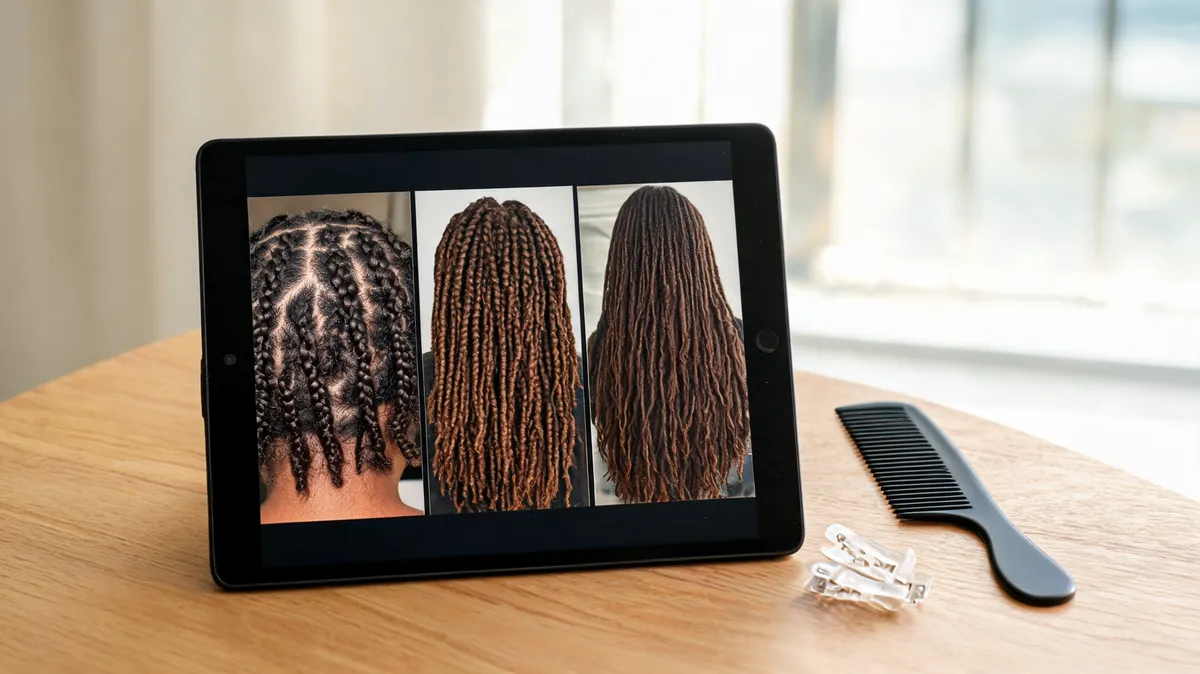
An editorial planning image: compare one variable at a time so the silhouette, not a different portrait, drives the choice.
What to look for before you save a result
At normal viewing size, ask whether the style creates a shape you would be comfortable wearing—not whether every generated strand is perfect. A small artifact at an edge is less important than a changed face, an implausible hairline, or a length you cannot actually see in the crop.
| Check | A useful preview | Discard or rerun when… |
|---|---|---|
| Face and hairline | Your face remains recognizable and the locs begin around the existing hairline | The forehead, face shape, eyes, or expression changed noticeably |
| Length | You can clearly see where the locs end against your neck, shoulders, or chest | The ends vanish behind clothing or become the only dramatic change in the image |
| Width and weight | The outline gives you a legible idea of narrow, medium, or fuller volume | The hair floats away from the head or becomes a generic wig-like mass |
| Parting and edges | The part or front framing is visible enough to describe | The preview makes the front edge hard to read or replaces it with an unrelated style |
Use this as a decision checklist, not a scorecard. You may prefer a full, freeform-looking outline or a neater, more uniform direction; the point is to identify what you actually like in plain words. If a result changes your identity or the whole scene, it is not a clean hairstyle comparison—start again from the original.
Turn the preview into a consultation note
Bring the original plus no more than two approved previews. Add a sentence under each one. The sentence is often more useful than the image because it tells a loctician what you are responding to.
- “I like this shoulder-length outline, but I want the front to stay open around my face.”
- “I prefer the fuller silhouette here, not necessarily this exact part.”
- “I want to discuss a shorter starting direction rather than commit to this final length.”
- “This shows the framing I like; I need your advice on what works with my own hair and routine.”
Use the terms that feel right to you and to the professional you are consulting. The preview should start a respectful conversation about a personal style, not flatten it into a generic makeover. For the photo setup itself, the best selfie for an AI hairstyle app guide explains how to keep your hairline and face readable.
Know what an AI loc preview cannot settle
A generated image cannot inspect your strand condition, density, prior processing, section size, maintenance preferences, or the practical path from your current hair to a finished look. It also cannot show how a style moves, feels, or develops over time. Those are reasons to use the preview as a reference, not a verdict.
Keep a result only when it preserves the person and clarifies the hair decision. If you are deciding between another hairstyle first, a broader AI hairstyle try-on can help you narrow the visual direction before you focus on loc-specific options.
Editorial disclosure: AIChangeHair is a visual-preview tool. Its Dreadlocks Filter can help you compare loc ideas on a photo, but it does not provide hair assessment, installation advice, or a guarantee of a real-world result.
Frequently asked questions
How can I see what I would look like with dreads?
Start with a clear, current portrait and compare a few loc directions on the same image. Keep the face, lighting, crop, and background stable, then judge length, width, parting, and face framing rather than treating one render as a promise of a finished style.
Should I preview starter locs or long locs first?
Preview the stage you are actually deciding about first. If you are unsure, make one short-starter, one medium, and one longer comparison from the same photo. That makes the changing silhouette easier to see without confusing length with a new pose or lighting setup.
Can a loc preview tell me exactly how my hair will lock?
No. A preview can help you discuss visible direction, length, and framing. It cannot determine your hair history, density, sectioning, maintenance routine, or how a real style will mature. A loctician can assess those details in person.
Related guides
- Try the Dreadlocks Filter →
- Use the best selfie for an AI hairstyle app
- Try on a hairstyle before you cut or color
- Make an AI hairstyle preview look more realistic
Use a preview to ask a better question
Open the Dreadlocks Filter, test one length and one silhouette at a time, and save only the results that still look recognizably like you. That gives you a much clearer starting point for a real conversation.