
Wolf Cut Editor: Check Layers and Length Before You Cut
Use a wolf cut editor preview as a practical haircut checklist: review layer height, face framing, nape length, identity, and what to show your stylist.
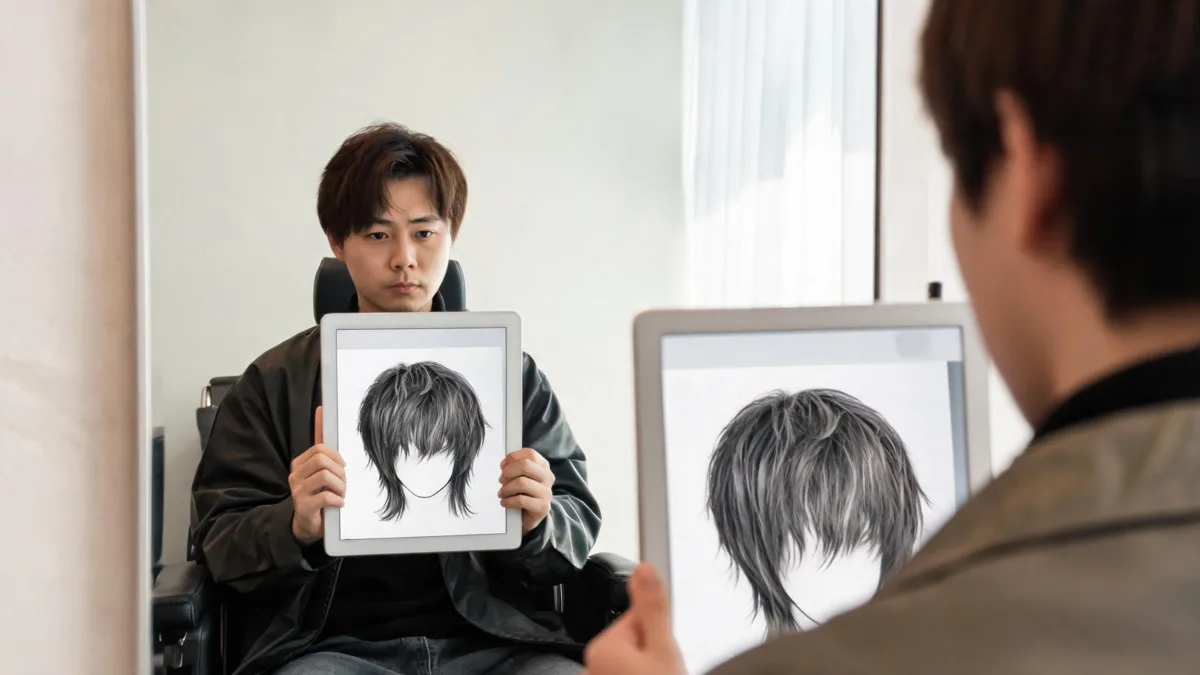
A wolf cut editor is most useful after it makes a preview: inspect the crown layers, face framing, nape length, and fullness before you treat it as haircut reference. Keep the version that still looks like you, then show a stylist the original and one or two controlled options. The wolf cut filter can help you compare the visual direction; it cannot prescribe a cut.
Last updated: September 15, 2026 · ~7 min read
The word “wolf cut” covers a wide range. One person means soft, blended shag layers; another means short, separated crown texture with a clear longer back. That ambiguity is why a striking preview is not automatically a useful salon brief. This checklist is for the decision after a preview, not another guide to whether the style suits you. For the broader fit and styling question, start with our wolf cut guide.
What should a wolf cut editor preview help you decide?
Use a preview to make five visible decisions, not to hunt for a flawless synthetic image. A good result gives you language for the appointment: where you want lift, which pieces should frame your face, how much length you want behind the ear, and what you do not want the stylist to copy.
| Check | Look for in the preview | Useful salon wording | Reject the result when… |
|---|---|---|---|
| Crown layers | The high point and width of the volume | “Keep the crown soft” or “I want visible lift here” | The top looks like a different head of hair or becomes much wider than your reference |
| Face framing | Where the shortest layer sits against cheekbones and jaw | “I like this length around my face” | The fringe covers an eye, hides your natural hairline, or changes your face shape |
| Nape length | The amount of length left at the back | “I want this much movement, not a long tail” | The back is missing, overly long, or impossible to judge from the crop |
| End fullness | Whether the perimeter still has enough visual weight | “I like texture, but I want fuller ends” | The ends look see-through or unusually sparse |
| Identity and baseline | Your face, color, part, lighting, and clothes still match the original | “This is a shape reference, not a color request” | Several variables changed at once |
The safest preview is often the least dramatic one: it isolates a haircut shape while keeping your face, hair color, part, and lighting stable.
Make one fair wolf cut comparison
The AI hairstyle changer works best when you keep the test narrow. A perfect front-facing selfie is not required, but you do need a clear hairline, visible sides, and light that does not hide the ends.
- Save your original first. Use a recent, unfiltered photo with your hair down, the top of your head and shoulders in frame, and ordinary daylight or even indoor light. Do not compare a wolf cut against a different pose or a heavily edited original.
- Ask for one version of the shape. Start with one plain request, such as “soft wolf cut with moderate crown layers, face framing below the cheekbones, and collarbone-length nape; keep my face, hair color, part, lighting, and background unchanged.” If you are unsure about the fringe, test it separately with the bangs filter.
- Change one visual variable for the second result. For example, compare a softer crown with a more separated crown at the same length. Do not change the cut, color, makeup, camera angle, and background together; then you will not know what you actually prefer.
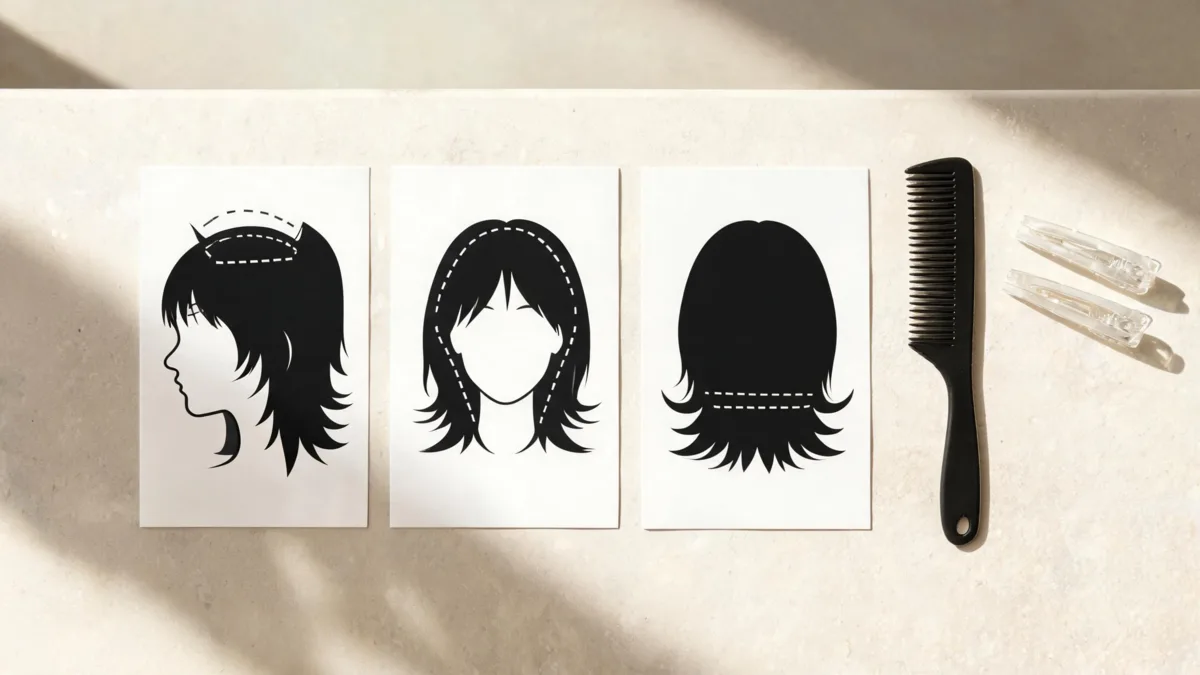
Editorial planning visual: use a preview to name the shape choices you want to discuss, not as a technical cutting diagram.
Read the shape from the front—and notice what the image cannot show
A front preview is useful for the face frame and the widest point of the silhouette. It is weak evidence for the profile, back, density, natural texture, and how the cut behaves after washing. Treat those gaps honestly.
| If you like… | Check this before saving | Ask about this in the chair |
|---|---|---|
| Strong crown lift | Does the volume start high or spread into the cheeks? | How will my own texture hold this lift on a normal day? |
| A soft fringe | Can you still see your eyes and natural hairline? | Would a longer, lighter fringe work better with my cowlicks? |
| Choppy layers | Do the ends still look intentional at normal size? | How much texturizing is realistic without making my ends look thin? |
| A longer back | Is the nape visible and proportionate to the top? | What back length will work with my neckline and daily styling? |
| A shorter overall cut | Has the result preserved your neck, jaw, and natural part? | How will this grow out over the next few appointments? |
The wolf cut vs shag comparison is useful when the preview gives you texture but the back length feels wrong. A shag may keep softer, more blended layers; a wolf cut usually makes the crown and back contrast more visible. If the only thing you like is the nape length, compare the mullet filter rather than forcing the wolf-cut label to do too much.
Turn the approved preview into a short salon brief
Save no more than two versions. Add one sentence under each so the image does not make your stylist guess. Recent stylist-led wolf-cut coverage similarly stresses describing the shape—not just the trend name—and discussing crown height, fringe, and nape length before the cut (Wolfcut Online’s appointment checklist).
Use this five-line brief:
- Starting point: “My hair is naturally [straight/wavy/curly], about [length], and I usually style it [amount].”
- Shape I like: “I want moderate lift at the crown and layers that start around [area], not a huge halo of volume.”
- Length boundary: “I am comfortable losing length to [point], but I want the nape to stay around [point].”
- What to avoid: “I do not want a heavy fringe, a very thin tail, or layers that make my ends look sparse.”
- Reality check: “Can my density, curl pattern, and growth direction support this shape with my usual routine?”
Bring an inspiration photo only if it clarifies a detail that your preview cannot show, such as the side or back. Avoid presenting an AI image as a guarantee or a request to copy another person’s texture. A stylist needs to adapt the shape to the hair that is actually in the chair.
When to rerun the preview instead of trusting it
Reject a result if it changes your face, eye shape, skin tone, hairline, original color, or setting so much that the haircut is no longer the main variable. Rerun it with a cleaner source photo or a shorter request. The best selfie for a hairstyle app guide can help if the first output keeps shifting your identity.
Also pause before making a major length change from a single image. Very fine hair, dense curls, pronounced cowlicks, and a strong natural part can all make the same layer pattern behave differently in real life. The preview should help you prepare a conversation, not settle it without a professional assessment.
Frequently asked questions
What should I check in a wolf cut editor preview?
Check the height and width of the crown, where the shortest face-framing piece lands, the visible nape length, the fullness of the ends, and whether the preview kept your face, hairline, color, and lighting recognizable. Save the original next to one or two approved previews.
Can an AI wolf cut preview tell my stylist exactly how to cut my hair?
No. A preview can communicate a visual direction, but it cannot assess your density, curl shrinkage, cowlicks, growth pattern, or the cutting technique needed. Bring it as a reference and let a stylist adapt the shape to your hair.
How do I ask for a softer wolf cut?
Show the amount of crown lift, face framing, and nape length you like, then say what you do not want: for example, a heavy fringe, a thin tail, or very short crown layers. A softer wolf cut usually has more blended layers and less dramatic contrast between the top and back.
Related guides
- Try the wolf cut filter →
- Compare wolf cut vs shag
- Compare wolf cut vs butterfly cut
- Preview bangs before you cut
- Make an AI haircut preview useful at the salon
Keep the decision small enough to explain
Use the wolf cut filter to compare one or two shapes on the same photo, then bring the original, the preferred preview, and a short note about length and styling. That is enough for a stylist to give you a useful reality check before any hair comes off.